Compare commits
185 Commits
| Author | SHA1 | Date | |
|---|---|---|---|

|
132d8f4f6b | ||
|
|
c085cf1e72 | ||

|
ebb1a50e3f | ||

|
8f82976fe5 | ||

|
6da46dd3b1 | ||
|
|
5fc3bdee08 | ||
|
|
bcc867323f | ||
|
|
a46a234b76 | ||
|
|
f0df2122de | ||
|
|
ce695850bd | ||
|
|
8c12afced5 | ||
|
|
8c1e50d9e7 | ||

|
20f5134606 | ||

|
facc98018b | ||
|
|
581828d49a | ||
|
|
587027df37 | ||

|
85736c55c9 | ||
|
|
1f47ee8f11 | ||
|
|
1eb6ac6d90 | ||

|
295c6ea796 | ||

|
68c2b04090 | ||

|
1494458ba6 | ||
|
|
f7086c8aa3 | ||
|
|
59ccc90b2f | ||
|
|
1e9e911877 | ||
|
|
dc67024be2 | ||
|
|
b3591c3e69 | ||
|
|
9243187490 | ||
|
|
6b1080ad43 | ||
|
|
52a4f1a423 | ||
|
|
8fa6454161 | ||

|
e1a6acf5e6 | ||
|
|
2d0beabe9a | ||
|
|
133d2d6e02 | ||
|
|
da95c42279 | ||

|
989039af81 | ||
|
|
5de0019b3d | ||
|
|
d1e5d58e01 | ||
|
|
0d3a57be13 | ||
|
|
541aae1588 | ||
|
|
9d00421c73 | ||
|
|
54ed8f7a7b | ||

|
e454ff06b9 | ||
|
|
7b94ccb01f | ||
|
|
44f8e9d4da | ||
|
|
4c6150a545 | ||

|
e2518b37d9 | ||
|
|
2fc83d275b | ||

|
b14374f660 | ||

|
8ff68dd6bf | ||

|
132b8c32e5 | ||
|
|
f2a49eaa25 | ||

|
ca2a6d7664 | ||
|
|
84db5ea13d | ||
|
|
ffd465a36a | ||

|
0d25f5789b | ||
|
|
ca1577166d | ||
|
|
40b0f956ae | ||

|
2ee14eb94b | ||
|
|
9ede44b12d | ||
|
|
0dc2f2e18a | ||

|
2aa7a3898b | ||
|
|
805f119a25 | ||
|
|
74f76e2656 | ||

|
4d38222ba0 | ||
|
|
b9b7c482d4 | ||
|
|
1c5d9ca223 | ||
|
|
8fba3eee1d | ||
|
|
0d6aabc737 | ||
|
|
b124e12509 | ||
|
|
0a23bfe263 | ||
|
|
9fa38c9ba8 | ||
|
|
9484a9ff56 | ||
|
|
ed928bfa25 | ||

|
a996d43bbf | ||

|
6ce67b5ab8 | ||
|
|
5d531b11e7 | ||
|
|
eccd96a775 | ||
|
|
407376b3b7 | ||
|
|
d6188e52fe | ||
|
|
0a1a3bb8c2 | ||

|
16b45a313e | ||
|
|
1d820b02cb | ||
|
|
55a434c039 | ||
|
|
7831da6f6a | ||
|
|
bebecacc89 | ||

|
0d7072beea | ||
|
|
95ab0706b6 | ||

|
a522153df2 | ||
|
|
1804d0af0f | ||
|
|
9d16e280cd | ||
|
|
b8af7ad95d | ||
|
|
028324556d | ||
|
|
38c32233f6 | ||

|
231e2408c3 | ||
|
|
810c321881 | ||
|
|
8edfafb9f6 | ||

|
6ed4472441 | ||
|
|
b03467a832 | ||

|
148511e6f8 | ||

|
f07d595ed9 | ||
|
|
ec448d6c41 | ||
|
|
2a31380dbc | ||
|
|
0962e3384c | ||
|
|
0ee3e7153d | ||
|
|
11cc4a15cf | ||
|
|
ae5f0ace55 | ||
|
|
99c935f5e0 | ||
|
|
a4ee3089bc | ||
|
|
23432300c7 | ||
|
|
a7df687d82 | ||
|
|
1d993046c2 | ||
|
|
2685c20134 | ||
|
|
861a3d2091 | ||
|
|
4d88ea1883 | ||
|
|
aa33cf7295 | ||
|
|
cf14503fb0 | ||
|
|
cecfc93440 | ||
|
|
bf5264d882 | ||
|
|
3923bb3cae | ||
|
|
5d6e202840 | ||
|
|
ef154b348e | ||
|
|
d45e66969d | ||
|
|
62674372c5 | ||
|
|
5afcf445be | ||
|
|
e6f2ff970b | ||
|
|
af1695687a | ||
|
|
f0d7cf3ce6 | ||

|
36e77e1fe3 | ||

|
35dd7ec230 | ||
|
|
15cc1d98c5 | ||

|
9803ef70c6 | ||
|
|
ccc27142ef | ||
|
|
9a20982406 | ||

|
67a69a5878 | ||
|
|
19c3ac0d7e | ||
|
|
67a9f4983c | ||
|
|
ec79f3042a | ||
|
|
f13144ceb8 | ||
|
|
d42271acf6 | ||
|
|
fb58a66f3b | ||
|
|
c96e6703d3 | ||
|
|
8a4c808ee2 | ||
|
|
52cce0ee21 | ||
|
|
b3cf985d4a | ||
|
|
8823b04291 | ||
|
|
bb2da35d09 | ||
|
|
fa633a705d | ||

|
48170fe899 | ||
|
|
a53b042fec | ||
|
|
c267eeabf8 | ||

|
c6770d233c | ||
|
|
0a75c831a6 | ||

|
4d76443846 | ||
|
|
97d7ae21e4 | ||
|
|
6ab6d6fd3a | ||

|
1144f4dfa0 | ||
|
|
a9ad2a2146 | ||
|
|
43ebd6d0c5 | ||

|
d20ab844d6 | ||

|
857ac1f7dc | ||
|
|
986a18170c | ||
|
|
198835a697 | ||
|
|
5efed2e740 | ||
|
|
43e258a58d | ||
|
|
8ca7f422da | ||
|
|
4fc70eb1ff | ||
|
|
d90bf8079a | ||
|
|
ea63716b61 | ||

|
daa51f9740 | ||

|
340424391f | ||
|
|
312e97d18b | ||

|
f4fc30cd9f | ||

|
595049f7fc | ||
|
|
79e3eb9c90 | ||

|
c95837f54e | ||

|
068e664f16 | ||
|
|
12ec1cfdcb | ||
|
|
303a62369f | ||
|
|
034f6d29d6 | ||
|
|
60098d3909 | ||
|
|
2c68f1e7ee | ||

|
bfd392026d | ||
|
|
c18fd02c8e | ||
|
|
ffad2b890e |
@@ -11,3 +11,6 @@ charset = utf-8
|
||||
trim_trailing_whitespace = true
|
||||
insert_final_newline = true
|
||||
max_line_length = 120
|
||||
|
||||
[*.md]
|
||||
trim_trailing_whitespace = false
|
||||
|
||||
@@ -13,6 +13,12 @@
|
||||
{
|
||||
"newlines-between": "always"
|
||||
}
|
||||
],
|
||||
"no-else-return": [
|
||||
"error",
|
||||
{
|
||||
"allowElseIf": true
|
||||
}
|
||||
]
|
||||
},
|
||||
"settings": {
|
||||
|
||||
9
.github/DISCUSSION_TEMPLATE/support.yml
vendored
@@ -1,4 +1,11 @@
|
||||
body:
|
||||
- type: markdown
|
||||
attributes:
|
||||
value: |
|
||||
### ⚠️ Before opening a discussion:
|
||||
|
||||
- [Check the troubleshooting guide](https://gethomepage.dev/troubleshooting/).
|
||||
- [Search existing issues](https://github.com/gethomepage/homepage/search?q=&type=issues) [and discussions](https://github.com/gethomepage/homepage/search?q=&type=discussions).
|
||||
- type: textarea
|
||||
id: description
|
||||
attributes:
|
||||
@@ -44,6 +51,6 @@ body:
|
||||
id: troubleshooting
|
||||
attributes:
|
||||
label: Troubleshooting
|
||||
description: Please include output from your [troubleshooting tests](https://gethomepage.dev/latest/more/troubleshooting/#service-widget-errors), if relevant.
|
||||
description: Please include output from your [troubleshooting tests](https://gethomepage.dev/more/troubleshooting/#service-widget-errors), if relevant.
|
||||
validations:
|
||||
required: true
|
||||
|
||||
3
.github/FUNDING.yml
vendored
@@ -1,2 +1,3 @@
|
||||
github: [gethomepage, benphelps, shamoon]
|
||||
github: [gethomepage]
|
||||
open_collective: homepage
|
||||
patreon: gethomepage
|
||||
|
||||
2
.github/ISSUE_TEMPLATE/bug_report.yml
vendored
@@ -13,7 +13,7 @@ body:
|
||||
attributes:
|
||||
label: Before submitting, please confirm the following
|
||||
options:
|
||||
- label: I confirm this was discussed, and the maintainers suggest I open an issue (note that AI bots are not maintainers).
|
||||
- label: I confirm this was discussed, and the maintainers asked that I open an issue.
|
||||
required: true
|
||||
- label: I am aware that if I create this issue without a discussion, it will be removed without a response.
|
||||
required: true
|
||||
|
||||
6
.github/PULL_REQUEST_TEMPLATE.md
vendored
@@ -3,7 +3,7 @@
|
||||
<!--
|
||||
Please include a summary of the change. Screenshots and/or videos can also be helpful if appropriate.
|
||||
|
||||
*** Please see the development guidelines for new widgets: https://gethomepage.dev/latest/more/development/#service-widget-guidelines
|
||||
*** Please see the development guidelines for new widgets: https://gethomepage.dev/more/development/#service-widget-guidelines
|
||||
*** If you do not follow these guidelines your PR will likely be closed without review.
|
||||
|
||||
New service widgets should include example(s) of relevant API output as well as updates to the docs for the new widget.
|
||||
@@ -26,6 +26,6 @@ What type of change does your PR introduce to Homepage?
|
||||
## Checklist:
|
||||
|
||||
- [ ] If applicable, I have added corresponding documentation changes.
|
||||
- [ ] If applicable, I have reviewed the [feature](https://gethomepage.dev/latest/more/development/#new-feature-guidelines) and / or [service widget guidelines](https://gethomepage.dev/latest/more/development/#service-widget-guidelines).
|
||||
- [ ] I have checked that all code style checks pass using [pre-commit hooks](https://gethomepage.dev/latest/more/development/#code-formatting-with-pre-commit-hooks) and [linting checks](https://gethomepage.dev/latest/more/development/#code-linting).
|
||||
- [ ] If applicable, I have reviewed the [feature](https://gethomepage.dev/more/development/#new-feature-guidelines) and / or [service widget guidelines](https://gethomepage.dev/more/development/#service-widget-guidelines).
|
||||
- [ ] I have checked that all code style checks pass using [pre-commit hooks](https://gethomepage.dev/more/development/#code-formatting-with-pre-commit-hooks) and [linting checks](https://gethomepage.dev/more/development/#code-linting).
|
||||
- [ ] If applicable, I have tested my code for new features & regressions on both mobile & desktop devices, using the latest version of major browsers.
|
||||
|
||||
8
.github/workflows/crowdin.yml
vendored
@@ -8,7 +8,7 @@ on:
|
||||
paths: [
|
||||
'/public/locales/en/**',
|
||||
]
|
||||
branches: [ main ]
|
||||
branches: [ dev ]
|
||||
|
||||
jobs:
|
||||
synchronize-with-crowdin:
|
||||
@@ -19,12 +19,12 @@ jobs:
|
||||
- name: Checkout
|
||||
uses: actions/checkout@v4
|
||||
- name: crowdin action
|
||||
uses: crowdin/github-action@v1
|
||||
uses: crowdin/github-action@v2
|
||||
with:
|
||||
upload_translations: false
|
||||
download_translations: true
|
||||
crowdin_branch_name: main
|
||||
localization_branch_name: l10n_main
|
||||
crowdin_branch_name: dev
|
||||
localization_branch_name: l10n_dev
|
||||
env:
|
||||
GITHUB_TOKEN: ${{ secrets.GITHUB_TOKEN }}
|
||||
CROWDIN_PROJECT_ID: ${{ secrets.CROWDIN_PROJECT_ID }}
|
||||
|
||||
5
.github/workflows/docker-publish.yml
vendored
@@ -12,13 +12,14 @@ on:
|
||||
branches:
|
||||
- main
|
||||
- feature/**
|
||||
- dev
|
||||
# Publish semver tags as releases.
|
||||
tags: [ 'v*.*.*' ]
|
||||
paths-ignore:
|
||||
- 'docs/**'
|
||||
- 'mkdocs.yml'
|
||||
pull_request:
|
||||
branches: [ "main" ]
|
||||
branches: [ "dev" ]
|
||||
paths-ignore:
|
||||
- 'docs/**'
|
||||
- 'mkdocs.yml'
|
||||
@@ -116,7 +117,7 @@ jobs:
|
||||
# https://github.com/docker/build-push-action
|
||||
- name: Build and push Docker image
|
||||
id: build-and-push
|
||||
uses: docker/build-push-action@v5
|
||||
uses: docker/build-push-action@v6
|
||||
with:
|
||||
context: .
|
||||
push: ${{ github.event_name != 'pull_request' && !(github.event_name == 'push' && startsWith(github.ref, 'refs/heads/feature')) }}
|
||||
|
||||
50
.github/workflows/docs-publish.yml
vendored
@@ -2,15 +2,15 @@ name: Docs
|
||||
|
||||
on:
|
||||
push:
|
||||
tags: [ 'v*.*.*' ]
|
||||
branches: ['main']
|
||||
tags: ["v*.*.*"]
|
||||
branches: ["main"]
|
||||
paths:
|
||||
- 'docs/**'
|
||||
- 'mkdocs.yml'
|
||||
- "docs/**"
|
||||
- "mkdocs.yml"
|
||||
pull_request:
|
||||
paths:
|
||||
- 'docs/**'
|
||||
- 'mkdocs.yml'
|
||||
- "docs/**"
|
||||
- "mkdocs.yml"
|
||||
merge_group:
|
||||
workflow_dispatch:
|
||||
|
||||
@@ -22,16 +22,13 @@ jobs:
|
||||
name: Linting Checks
|
||||
runs-on: ubuntu-22.04
|
||||
steps:
|
||||
-
|
||||
name: Checkout repository
|
||||
- name: Checkout repository
|
||||
uses: actions/checkout@v4
|
||||
-
|
||||
name: Install python
|
||||
- name: Install python
|
||||
uses: actions/setup-python@v5
|
||||
with:
|
||||
python-version: 3.x
|
||||
-
|
||||
name: Check files
|
||||
- name: Check files
|
||||
uses: pre-commit/action@v3.0.1
|
||||
|
||||
test:
|
||||
@@ -53,8 +50,7 @@ jobs:
|
||||
restore-keys: |
|
||||
mkdocs-material-
|
||||
- run: sudo apt-get install pngquant
|
||||
- run: pip install mike
|
||||
- run: pip install mkdocs-material
|
||||
- run: pip install mkdocs-material mkdocs-redirects "mkdocs-material[imaging]"
|
||||
- name: Test Docs Build
|
||||
run: MKINSIDERS=false mkdocs build
|
||||
deploy:
|
||||
@@ -65,8 +61,10 @@ jobs:
|
||||
- pre-commit
|
||||
steps:
|
||||
- uses: actions/checkout@v4
|
||||
with:
|
||||
ref: main
|
||||
- name: Configure Git Credentials
|
||||
run: |
|
||||
git config user.name github-actions[bot]
|
||||
git config user.email 41898282+github-actions[bot]@users.noreply.github.com
|
||||
- uses: actions/setup-python@v5
|
||||
with:
|
||||
python-version: 3.x
|
||||
@@ -78,23 +76,9 @@ jobs:
|
||||
restore-keys: |
|
||||
mkdocs-material-
|
||||
- run: sudo apt-get install pngquant
|
||||
- run: pip install mike==2.0.0
|
||||
- run: pip install git+https://${GH_TOKEN}@github.com/benphelps/mkdocs-material-insiders.git
|
||||
- name: Set Git config
|
||||
run: |
|
||||
git config --global user.name "GitHub Action"
|
||||
git config --global user.email "action@github.com"
|
||||
- name: Sync gh-pages
|
||||
run: |
|
||||
git fetch origin gh-pages
|
||||
git checkout gh-pages
|
||||
git pull origin gh-pages
|
||||
git checkout main
|
||||
- name: Docs Deploy for Main
|
||||
if: github.ref == 'refs/heads/main'
|
||||
run: MKINSIDERS=true mike deploy --update --push ${{github.ref_name}}
|
||||
- name: Docs Deploy for Tags
|
||||
if: github.ref != 'refs/heads/main'
|
||||
run: MKINSIDERS=true mike deploy --update --push ${{github.ref_name}} latest
|
||||
- run: pip install mkdocs-redirects "mkdocs-material[imaging]"
|
||||
- name: Docs Deploy
|
||||
run: MKINSIDERS=true mkdocs gh-deploy --force
|
||||
env:
|
||||
GH_TOKEN: ${{ secrets.GH_TOKEN }}
|
||||
|
||||
@@ -38,11 +38,11 @@ People _love_ thorough bug reports. I'm not even kidding.
|
||||
|
||||
## Development Guidelines
|
||||
|
||||
Please see the [documentation regarding development](https://gethomepage.dev/latest/more/development/) and specifically the [guidelines for new service widgets](https://gethomepage.dev/latest/more/development/#service-widget-guidelines) if you are considering making one.
|
||||
Please see the [documentation regarding development](https://gethomepage.dev/more/development/) and specifically the [guidelines for new service widgets](https://gethomepage.dev/more/development/#service-widget-guidelines) if you are considering making one.
|
||||
|
||||
## Use a Consistent Coding Style
|
||||
|
||||
Please see information in the docs regarding [code formatting with pre-commit hooks](https://gethomepage.dev/latest/more/development/#code-formatting-with-pre-commit-hooks).
|
||||
Please see information in the docs regarding [code formatting with pre-commit hooks](https://gethomepage.dev/more/development/#code-formatting-with-pre-commit-hooks).
|
||||
|
||||
## License
|
||||
|
||||
|
||||
40
README.md
@@ -20,11 +20,18 @@
|
||||
|
||||
<a href="https://discord.gg/k4ruYNrudu"><img alt="Discord" src="https://img.shields.io/discord/1019316731635834932"></a>
|
||||
|
||||
<a href="http://gethomepage.dev/latest/" title="Docs"><img title="Docs" src="https://github.com/gethomepage/homepage/actions/workflows/docs-publish.yml/badge.svg"/></a>
|
||||
<a href="https://gethomepage.dev/" title="Docs"><img title="Docs" src="https://github.com/gethomepage/homepage/actions/workflows/docs-publish.yml/badge.svg"/></a>
|
||||
|
||||
<a href="https://paypal.me/phelpsben" title="Donate"><img alt="GitHub Sponsors" src="https://img.shields.io/github/sponsors/benphelps"></a>
|
||||
</p>
|
||||
|
||||
<p align="center">
|
||||
<a href="https://www.digitalocean.com/?refcode=df14bcb7c016&utm_campaign=Referral_Invite&utm_medium=Referral_Program&utm_source=badge"><img src="https://web-platforms.sfo2.cdn.digitaloceanspaces.com/WWW/Badge%201.svg" alt="DigitalOcean Referral Badge" /></a>
|
||||
</p>
|
||||
<p align="center">
|
||||
<em>Homepage builds are kindly powered by DigitalOcean.</em>
|
||||
</p>
|
||||
|
||||
# Features
|
||||
|
||||
With features like quick search, bookmarks, weather support, a wide range of integrations and widgets, an elegant and modern design, and a focus on performance, Homepage is your ideal start to the day and a handy companion throughout it.
|
||||
@@ -41,37 +48,40 @@ With features like quick search, bookmarks, weather support, a wide range of int
|
||||
|
||||
## Docker Integration
|
||||
|
||||
Homepage has built-in support for Docker, and can automatically discover and add services to the homepage based on labels. See the [Docker Service Discovery](https://gethomepage.dev/latest/configs/docker/#automatic-service-discovery) page for more information.
|
||||
Homepage has built-in support for Docker, and can automatically discover and add services to the homepage based on labels. See the [Docker Service Discovery](https://gethomepage.dev/configs/docker/#automatic-service-discovery) page for more information.
|
||||
|
||||
## Service Widgets
|
||||
|
||||
Homepage also has support for over 100 3rd party services, including all popular starr apps, and most popular self-hosted apps. Some examples include: Radarr, Sonarr, Lidarr, Bazarr, Ombi, Tautulli, Plex, Jellyfin, Emby, Transmission, qBittorrent, Deluge, Jackett, NZBGet, SABnzbd, etc. As well as service integrations, Homepage also has a number of information providers, sourcing information from a variety of external 3rd party APIs. See the [Service](https://gethomepage.dev/latest/widgets/) page for more information.
|
||||
Homepage also has support for over 100 3rd party services, including all popular starr apps, and most popular self-hosted apps. Some examples include: Radarr, Sonarr, Lidarr, Bazarr, Ombi, Tautulli, Plex, Jellyfin, Emby, Transmission, qBittorrent, Deluge, Jackett, NZBGet, SABnzbd, etc. As well as service integrations, Homepage also has a number of information providers, sourcing information from a variety of external 3rd party APIs. See the [Service](https://gethomepage.dev/widgets/) page for more information.
|
||||
|
||||
## Information Widgets
|
||||
|
||||
Homepage has built-in support for a number of information providers, including weather, time, date, search, glances and more. System and status information presented at the top of the page. See the [Information Providers](https://gethomepage.dev/latest/widgets/) page for more information.
|
||||
Homepage has built-in support for a number of information providers, including weather, time, date, search, glances and more. System and status information presented at the top of the page. See the [Information Providers](https://gethomepage.dev/widgets/) page for more information.
|
||||
|
||||
## Customization
|
||||
|
||||
Homepage is highly customizable, with support for custom themes, custom CSS & JS, custom layouts, formatting, localization and more. See the [Settings](https://gethomepage.dev/latest/configs/settings/) page for more information.
|
||||
Homepage is highly customizable, with support for custom themes, custom CSS & JS, custom layouts, formatting, localization and more. See the [Settings](https://gethomepage.dev/configs/settings/) page for more information.
|
||||
|
||||
# Getting Started
|
||||
|
||||
For configuration options, examples and more, [please check out the homepage documentation](http://gethomepage.dev).
|
||||
|
||||
## Security Notice 🔒
|
||||
|
||||
Please note that when using features such as widgets, Homepage can access personal information (for example from your home automation system) and Homepage currently does not (and is not planned to) include any authentication layer itself. Thus, we recommend homepage be deployed behind a reverse proxy including authentication, SSL etc, and / or behind a VPN.
|
||||
|
||||
## With Docker
|
||||
|
||||
Using docker compose:
|
||||
|
||||
```yaml
|
||||
version: "3.3"
|
||||
services:
|
||||
homepage:
|
||||
image: ghcr.io/gethomepage/homepage:latest
|
||||
container_name: homepage
|
||||
environment:
|
||||
PUID: 1000 -- optional, your user id
|
||||
PGID: 1000 -- optional, your group id
|
||||
PUID: 1000 # optional, your user id
|
||||
PGID: 1000 # optional, your group id
|
||||
ports:
|
||||
- 3000:3000
|
||||
volumes:
|
||||
@@ -93,7 +103,7 @@ docker run --name homepage \
|
||||
ghcr.io/gethomepage/homepage:latest
|
||||
```
|
||||
|
||||
## With Node
|
||||
## From Source
|
||||
|
||||
First, clone the repository:
|
||||
|
||||
@@ -116,15 +126,9 @@ Finally, run the server in production mode:
|
||||
pnpm start
|
||||
```
|
||||
|
||||
or development mode:
|
||||
|
||||
```bash
|
||||
pnpm dev
|
||||
```
|
||||
|
||||
# Configuration
|
||||
|
||||
Please refer to the [homepage documentation](https://gethomepage.dev/) website for more information. Everything you need to know about configuring Homepage is there. Please read everything carefully before asking for help, as most questions are answered there or are simple YAML configuration issues.
|
||||
Please refer to the [homepage documentation website](https://gethomepage.dev/) for more information. Everything you need to know about configuring Homepage is there. Please read everything carefully before asking for help, as most questions are answered there or are simple YAML configuration issues.
|
||||
|
||||
# Development
|
||||
|
||||
@@ -164,6 +168,10 @@ mkdocs serve # or build, to build the static site
|
||||
|
||||
If you have any questions, suggestions, or general issues, please start a discussion on the [Discussions](https://github.com/gethomepage/homepage/discussions) page.
|
||||
|
||||
## Troubleshooting
|
||||
|
||||
In addition to the docs, the [troubleshooting guide](https://gethomepage.dev/troubleshooting/) can help reveal many basic config or network issues. If you're having a problem, it's a good place to start.
|
||||
|
||||
## Contributing & Contributors
|
||||
|
||||
Contributions are welcome! Please see the [CONTRIBUTING.md](CONTRIBUTING.md) file for more information.
|
||||
|
||||
1
docs/CNAME
Normal file
@@ -0,0 +1 @@
|
||||
gethomepage.dev
|
||||
BIN
docs/assets/banner_dark@2x.webp
Normal file

|
After Width: | Height: | Size: 15 KiB |
BIN
docs/assets/banner_light@2x.webp
Normal file

|
After Width: | Height: | Size: 13 KiB |
BIN
docs/assets/blossom_valley.jpg
Normal file

|
After Width: | Height: | Size: 461 KiB |
BIN
docs/assets/blossom_valley_blur.jpg
Normal file

|
After Width: | Height: | Size: 67 KiB |
BIN
docs/assets/homepage_demo.webp
Normal file

|
After Width: | Height: | Size: 139 KiB |
BIN
docs/assets/homepage_demo_clip.png
Normal file

|
After Width: | Height: | Size: 721 KiB |
BIN
docs/assets/homepage_demo_clip.webp
Normal file

|
After Width: | Height: | Size: 139 KiB |
BIN
docs/assets/light_squircle@2x.webp
Normal file

|
After Width: | Height: | Size: 26 KiB |
BIN
docs/assets/sections.png
Normal file

|
After Width: | Height: | Size: 331 KiB |
BIN
docs/assets/sections.webp
Normal file

|
After Width: | Height: | Size: 26 KiB |
BIN
docs/assets/widget_stocks_demo.png
Normal file

|
After Width: | Height: | Size: 9.2 KiB |
@@ -203,7 +203,7 @@ In order to detect every service within the Docker swarm it is necessary that se
|
||||
|
||||
## Multiple Homepage Instances
|
||||
|
||||
The optional field `instanceName` can be configured in [settings.md](settings.md#instance-name) to differentiate between multiple homepage instances.
|
||||
The optional field `instanceName` can be configured in [settings.yaml](settings.md#instance-name) to differentiate between multiple homepage instances.
|
||||
|
||||
To limit a label to an instance, insert `.instance.{{instanceName}}` after the `homepage` prefix.
|
||||
|
||||
@@ -235,4 +235,4 @@ You can show the docker stats by clicking the status indicator but this can also
|
||||
showStats: true
|
||||
```
|
||||
|
||||
Also see the settings for [show docker stats](docker.md#show-docker-stats).
|
||||
Also see the settings for [show docker stats](settings.md#show-docker-stats).
|
||||
|
||||
@@ -1,6 +1,7 @@
|
||||
---
|
||||
title: Configuration
|
||||
description: Homepage Configuration
|
||||
icon: material/cog
|
||||
---
|
||||
|
||||
Homepage uses YAML for configuration, YAML stands for "YAML Ain't Markup Language.". It's a human-readable data serialization format that's a superset of JSON. Great for config files, easy to read and write. Supports complex data types like lists and objects. **Indentation matters.** If you already use Docker Compose, you already use YAML.
|
||||
|
||||
@@ -36,7 +36,7 @@ Inside of the service you'd like to connect to a pod:
|
||||
|
||||
The `app` field is used to create a label selector, in this example case it would match pods with the label: `app.kubernetes.io/name=emby`.
|
||||
|
||||
Sometimes this is insufficient for complex or atypical application deployments. In these cases, the `pod-selector` field can be used. Any field selector can be used with it, so it allows for some very powerful selection capabilities.
|
||||
Sometimes this is insufficient for complex or atypical application deployments. In these cases, the `podSelector` field can be used. Any field selector can be used with it, so it allows for some very powerful selection capabilities.
|
||||
|
||||
For instance, it can be utilized to roll multiple underlying deployments under one application to see a high-level aggregate:
|
||||
|
||||
@@ -47,7 +47,7 @@ For instance, it can be utilized to roll multiple underlying deployments under o
|
||||
description: Matrix Synapse Powered Chat
|
||||
app: matrix-element
|
||||
namespace: comms
|
||||
pod-selector: >-
|
||||
podSelector: >-
|
||||
app.kubernetes.io/instance in (
|
||||
matrix-element,
|
||||
matrix-media-repo,
|
||||
@@ -58,7 +58,7 @@ For instance, it can be utilized to roll multiple underlying deployments under o
|
||||
|
||||
!!! note
|
||||
|
||||
A blank string as a pod-selector does not deactivate it, but will actually select all pods in the namespace. This is a useful way to capture the resource usage of a complex application siloed to a single namespace, like Longhorn.
|
||||
A blank string as a podSelector does not deactivate it, but will actually select all pods in the namespace. This is a useful way to capture the resource usage of a complex application siloed to a single namespace, like Longhorn.
|
||||
|
||||
## Automatic Service Discovery
|
||||
|
||||
@@ -98,6 +98,8 @@ When the Kubernetes cluster connection has been properly configured, this servic
|
||||
|
||||
If you are using multiple instances of homepage, an `instance` annotation can be specified to limit services to a specific instance. If no instance is provided, the service will be visible on all instances.
|
||||
|
||||
If you have a single service that needs to be shown on multiple specific instances of homepage (but not on all of them), the service can be annotated by multiple `instance.name` annotations, where `name` can be the names of your specific multiple homepage instances. For example, a service that is annotated with `gethomepage.dev/instance.public: ""` and `gethomepage.dev/instance.internal: ""` will be shown on `public` and `internal` homepage instances.
|
||||
|
||||
### Traefik IngressRoute support
|
||||
|
||||
Homepage can also read ingresses defined using the Traefik IngressRoute custom resource definition. Due to the complex nature of Traefik routing rules, it is required for the `gethomepage.dev/href` annotation to be set:
|
||||
|
||||
@@ -65,9 +65,13 @@ Services may have descriptions,
|
||||
|
||||
Services may have an icon attached to them, you can use icons from [Dashboard Icons](https://github.com/walkxcode/dashboard-icons) automatically, by passing the name of the icon, with, or without `.png` or with `.svg` to use the svg version.
|
||||
|
||||
You can also specify prefixed icons from [Material Design Icons](https://materialdesignicons.com) with `mdi-XX` or [Simple Icons](https://simpleicons.org/) with `si-XX`.
|
||||
You can also specify prefixed icons from:
|
||||
|
||||
You can specify a custom color by adding a hex color code as suffix e.g. `mdi-XX-#f0d453` or `si-XX-#a712a2`.
|
||||
- [Material Design Icons](https://pictogrammers.com/library/mdi/) with `mdi-XX`
|
||||
- [Simple Icons](https://simpleicons.org/) with `si-XX`
|
||||
- [selfh.st/icons](https://selfh.st/icons/) with `sh-XX` to use the png version or `sh-XX.svg/png/webp` for a specific version
|
||||
|
||||
You can specify a custom color for `mdi` and `si` icons by adding a hex color code as a suffix e.g. `mdi-XX-#f0d453` or `si-XX-#a712a2`.
|
||||
|
||||
To use a remote icon, use the absolute URL (e.g. `https://...`).
|
||||
|
||||
@@ -171,7 +175,7 @@ Services may be connected to a Docker container, either running on the local mac
|
||||
|
||||
!!! note
|
||||
|
||||
This can also be controlled with `showStats`. See [show docker stats](docker.md#show-docker-stats) for more information
|
||||
This can also be controlled with `showStats`. See [show docker stats](docker.md#show-stats) for more information
|
||||
|
||||
<img width="1038" alt="Docker Stats Expanded" src="https://github.com/gethomepage/homepage/assets/88257202/f95fd595-449e-48ae-af67-fd89618904ec">
|
||||
|
||||
|
||||
@@ -363,7 +363,7 @@ providers:
|
||||
You can then pass `provider` instead of `apiKey` in your widget configuration.
|
||||
|
||||
```yaml
|
||||
- weather:
|
||||
- weatherapi:
|
||||
latitude: 50.449684
|
||||
longitude: 30.525026
|
||||
provider: weatherapi
|
||||
@@ -377,9 +377,10 @@ You can use the 'Quick Launch' feature to search services, perform a web search
|
||||
|
||||
There are a few optional settings for the Quick Launch feature:
|
||||
|
||||
- `searchDescriptions`: which lets you control whether item descriptions are included in searches. This is off by default. When enabled, results that match the item name will be placed above those that only match the description.
|
||||
- `searchDescriptions`: which lets you control whether item descriptions are included in searches. This is false by default. When enabled, results that match the item name will be placed above those that only match the description.
|
||||
- `hideInternetSearch`: disable automatically including the currently-selected web search (e.g. from the widget) as a Quick Launch option. This is false by default, enabling the feature.
|
||||
- `showSearchSuggestions`: shows search suggestions for the internet search. This value will be inherited from the search widget if it is not specified. If it is not specified there either, it will default to false.
|
||||
- `showSearchSuggestions`: show search suggestions for the internet search. If this is not specified then the setting will be inherited from the search widget. If it is not specified there either, it will default to false. For custom providers the `suggestionUrl` needs to be set in order for this to work.
|
||||
- `provider`: search engine provider. If none is specified it will try to use the provider set for the Search Widget, if neither are present then internet search will be disabled.
|
||||
- `hideVisitURL`: disable detecting and offering an option to open URLs. This is false by default, enabling the feature.
|
||||
|
||||
```yaml
|
||||
@@ -388,6 +389,17 @@ quicklaunch:
|
||||
hideInternetSearch: true
|
||||
showSearchSuggestions: true
|
||||
hideVisitURL: true
|
||||
provider: google # google, duckduckgo, bing, baidu, brave or custom
|
||||
```
|
||||
|
||||
or for a custom search:
|
||||
|
||||
```yaml
|
||||
quicklaunch:
|
||||
provider: custom
|
||||
url: https://www.ecosia.org/search?q=
|
||||
target: _blank
|
||||
suggestionUrl: https://ac.ecosia.org/autocomplete?type=list&q=
|
||||
```
|
||||
|
||||
## Homepage Version
|
||||
|
||||
@@ -1,5 +1,7 @@
|
||||
---
|
||||
title: Home
|
||||
description: A modern, fully static, fast, secure, fully proxied, highly customizable application dashboard with integrations for over 100 services and translations into multiple languages.
|
||||
icon: material/home
|
||||
hide:
|
||||
- navigation
|
||||
- toc
|
||||
@@ -10,10 +12,21 @@ hide:
|
||||
|
||||
<div style="margin-top: -100px;"></div>
|
||||
|
||||
<p align="center" style="max-width: 75%; margin: 0 auto; display: block;" markdown>
|
||||

|
||||

|
||||
<div style="max-width: 70%; margin: 0 auto; display: block;">
|
||||
|
||||
A modern, <em>fully static, fast</em>, secure <em>fully proxied</em>, highly customizable application dashboard with integrations for over 100 services and translations into multiple languages. Easily configured via YAML files or through docker label discovery.
|
||||
<img src="assets/banner_light@2x.webp" alt="homepage" style="max-width: 100%; max-height: 175px; margin: 0 auto; display: block;" />
|
||||
|
||||

|
||||
<img src="assets/homepage_demo_clip.webp" alt="homepage" style="max-width: 100%; margin: 0 auto; display: block;" />
|
||||
|
||||
<p style="margin: 0 0 30px;">A modern, <em>fully static, fast</em>, secure <em>fully proxied</em>, highly customizable application dashboard with integrations for over 100 services and translations into multiple languages. Easily configured via YAML files or through docker label discovery.</p>
|
||||
|
||||
</div>
|
||||
|
||||
<style>
|
||||
.md-header__source {
|
||||
display: none;
|
||||
}
|
||||
.md-typeset img, .md-typeset svg, .md-typeset video {
|
||||
box-shadow: none;
|
||||
}
|
||||
</style>
|
||||
|
||||
@@ -6,7 +6,6 @@ description: Install and run homepage from Docker
|
||||
Using docker compose:
|
||||
|
||||
```yaml
|
||||
version: "3.3"
|
||||
services:
|
||||
homepage:
|
||||
image: ghcr.io/gethomepage/homepage:latest
|
||||
@@ -27,7 +26,6 @@ _Using the docker socket directly is not the recommended method of integration a
|
||||
In the docker compose example below, the environment variables `$PUID` and `$PGID` are set in a `.env` file.
|
||||
|
||||
```yaml
|
||||
version: "3.3"
|
||||
services:
|
||||
homepage:
|
||||
image: ghcr.io/gethomepage/homepage:latest
|
||||
|
||||
@@ -1,12 +1,17 @@
|
||||
---
|
||||
title: Installation
|
||||
description: Docs intro
|
||||
icon: simple/docker
|
||||
---
|
||||
|
||||
<p>
|
||||
You have a few options for deploying homepage, depending on your needs. We offer docker images for a majority of platforms. You can also install and run homepage from source if Docker is not your thing. It can even be installed on Kubernetes with Helm.
|
||||
</p>
|
||||
|
||||
!!! danger
|
||||
|
||||
Please note that when using features such as widgets, Homepage can access personal information (for example from your home automation system) and Homepage currently does not (and is not planned to) include any authentication layer itself. Thus, we recommend homepage be deployed behind a reverse proxy including authentication, SSL etc, and / or behind a VPN.
|
||||
|
||||
<br>
|
||||
|
||||
<div class="grid cards" style="margin: 0 auto;" markdown>
|
||||
|
||||
@@ -31,15 +31,15 @@ You may need to set the permissions of the folders to be able to edit the files.
|
||||
|
||||
- To use the [Docker integration](../configs/docker.md), you only need to use the `container:` parameter. There is no need to set the server.
|
||||
|
||||
!!! note
|
||||
!!! note
|
||||
|
||||
To view detailed container statistics (CPU, RAM, etc.), or if you use a remote docker socket, `container:` will still need to be set. For example:
|
||||
To view detailed container statistics (CPU, RAM, etc.), or if you use a remote docker socket, `container:` will still need to be set. For example:
|
||||
|
||||
```
|
||||
- Plex:
|
||||
icon: /icons/plex.png
|
||||
href: https://app.plex.com
|
||||
container: plex
|
||||
```
|
||||
```
|
||||
- Plex:
|
||||
icon: /icons/plex.png
|
||||
href: https://app.plex.com
|
||||
container: plex
|
||||
```
|
||||
|
||||
- When you upload a new image into the **/images** folder, you will need to restart the container for it to show up in the WebUI. Please see the [service icons](../configs/services.md#icons) for more information.
|
||||
|
||||
252
docs/layouts/custom.yml
Normal file
@@ -0,0 +1,252 @@
|
||||
# Copyright (c) 2016-2024 Martin Donath <martin.donath@squidfunk.com>
|
||||
|
||||
# Permission is hereby granted, free of charge, to any person obtaining a copy
|
||||
# of this software and associated documentation files (the "Software"), to
|
||||
# deal in the Software without restriction, including without limitation the
|
||||
# rights to use, copy, modify, merge, publish, distribute, sublicense, and/or
|
||||
# sell copies of the Software, and to permit persons to whom the Software is
|
||||
# furnished to do so, subject to the following conditions:
|
||||
|
||||
# The above copyright notice and this permission notice shall be included in
|
||||
# all copies or substantial portions of the Software.
|
||||
|
||||
# THE SOFTWARE IS PROVIDED "AS IS", WITHOUT WARRANTY OF ANY KIND, EXPRESS OR
|
||||
# IMPLIED, INCLUDING BUT NOT LIMITED TO THE WARRANTIES OF MERCHANTABILITY,
|
||||
# FITNESS FOR A PARTICULAR PURPOSE AND NON-INFRINGEMENT. IN NO EVENT SHALL THE
|
||||
# AUTHORS OR COPYRIGHT HOLDERS BE LIABLE FOR ANY CLAIM, DAMAGES OR OTHER
|
||||
# LIABILITY, WHETHER IN AN ACTION OF CONTRACT, TORT OR OTHERWISE, ARISING
|
||||
# FROM, OUT OF OR IN CONNECTION WITH THE SOFTWARE OR THE USE OR OTHER DEALINGS
|
||||
# IN THE SOFTWARE.
|
||||
|
||||
# -----------------------------------------------------------------------------
|
||||
# Configuration
|
||||
# -----------------------------------------------------------------------------
|
||||
|
||||
# Definitions
|
||||
definitions:
|
||||
# Background image
|
||||
- &background_image >-
|
||||
{{ layout.background_image | x }}
|
||||
|
||||
# Background color (default: indigo)
|
||||
- &background_color >-
|
||||
{%- if layout.background_color -%}
|
||||
{{ layout.background_color }}
|
||||
{%- else -%}
|
||||
{%- set palette = config.theme.palette or {} -%}
|
||||
{%- if not palette is mapping -%}
|
||||
{%- set list = palette | selectattr("primary") | list + palette -%}
|
||||
{%- set palette = list | first -%}
|
||||
{%- endif -%}
|
||||
{%- set primary = palette.get("primary", "indigo") -%}
|
||||
{%- set primary = primary.replace(" ", "-") -%}
|
||||
{{ {
|
||||
"red": "#ef5552",
|
||||
"pink": "#e92063",
|
||||
"purple": "#ab47bd",
|
||||
"deep-purple": "#7e56c2",
|
||||
"indigo": "#4051b5",
|
||||
"blue": "#2094f3",
|
||||
"light-blue": "#02a6f2",
|
||||
"cyan": "#00bdd6",
|
||||
"teal": "#009485",
|
||||
"green": "#4cae4f",
|
||||
"light-green": "#8bc34b",
|
||||
"lime": "#cbdc38",
|
||||
"yellow": "#ffec3d",
|
||||
"amber": "#ffc105",
|
||||
"orange": "#ffa724",
|
||||
"deep-orange": "#ff6e42",
|
||||
"brown": "#795649",
|
||||
"grey": "#757575",
|
||||
"blue-grey": "#546d78",
|
||||
"black": "#000000",
|
||||
"white": "#ffffff"
|
||||
}[primary] or "#4051b5" }}
|
||||
{%- endif -%}
|
||||
|
||||
# Text color (default: white)
|
||||
- &color >-
|
||||
{%- if layout.color -%}
|
||||
{{ layout.color }}
|
||||
{%- else -%}
|
||||
{%- set palette = config.theme.palette or {} -%}
|
||||
{%- if not palette is mapping -%}
|
||||
{%- set list = palette | selectattr("primary") | list + palette -%}
|
||||
{%- set palette = list | first -%}
|
||||
{%- endif -%}
|
||||
{%- set primary = palette.get("primary", "indigo") -%}
|
||||
{%- set primary = primary.replace(" ", "-") -%}
|
||||
{{ {
|
||||
"red": "#ffffff",
|
||||
"pink": "#ffffff",
|
||||
"purple": "#ffffff",
|
||||
"deep-purple": "#ffffff",
|
||||
"indigo": "#ffffff",
|
||||
"blue": "#ffffff",
|
||||
"light-blue": "#ffffff",
|
||||
"cyan": "#ffffff",
|
||||
"teal": "#ffffff",
|
||||
"green": "#ffffff",
|
||||
"light-green": "#ffffff",
|
||||
"lime": "#000000",
|
||||
"yellow": "#000000",
|
||||
"amber": "#000000",
|
||||
"orange": "#000000",
|
||||
"deep-orange": "#ffffff",
|
||||
"brown": "#ffffff",
|
||||
"grey": "#ffffff",
|
||||
"blue-grey": "#ffffff",
|
||||
"black": "#ffffff",
|
||||
"white": "#000000"
|
||||
}[primary] or "#ffffff" }}
|
||||
{%- endif -%}
|
||||
|
||||
# Font family (default: Roboto)
|
||||
- &font_family >-
|
||||
{%- if layout.font_family -%}
|
||||
{{ layout.font_family }}
|
||||
{%- elif config.theme.font is mapping -%}
|
||||
{{ config.theme.font.get("text", "Roboto") }}
|
||||
{%- else -%}
|
||||
Roboto
|
||||
{%- endif -%}
|
||||
|
||||
# Font variant
|
||||
- &font_variant >-
|
||||
{%- if layout.font_variant -%}
|
||||
{{ layout.font_variant }}
|
||||
{%- endif -%}
|
||||
|
||||
# Site name
|
||||
- &site_name >-
|
||||
{{ config.site_name }}
|
||||
|
||||
# Page title
|
||||
- &page_title >-
|
||||
{%- if layout.title -%}
|
||||
{{ layout.title }}
|
||||
{%- else -%}
|
||||
{{ page.meta.get("title", page.title) }}
|
||||
{%- endif -%}
|
||||
|
||||
# Page title with site name
|
||||
- &page_title_with_site_name >-
|
||||
{%- if not page.is_homepage -%}
|
||||
{{ page.meta.get("title", page.title) }} - {{ config.site_name }}
|
||||
{%- else -%}
|
||||
{{ page.meta.get("title", page.title) }}
|
||||
{%- endif -%}
|
||||
|
||||
# Page description
|
||||
- &page_description >-
|
||||
{%- if layout.description -%}
|
||||
{{ layout.description }}
|
||||
{%- else -%}
|
||||
{{ page.meta.get("description", config.site_description) | x }}
|
||||
{%- endif -%}
|
||||
|
||||
# Page icon
|
||||
- &page_icon >-
|
||||
{{ page.meta.icon | x }}
|
||||
|
||||
# Logo
|
||||
- &logo >-
|
||||
{%- if layout.logo -%}
|
||||
{{ layout.logo }}
|
||||
{%- elif config.theme.logo -%}
|
||||
{{ config.docs_dir }}/{{ config.theme.logo }}
|
||||
{%- endif -%}
|
||||
|
||||
# Logo (icon)
|
||||
- &logo_icon >-
|
||||
{%- if not layout.logo and config.theme.icon -%}
|
||||
{{ config.theme.icon.logo | x }}
|
||||
{%- endif -%}
|
||||
|
||||
# Meta tags
|
||||
tags:
|
||||
# Open Graph
|
||||
og:type: website
|
||||
og:title: *page_title_with_site_name
|
||||
og:description: *page_description
|
||||
og:image: "{{ image.url }}"
|
||||
og:image:type: "{{ image.type }}"
|
||||
og:image:width: "{{ image.width }}"
|
||||
og:image:height: "{{ image.height }}"
|
||||
og:url: "{{ page.canonical_url }}"
|
||||
|
||||
# Twitter
|
||||
twitter:card: summary_large_image
|
||||
twitter:title: *page_title_with_site_name
|
||||
twitter:description: *page_description
|
||||
twitter:image: "{{ image.url }}"
|
||||
|
||||
# -----------------------------------------------------------------------------
|
||||
# Specification
|
||||
# -----------------------------------------------------------------------------
|
||||
|
||||
# Card size and layers
|
||||
size: { width: 1200, height: 630 }
|
||||
layers:
|
||||
# Background
|
||||
- background:
|
||||
image: *background_image
|
||||
color: *background_color
|
||||
|
||||
# Page icon
|
||||
- size: { width: 630, height: 630 }
|
||||
offset: { x: 800, y: 0 }
|
||||
icon:
|
||||
value: *page_icon
|
||||
color: "#FFFFFF20"
|
||||
|
||||
# Logo
|
||||
- size: { width: 64, height: 64 }
|
||||
offset: { x: 64, y: 64 }
|
||||
background:
|
||||
image: *logo
|
||||
icon:
|
||||
value: *logo_icon
|
||||
color: *color
|
||||
|
||||
# Site name
|
||||
- size: { width: 768, height: 42 }
|
||||
offset: { x: 160, y: 74 }
|
||||
typography:
|
||||
content: *site_name
|
||||
color: *color
|
||||
font:
|
||||
family: *font_family
|
||||
variant: *font_variant
|
||||
style: Bold
|
||||
|
||||
# Page title
|
||||
- size: { width: 864, height: 256 }
|
||||
offset: { x: 62, y: 192 }
|
||||
typography:
|
||||
content: *page_title
|
||||
align: start
|
||||
color: *color
|
||||
line:
|
||||
amount: 3
|
||||
height: 1.25
|
||||
font:
|
||||
family: *font_family
|
||||
variant: *font_variant
|
||||
style: Bold
|
||||
|
||||
# Page description
|
||||
- size: { width: 864, height: 64 }
|
||||
offset: { x: 64, y: 512 }
|
||||
typography:
|
||||
content: *page_description
|
||||
align: start
|
||||
color: *color
|
||||
line:
|
||||
amount: 2
|
||||
height: 1.5
|
||||
font:
|
||||
family: *font_family
|
||||
variant: *font_variant
|
||||
style: Regular
|
||||
57
docs/more/coverage.md
Normal file
@@ -0,0 +1,57 @@
|
||||
---
|
||||
title: Community Coverage
|
||||
description: Homepage has been covered by quite a few YouTube channels, here are some of them.
|
||||
---
|
||||
|
||||
Homepage has been covered by quite a few YouTube channels, here are some of them. If you have a video you'd like to add, please open a PR!
|
||||
|
||||
## English
|
||||
|
||||
<div class="grid" markdown>
|
||||
|
||||
[](https://www.youtube.com/watch?v=mC3tjysJ01E)
|
||||
|
||||
[](https://www.youtube.com/watch?v=o9SLve4wBPY)
|
||||
|
||||
[](https://www.youtube.com/watch?v=j9kbQucNwlc)
|
||||
|
||||
[](https://www.youtube.com/watch?v=3Ux7zfCCM1A)
|
||||
|
||||
[](https://www.youtube.com/watch?v=4AwUNy2eztA)
|
||||
|
||||
[](https://www.youtube.com/watch?v=7mUUCB3kP0E)
|
||||
|
||||
[](https://www.youtube.com/watch?v=a5-4u0qFKaE)
|
||||
|
||||
[](https://www.youtube.com/watch?v=tV7-06FU4gQ)
|
||||
|
||||
[](https://www.youtube.com/watch?v=X2ycbT7rPu4)
|
||||
|
||||
[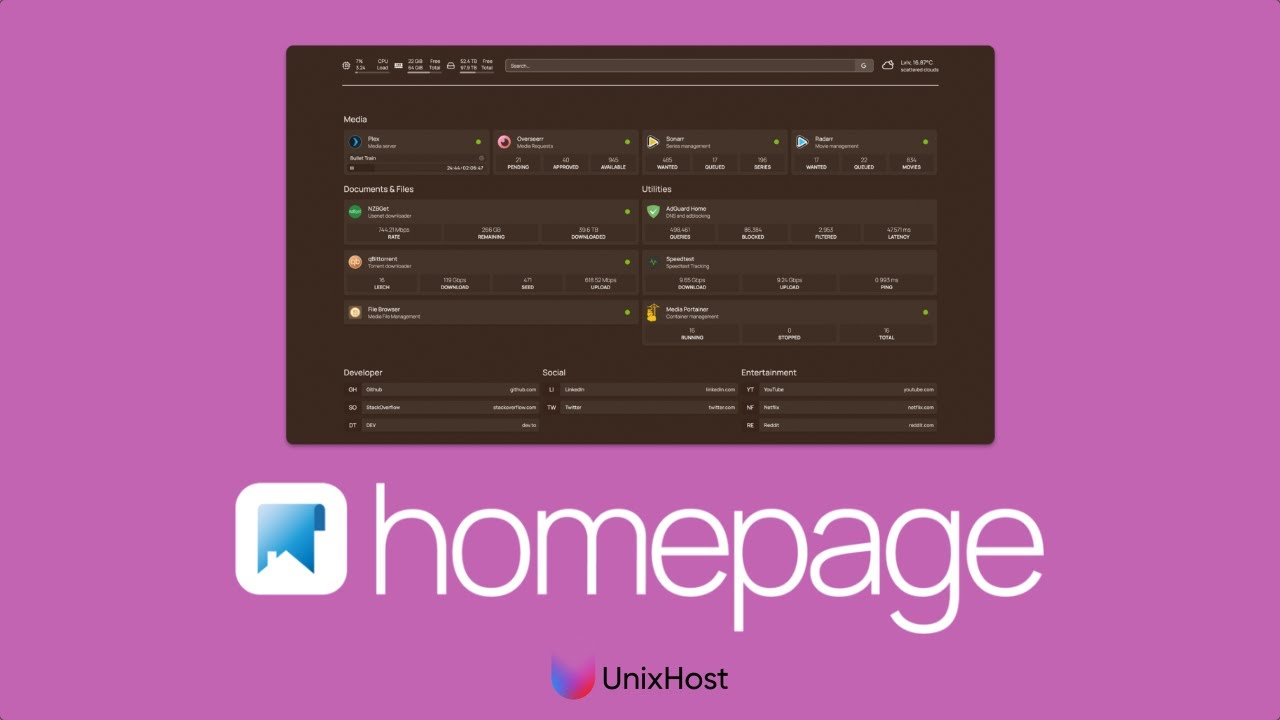](https://www.youtube.com/watch?v=1jEWUJqL-eo)
|
||||
|
||||
</div>
|
||||
|
||||
<div class="grid" markdown>
|
||||
|
||||
<div markdown>
|
||||
## French
|
||||
[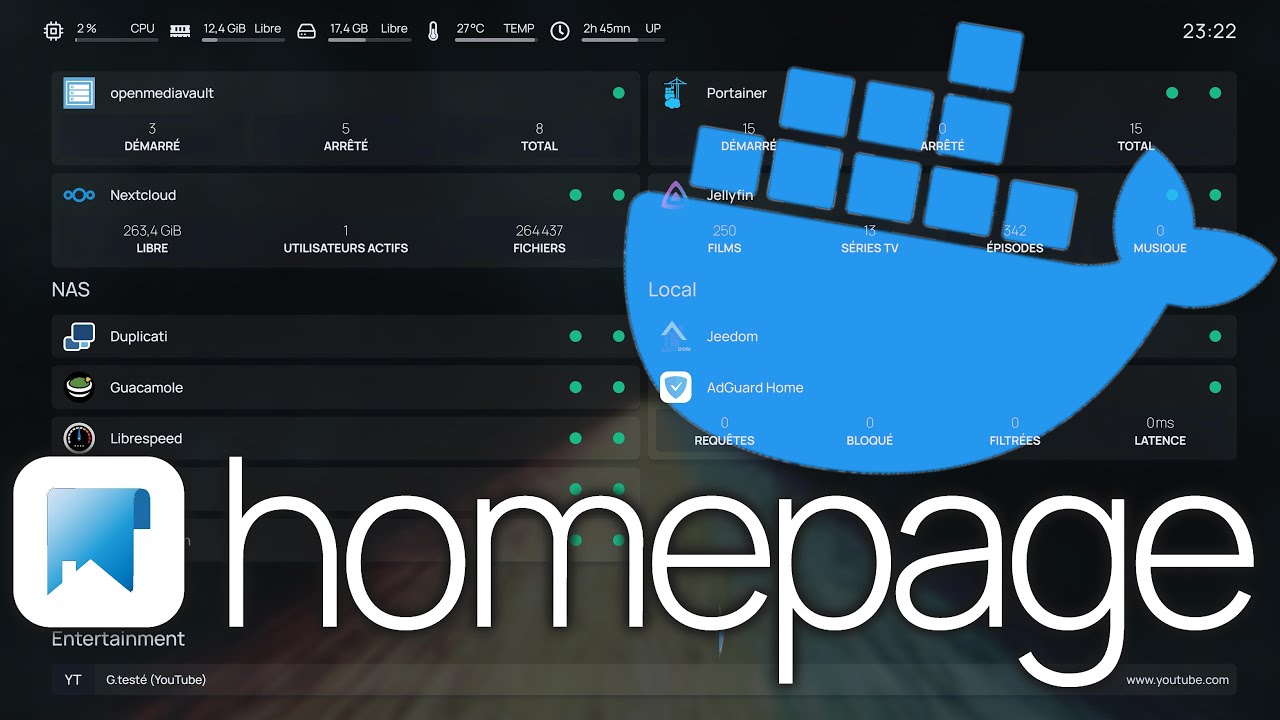](https://www.youtube.com/watch?v=aGztk8you6o)
|
||||
[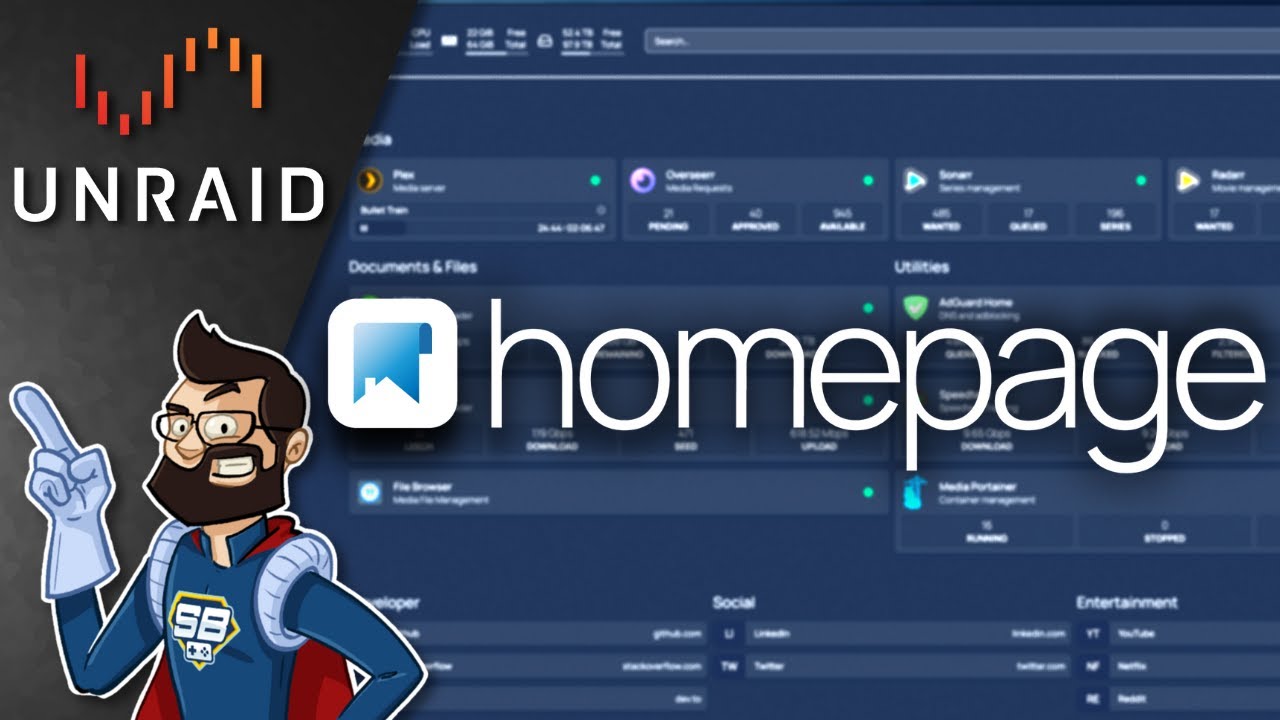](https://www.youtube.com/watch?v=pQfhWqZh7YE)
|
||||
</div>
|
||||
|
||||
<div markdown>
|
||||
## German
|
||||
[](https://www.youtube.com/watch?v=DrDgg-WRA2g)
|
||||
</div>
|
||||
|
||||
<div markdown>
|
||||
## Chinese
|
||||
[{: style="width: 100%"}](https://www.youtube.com/watch?v=DAW15ckt4n4)
|
||||
</div>
|
||||
|
||||
<div markdown>
|
||||
## Russian
|
||||
[](https://www.youtube.com/watch?v=dk3Cp5ck8mY)
|
||||
</div>
|
||||
|
||||
</div>
|
||||
@@ -1,6 +1,7 @@
|
||||
---
|
||||
title: More
|
||||
description: More homepage resources and guides.
|
||||
icon: material/information-slab-circle
|
||||
---
|
||||
|
||||
Here you'll find resources and guides for Homepage, troubleshooting tips, and more.
|
||||
|
||||
58
docs/more/sponsors.md
Normal file
@@ -0,0 +1,58 @@
|
||||
---
|
||||
title: Sponsors
|
||||
description: Homepage is supported by these awesome people and companies.
|
||||
---
|
||||
|
||||
If you would like to support the Homepage project, you can do so by becoming a sponsor. Your sponsorship helps to keep the project running and growing.
|
||||
|
||||
<div class="grid" markdown>
|
||||
|
||||
[:simple-github: GitHub Sponsors](https://github.com/sponsors/gethomepage){ .md-button }
|
||||
|
||||
[:simple-opencollective: OpenCollective](https://opencollective.com/homepage){ .md-button }
|
||||
|
||||
[:simple-patreon: Patreon](https://www.patreon.com/gethomepage){ .md-button .w-full }
|
||||
|
||||
</div>
|
||||
|
||||
<hr style="margin-top: 48px;" />
|
||||
|
||||
These companies help the Homepage project by providing services, tools, and resources.
|
||||
|
||||
<div class="grid" markdown>
|
||||
<div style="margin-bottom: 16px;">
|
||||
<a href="https://www.digitalocean.com/?refcode=df14bcb7c016&utm_campaign=Referral_Invite&utm_medium=Referral_Program&utm_source=badge"><img src="https://web-platforms.sfo2.cdn.digitaloceanspaces.com/WWW/Badge%202.svg" alt="DigitalOcean" style="max-width: 100%; height: 64px; display: block;" /></a>
|
||||
<p>
|
||||
DigitalOcean provides the GitHub Actions runner for the project. Dramatically speeding up the CI/CD process.
|
||||
</p>
|
||||
</div>
|
||||
|
||||
<div style="margin-bottom: 16px;">
|
||||
<a href="https://crowdin.com/project/homepage"><img src="https://support.crowdin.com/assets/logos/core-logo/png/crowdin-core-logo-cWhite.png" alt="Crowdin" style="max-width: 100%; height: 64px; display: block;" /></a>
|
||||
<p>
|
||||
Crowdin provides the translation platform for the project. Making it easy to translate the project into multiple languages.
|
||||
</p>
|
||||
</div>
|
||||
|
||||
<div style="margin-bottom: 16px;">
|
||||
<a href="https://www.jetbrains.com/"><img src="https://resources.jetbrains.com/storage/products/company/brand/logos/jetbrains.png" alt="JetBrains" style="max-width: 100%; height: 64px; display: block;" /></a>
|
||||
<p>
|
||||
JetBrains provides the project with free licenses for their awesome tools.
|
||||
</p>
|
||||
</div>
|
||||
|
||||
<div style="margin-bottom: 16px;">
|
||||
<a href="https://www.buysellads.com/"><img src="https://www.buysellads.com/hubfs/raw_assets/public/BSA-2023/images/logo.svg" alt="BuySellAds" style="max-width: 100%; height: 64px; display: block; filter: invert();" /></a>
|
||||
<p>
|
||||
BuySellAds provides the project with the ability to monetize the website, with high quality ads from the CarbonAds network. All earnings are sent directly to the projects OpenCollective.
|
||||
</p>
|
||||
</div>
|
||||
</div>
|
||||
|
||||
<style>
|
||||
.md-typeset img,
|
||||
.md-typeset svg,
|
||||
.md-typeset video {
|
||||
box-shadow: none;
|
||||
}
|
||||
</style>
|
||||
52
docs/overrides/main.html
Normal file
@@ -0,0 +1,52 @@
|
||||
{% extends "base.html" %}
|
||||
|
||||
{% block header %}
|
||||
<div id="blur-overlay" class="blur-overlay"></div>
|
||||
{% include "partials/header.html" %}
|
||||
{% endblock %}
|
||||
|
||||
{% block site_nav %}
|
||||
<!-- Navigation -->
|
||||
{% if nav %}
|
||||
{% if page.meta and page.meta.hide %}
|
||||
{% set hidden = "hidden" if "navigation" in page.meta.hide %}
|
||||
{% endif %}
|
||||
<div
|
||||
class="md-sidebar md-sidebar--primary"
|
||||
data-md-component="sidebar"
|
||||
data-md-type="navigation"
|
||||
{{ hidden }}
|
||||
>
|
||||
<div class="md-sidebar__scrollwrap">
|
||||
<div class="md-sidebar__inner">
|
||||
{% include "partials/nav.html" %}
|
||||
{% if 'widgets/' not in page.url and 'more/' not in page.url %}
|
||||
<script async type="text/javascript" src="//cdn.carbonads.com/carbon.js?serve=CWYIL2JU&placement=gethomepagedev&format=cover" id="_carbonads_js"></script>
|
||||
{% endif %}
|
||||
</div>
|
||||
</div>
|
||||
</div>
|
||||
{% endif %}
|
||||
|
||||
<!-- Table of contents -->
|
||||
{% if "toc.integrate" not in features %}
|
||||
{% if page.meta and page.meta.hide %}
|
||||
{% set hidden = "hidden" if "toc" in page.meta.hide %}
|
||||
{% endif %}
|
||||
<div
|
||||
class="md-sidebar md-sidebar--secondary"
|
||||
data-md-component="sidebar"
|
||||
data-md-type="toc"
|
||||
{{ hidden }}
|
||||
>
|
||||
<div class="md-sidebar__scrollwrap" style="height: 200px;">
|
||||
<div class="md-sidebar__inner">
|
||||
{% include "partials/toc.html" %}
|
||||
{% if 'widgets/' in page.url or 'more/' in page.url %}
|
||||
<script async type="text/javascript" src="//cdn.carbonads.com/carbon.js?serve=CWYIL2JU&placement=gethomepagedev&format=cover" id="_carbonads_js"></script>
|
||||
{% endif %}
|
||||
</div>
|
||||
</div>
|
||||
</div>
|
||||
{% endif %}
|
||||
{% endblock %}
|
||||
@@ -1,35 +0,0 @@
|
||||
var glimeScript;
|
||||
var glimeStyles = [];
|
||||
document$.subscribe(function () {
|
||||
if (!glimeScript) {
|
||||
glimeScript = document.createElement("script");
|
||||
glimeScript.setAttribute("src", "https://cdn.glimelab.ai/widget/1.0.0/widget.js");
|
||||
glimeScript.setAttribute("onload", "onGlimeLoad()");
|
||||
document.head.appendChild(glimeScript);
|
||||
} else {
|
||||
var newGlimeStyle = document.createElement("style");
|
||||
document.head.appendChild(newGlimeStyle);
|
||||
var i = 0;
|
||||
glimeStyles.forEach((rule) => {
|
||||
newGlimeStyle.sheet.insertRule(rule.cssText, i);
|
||||
i++;
|
||||
});
|
||||
}
|
||||
});
|
||||
|
||||
onGlimeLoad = () => {
|
||||
window.glime.init("Bl3mlvfCnTnRm5");
|
||||
setTimeout(() => {
|
||||
const sheets = document.styleSheets;
|
||||
[...sheets].forEach((sheet) => {
|
||||
if (!sheet.href) {
|
||||
[...sheet.cssRules].forEach((rule) => {
|
||||
if (!rule || rule.href || !rule.selectorText) return;
|
||||
if (rule.selectorText.indexOf(".css-") === 0 || rule.selectorText.indexOf("glime") > -1) {
|
||||
glimeStyles.push(rule);
|
||||
}
|
||||
});
|
||||
}
|
||||
});
|
||||
}, 1000);
|
||||
};
|
||||
@@ -1,24 +1,288 @@
|
||||
[data-md-color-scheme="slate"] {
|
||||
--md-hue: 220;
|
||||
--md-default-bg-color: hsla(0, 0%, 14%, 0.6);
|
||||
--md-code-bg-color: hsla(0, 0%, 0%, 0.2);
|
||||
}
|
||||
|
||||
[data-md-color-scheme="default"] {
|
||||
--md-hue: 220;
|
||||
--md-default-fg-color--light: white;
|
||||
--md-default-fg-color--lighter: hsla(0, 0%, 100%, 0.6);
|
||||
--md-default-bg-color: hsla(0, 0%, 100%, 0.8);
|
||||
--md-code-bg-color: hsla(0, 0%, 100%, 0.6);
|
||||
--md-code-bg-color--lighter: hsla(0, 0%, 100%, 0.6);
|
||||
--md-default-fg-color: white;
|
||||
}
|
||||
|
||||
[data-md-color-scheme="default"] .md-search__inner {
|
||||
--md-default-fg-color--light: gray;
|
||||
--md-default-fg-color--lighter: black;
|
||||
--md-default-bg-color: hsla(0, 0%, 100%, 0.9);
|
||||
}
|
||||
|
||||
[data-md-color-scheme="default"] .md-search__inner .md-search__input {
|
||||
color: var(--md-default-fg-color--light);
|
||||
}
|
||||
|
||||
[data-md-toggle="search"]:not(:checked) ~ .md-header .md-search__form::after {
|
||||
position: absolute;
|
||||
top: .3rem;
|
||||
right: .3rem;
|
||||
display: block;
|
||||
padding: .1rem .4rem;
|
||||
color: var(--md-default-fg-color--lighter);
|
||||
font-weight: bold;
|
||||
font-size: .8rem;
|
||||
border: .05rem solid var(--md-default-fg-color--lighter);
|
||||
border-radius: .1rem;
|
||||
content: "/";
|
||||
}
|
||||
position: absolute;
|
||||
top: 0.3rem;
|
||||
right: 0.3rem;
|
||||
display: block;
|
||||
padding: 0.1rem 0.4rem;
|
||||
color: var(--md-default-fg-color--lighter);
|
||||
font-weight: bold;
|
||||
font-size: 0.8rem;
|
||||
border: 0.05rem solid var(--md-default-fg-color--lighter);
|
||||
border-radius: 0.1rem;
|
||||
content: "/";
|
||||
}
|
||||
|
||||
[data-md-color-scheme="default"][data-md-color-primary="black"] {
|
||||
[data-md-toggle="search"]:not(:checked) ~ .md-header .md-search__form::after {
|
||||
color: var(--md-default-bg-color--lighter);
|
||||
border-color: var(--md-default-bg-color--lighter);
|
||||
}
|
||||
[data-md-toggle="search"]:not(:checked) ~ .md-header .md-search__form::after {
|
||||
color: var(--md-default-bg-color--lighter);
|
||||
border-color: var(--md-default-bg-color--lighter);
|
||||
}
|
||||
}
|
||||
|
||||
#glimeRoot * {
|
||||
font-family: var(--md-text-font) !important;
|
||||
#carbonads {
|
||||
margin-top: 10px;
|
||||
}
|
||||
|
||||
#carbon-responsive {
|
||||
--carbon-padding: 1em;
|
||||
--carbon-max-char: 20ch;
|
||||
--carbon-bg-primary: var(--md-default-bg-color) !important;
|
||||
--carbon-bg-secondary: var(--md-default-fg-color--lightest) !important;
|
||||
--carbon-text-color: var(--md-typeset-color) !important;
|
||||
}
|
||||
|
||||
[data-md-color-scheme="default"] .carbon-text {
|
||||
color: var(--md-code-fg-color) !important;
|
||||
--carbon-text-color: #313131 !important;
|
||||
}
|
||||
|
||||
.md-typeset__table {
|
||||
width: 100%;
|
||||
}
|
||||
|
||||
.md-typeset table:not([class]) {
|
||||
display: table;
|
||||
}
|
||||
|
||||
/* less than 1440px wide */
|
||||
@media (max-width: 1440px) {
|
||||
.md-footer-meta__inner {
|
||||
justify-content: center;
|
||||
}
|
||||
}
|
||||
|
||||
/* less than 740px wide */
|
||||
@media (max-width: 740px) {
|
||||
.md-footer-meta__inner {
|
||||
justify-content: left;
|
||||
flex-direction: column;
|
||||
}
|
||||
.md-social {
|
||||
padding-top: 0;
|
||||
}
|
||||
}
|
||||
|
||||
.md-header__button.md-logo {
|
||||
padding: 0;
|
||||
margin: 0;
|
||||
}
|
||||
|
||||
.md-header__button.md-logo img,
|
||||
.md-header__button.md-logo svg {
|
||||
height: 2rem;
|
||||
}
|
||||
|
||||
.md-header__topic .md-ellipsis {
|
||||
display: none;
|
||||
}
|
||||
|
||||
body {
|
||||
background-color: transparent !important;
|
||||
background-image: url("https://raw.githubusercontent.com/gethomepage/homepage/main/docs/assets/blossom_valley.jpg");
|
||||
background-size: cover;
|
||||
background-attachment: fixed;
|
||||
background-position: center;
|
||||
color: rgba(255, 255, 255, 0.8);
|
||||
}
|
||||
|
||||
.md-typeset h1 {
|
||||
color: #fff;
|
||||
}
|
||||
|
||||
body[data-md-color-scheme="default"] {
|
||||
color: rgba(255, 255, 255, 1);
|
||||
}
|
||||
|
||||
.blur-overlay {
|
||||
z-index: -1;
|
||||
position: fixed;
|
||||
width: 100%;
|
||||
height: 100%;
|
||||
background: hsl(0deg 0% 0% / 10%);
|
||||
backdrop-filter: blur(128px);
|
||||
-webkit-backdrop-filter: blur(128px);
|
||||
}
|
||||
|
||||
[data-md-color-scheme="default"] .blur-overlay {
|
||||
background: hsla(0, 0%, 0%, 0);
|
||||
}
|
||||
|
||||
.md-nav--lifted > .md-nav__list > .md-nav__item--active > .md-nav__link,
|
||||
.md-nav--secondary .md-nav__title {
|
||||
background: none;
|
||||
box-shadow: none;
|
||||
}
|
||||
|
||||
[data-md-color-scheme="slate"] .md-main,
|
||||
[data-md-color-scheme="slate"] .md-tabs,
|
||||
[data-md-color-scheme="slate"] .md-footer {
|
||||
background-color: hsla(0, 0%, 0%, 0.3);
|
||||
}
|
||||
|
||||
[data-md-color-scheme="default"] .md-main,
|
||||
[data-md-color-scheme="default"] .md-tabs,
|
||||
[data-md-color-scheme="default"] .md-footer {
|
||||
background-color: hsla(0, 0%, 100%, 0.1);
|
||||
}
|
||||
|
||||
[data-md-color-scheme="slate"] .md-header {
|
||||
background-color: hsla(0, 0%, 0%, 0.3);
|
||||
backdrop-filter: blur(16px);
|
||||
-webkit-backdrop-filter: blur(16px);
|
||||
}
|
||||
|
||||
[data-md-color-scheme="default"] .md-header {
|
||||
background-color: hsla(0, 0%, 100%, 0.1);
|
||||
backdrop-filter: blur(16px);
|
||||
-webkit-backdrop-filter: blur(16px);
|
||||
}
|
||||
|
||||
.md-header:has(.md-search-result__item),
|
||||
.md-header:has(.md-search__input.focus-visible) {
|
||||
backdrop-filter: none !important;
|
||||
-webkit-backdrop-filter: none !important;
|
||||
}
|
||||
|
||||
.md-footer-meta {
|
||||
background-color: transparent;
|
||||
}
|
||||
|
||||
[data-md-color-scheme="slate"][data-md-color-primary="black"],
|
||||
[data-md-color-scheme="default"][data-md-color-primary="black"] {
|
||||
--md-typeset-a-color: #ffffff;
|
||||
}
|
||||
|
||||
.md-content__inner a {
|
||||
text-decoration: underline;
|
||||
font-weight: bolder;
|
||||
}
|
||||
|
||||
[data-md-color-scheme="default"] .highlight .p,
|
||||
[data-md-color-scheme="default"] .highlight .o,
|
||||
[data-md-color-scheme="default"] .highlight .ow,
|
||||
[data-md-color-scheme="default"] .highlight .c,
|
||||
[data-md-color-scheme="default"] .highlight .c1,
|
||||
[data-md-color-scheme="default"] .highlight .ch,
|
||||
[data-md-color-scheme="default"] .highlight .cm,
|
||||
[data-md-color-scheme="default"] .highlight .cs,
|
||||
[data-md-color-scheme="default"] .highlight .sd {
|
||||
color: #36464eaa;
|
||||
}
|
||||
|
||||
[data-md-color-scheme="default"] .md-annotation__index:after {
|
||||
background-color: #36464ecc;
|
||||
}
|
||||
|
||||
/* I know this is a farce, but I want it to look nice. */
|
||||
.css-9if7bc {
|
||||
background-color: hsla(0, 0%, 0%, 0.3);
|
||||
backdrop-filter: blur(16px);
|
||||
-webkit-backdrop-filter: blur(16px);
|
||||
}
|
||||
|
||||
@media screen and (max-width: 76.234375em) {
|
||||
.md-nav--primary,
|
||||
.md-nav--primary .md-nav {
|
||||
background-color: hsla(0, 0%, 0%, 0.8);
|
||||
}
|
||||
}
|
||||
|
||||
@media screen and (max-width: 76.234375em) {
|
||||
.md-nav--primary .md-nav__title ~ .md-nav__list {
|
||||
background-color: hsla(0, 0%, 0%, 0.8);
|
||||
backdrop-filter: blur(16px);
|
||||
-webkit-backdrop-filter: blur(16px);
|
||||
}
|
||||
}
|
||||
|
||||
@media screen and (max-width: 76.234375em) {
|
||||
.md-nav--primary .md-nav__title {
|
||||
background-color: hsla(0, 0%, 0%, 0.8);
|
||||
backdrop-filter: blur(16px);
|
||||
}
|
||||
}
|
||||
|
||||
.md-search__scrollwrap {
|
||||
background-color: hsla(0, 0%, 0%, 0.8);
|
||||
backdrop-filter: blur(16px);
|
||||
-webkit-backdrop-filter: blur(16px);
|
||||
}
|
||||
|
||||
.md-search-result .md-typeset h1 {
|
||||
color: #fff;
|
||||
}
|
||||
|
||||
[data-md-color-scheme="default"] .highlight span.filename,
|
||||
[data-md-color-scheme="default"] .linenodiv a {
|
||||
color: #36464e;
|
||||
font-weight: light;
|
||||
}
|
||||
|
||||
.linenodiv a {
|
||||
text-decoration: none;
|
||||
}
|
||||
|
||||
.md-typeset .admonition,
|
||||
.md-typeset details {
|
||||
background-color: transparent;
|
||||
}
|
||||
|
||||
.md-typeset img,
|
||||
.md-typeset svg,
|
||||
.md-typeset video {
|
||||
box-shadow: 0 0 1rem 0.25rem hsla(0, 0%, 0%, 0.1);
|
||||
}
|
||||
|
||||
.highlight {
|
||||
box-shadow: 0 0 1rem 0.25rem hsla(0, 0%, 0%, 0.1);
|
||||
}
|
||||
|
||||
.md-typeset .admonition.tip,
|
||||
.md-typeset details.tip {
|
||||
box-shadow: 0 0 1rem 0.25rem hsl(171.83deg 100% 37.45% / 20%);
|
||||
}
|
||||
|
||||
.md-typeset .admonition.note,
|
||||
.md-typeset details.note {
|
||||
box-shadow: 0 0 1rem 0.25rem hsl(214.29deg 100% 37.45% / 20%);
|
||||
}
|
||||
|
||||
.md-typeset .admonition.warning,
|
||||
.md-typeset details.warning {
|
||||
box-shadow: 0 0 1rem 0.25rem hsl(40.91deg 100% 37.45% / 20%);
|
||||
}
|
||||
|
||||
.md-typeset .admonition.danger,
|
||||
.md-typeset details.danger {
|
||||
box-shadow: 0 0 1rem 0.25rem hsl(0deg 100% 37.45% / 20%);
|
||||
}
|
||||
|
||||
.md-tabs__link {
|
||||
transform: translateZ(0);
|
||||
}
|
||||
|
||||
@@ -1,15 +1,11 @@
|
||||
---
|
||||
title: Troubleshooting
|
||||
description: Basic Troubleshooting
|
||||
|
||||
icon: material/message-question
|
||||
hide:
|
||||
- navigation
|
||||
---
|
||||
|
||||
## Introducing the Homepage AI Bot
|
||||
|
||||
Thanks to the generous folks at [Glime](https://glimelab.ai), Homepage is now equipped with a pretty clever AI-powered bot. The bot has full knowledge of our docs, GitHub issues and discussions and is great at answering specific questions about setting up your Homepage. To use the bot, just hit the 'Ask AI' button on any page in our docs, [open a GitHub discussion](https://github.com/gethomepage/homepage/discussions) or check out the [#ai-support channel on Discord](https://discord.com/channels/1019316731635834932/1177885603552038993)!
|
||||
|
||||
## General Troubleshooting Tips
|
||||
|
||||
- For API errors, clicking the "API Error Information" button in the widget will usually show some helpful information as to whether the issue is reaching the service host, an authentication issue, etc.
|
||||
@@ -21,7 +17,7 @@ Thanks to the generous folks at [Glime](https://glimelab.ai), Homepage is now eq
|
||||
|
||||
All service widgets work essentially the same, that is, homepage makes a proxied call to an API made available by that service. The majority of the time widgets don't work it is a configuration issue. Of course, sometimes things do break. Some basic steps to try:
|
||||
|
||||
1. Ensure that you follow the rule mentioned on https://gethomepage.dev/latest/configs/service-widgets/. **Unless otherwise noted, URLs should not end with a / or other API path. Each widget will handle the path on its own.**. This is very important as including a trailing slash can result in an error.
|
||||
1. Ensure that you follow the rule mentioned on https://gethomepage.dev/configs/service-widgets/. **Unless otherwise noted, URLs should not end with a / or other API path. Each widget will handle the path on its own.**. This is very important as including a trailing slash can result in an error.
|
||||
|
||||
2. Verify the homepage installation can connect to the IP address or host you are using for the widget `url`. This is most simply achieved by pinging the server from the homepage machine, in Docker this means _from inside the container_ itself, e.g.:
|
||||
|
||||
50
docs/widgets/authoring/api.md
Normal file
@@ -0,0 +1,50 @@
|
||||
---
|
||||
title: API Guide
|
||||
description: Get comfortable with making API calls from inside your widget.
|
||||
---
|
||||
|
||||
Homepage provides the `useWidgetAPI` hook to help you fetch data from an API. This hook insures that the data is fetched using a proxy, and is critical for security.
|
||||
|
||||
Here is an example of how the `useWidgetAPI` hook looks:
|
||||
|
||||
```js title="Fetch data from the stats endpoint"
|
||||
import useWidgetAPI from "utils/proxy/use-widget-api";
|
||||
|
||||
export default function Component({ service }) {
|
||||
const { data, error } = useWidgetAPI(widget, "stats");
|
||||
}
|
||||
```
|
||||
|
||||
## `useWidgetAPI`
|
||||
|
||||
`useWidgetAPI` takes three possible arguments:
|
||||
|
||||
- `widget`: The widget metadata object.
|
||||
- `endpoint`: The name of the endpoint to fetch data from.
|
||||
- `params`: An optional object containing query parameters to pass to the API.
|
||||
|
||||
### `widget`
|
||||
|
||||
The `widget` argument is the metadata object for the widget. It contains information about the API endpoint, proxy handler, and mappings. This object is used by the `useWidgetAPI` hook to fetch data from the API. This is generally passed in as a prop from the parent component.
|
||||
|
||||
### `endpoint`
|
||||
|
||||
The `endpoint` argument is the name of the endpoint to fetch data from. This is [defined in the widget metadata object](metadata.md#endpoint). The `useWidgetAPI` hook uses this argument to determine which endpoint to fetch data from.
|
||||
|
||||
If no endpoint is provided, the `useWidgetAPI` hook will call the API endpoint defined in the widget metadata object directly.
|
||||
|
||||
### `params`
|
||||
|
||||
The `params` argument is an optional object containing query parameters to pass to the API. This is useful for filtering data or passing additional information to the API. This object is passed directly to the API endpoint as query parameters.
|
||||
|
||||
Here is an example of how to use the `params` argument:
|
||||
|
||||
```js title="Fetch data from the stats endpoint with query parameters"
|
||||
import useWidgetAPI from "utils/proxy/use-widget-api";
|
||||
|
||||
export default function Component({ service }) {
|
||||
const { data, error } = useWidgetAPI(widget, "stats", { start: "2021-01-01", end: "2021-12-31" });
|
||||
}
|
||||
```
|
||||
|
||||
The `params` must be [whitelisted in the widget metadata object](metadata.md#params). This is done to prevent arbitrary query parameters from being passed to the API.
|
||||
102
docs/widgets/authoring/component.md
Normal file
@@ -0,0 +1,102 @@
|
||||
---
|
||||
title: Component Guide
|
||||
description: Learn more about the widget component in Homepage, and how to build your widget UI.
|
||||
---
|
||||
|
||||
Homepage widgets are built using React components. These components are responsible for fetching data from the API and rendering the widget UI. Homepage provides a set of hooks and utilities to help you build your widget component.
|
||||
|
||||
## A Basic Widget Component
|
||||
|
||||
Here is an example of a basic widget component:
|
||||
|
||||
```js
|
||||
import { useTranslation } from "next-i18next";
|
||||
|
||||
import Container from "components/services/widget/container";
|
||||
import Block from "components/services/widget/block";
|
||||
import useWidgetAPI from "utils/proxy/use-widget-api";
|
||||
|
||||
export default function Component({ service }) {
|
||||
const { t } = useTranslation();
|
||||
const { widget } = service;
|
||||
const { data, error } = useWidgetAPI(widget, "info");
|
||||
|
||||
if (error) {
|
||||
return <Container service={service} error={error} />;
|
||||
}
|
||||
|
||||
if (!data) {
|
||||
return (
|
||||
<Container service={service}>
|
||||
<Block label="yourwidget.key1" />
|
||||
<Block label="yourwidget.key2" />
|
||||
<Block label="yourwidget.key3" />
|
||||
</Container>
|
||||
);
|
||||
}
|
||||
|
||||
return (
|
||||
<Container service={service}>
|
||||
<Block label="yourwidget.key1" value={t("common.number", { value: data.key1 })} />
|
||||
<Block label="yourwidget.key2" value={t("common.number", { value: data.key2 })} />
|
||||
<Block label="yourwidget.key3" value={t("common.number", { value: data.key3 })} />
|
||||
</Container>
|
||||
);
|
||||
}
|
||||
```
|
||||
|
||||
### Breakdown
|
||||
|
||||
We'll cover two sections of the widget component: hooks and components.
|
||||
|
||||
#### Hooks
|
||||
|
||||
**`useTranslation`**
|
||||
|
||||
This hook is used to translate text and numerical content in widgets. Homepage provides a set of helpers to help you localize your widgets. You can learn more about translations in the [Translations Guide](translations.md).
|
||||
|
||||
**`useWidgetAPI`**
|
||||
|
||||
This hook is used to fetch data from the API. We cover this hook in more detail in the [API Guide](api.md).
|
||||
|
||||
#### Components
|
||||
|
||||
Homepage provides a set of components to help you build your widget UI. These components are designed to provide a consistent layout, and all widgets are expected to use these components.
|
||||
|
||||

|
||||
|
||||
**`<Container>`**
|
||||
|
||||
This component is a wrapper for the widget. It provides a consistent layout for all widgets.
|
||||
|
||||
```js
|
||||
<Container service={service}></Container>
|
||||
```
|
||||
|
||||
`service` is a prop that is passed to the widget component. It contains information about the service that the widget is displaying.
|
||||
|
||||
If there is an error fetching data from the API, the `error` prop can be passed to the `Container` component.
|
||||
|
||||
```js
|
||||
<Container service={service} error={error}></Container>
|
||||
```
|
||||
|
||||
**`<Block>`**
|
||||
|
||||
This component is used to display a key-value pair. It takes a label and value as props.
|
||||
|
||||
```js
|
||||
<Block label="yourwidget.key1" value={t("common.number", { value: data.key1 })} />
|
||||
```
|
||||
|
||||
The `label` prop is used to look up the translation key in the translation files. The `value` prop is used to display the value of the block. To learn more about translations, please refer to the [Translations Guide](translations.md).
|
||||
|
||||
If there is no data available, the `Block` component can be used to display a placeholder layout.
|
||||
|
||||
```js
|
||||
<Container service={service}>
|
||||
<Block label="yourwidget.key1" />
|
||||
<Block label="yourwidget.key2" />
|
||||
<Block label="yourwidget.key3" />
|
||||
</Container>
|
||||
```
|
||||
@@ -1,9 +1,11 @@
|
||||
---
|
||||
title: Development
|
||||
description: Homepage Development
|
||||
title: Getting Started
|
||||
description: Get started developing for Homepage.
|
||||
---
|
||||
|
||||
## Development Overview
|
||||
We'll cover getting homepage up and running on your local machine for development, as well as some guidelines for developing new features and widgets.
|
||||
|
||||
## Development
|
||||
|
||||
First, clone the homepage repository.
|
||||
|
||||
@@ -55,6 +57,7 @@ self-hosted / open-source alternative, we ask that any widgets, etc. are develop
|
||||
To ensure cohesiveness of various widgets, the following should be used as a guide for developing new widgets:
|
||||
|
||||
- Please only submit widgets that have been requested and have at least 10 'up-votes'. The purpose of this requirement is to avoid the addition (and maintenance) of service widgets that might only benefit a small number of users.
|
||||
- Note that we reserve the right to decline widgets for projects that are very young (eg < ~1y) or those with a small reach (eg low GitHub stars). Again, this is in an effort to keep overall widget maintenance under control.
|
||||
- Widgets should be only one row of blocks
|
||||
- Widgets should be no more than 4 blocks wide and generally conform to the styling / design choices of other widgets
|
||||
- Minimize the number of API calls
|
||||
33
docs/widgets/authoring/index.md
Normal file
@@ -0,0 +1,33 @@
|
||||
---
|
||||
title: Guides & Tutorials
|
||||
description: Learn how to create and customize widgets in Homepage. Explore translations, widget components, widget metadata, proxy handlers, and making API calls.
|
||||
icon: fontawesome/solid/graduation-cap
|
||||
---
|
||||
|
||||
Widgets are a core component of Homepage. They are used to display information about your system, services, and environment.
|
||||
|
||||
## Overview
|
||||
|
||||
If you are new to Homepage widgets, and are looking to create a new widget, please follow along with the guide here: [Widget Tutorial](tutorial.md).
|
||||
|
||||
### Translations
|
||||
|
||||
All text and numerical content in widgets should be translated and localized. English is the default language, and other languages can be added via [Crowdin](https://crowdin.com/project/gethomepage).
|
||||
|
||||
To learn more about translations, please refer to the guide here: [Translations Guide](translations.md).
|
||||
|
||||
### Widget Component
|
||||
|
||||
The widget component is the core of the widget. It is responsible for [fetching data from the API](api.md) and rendering the widget UI. Homepage provides a set of hooks and utilities to help you build your widget component.
|
||||
|
||||
To learn more about widget components, please refer to the guide here: [Component Guide](component.md).
|
||||
|
||||
### Widget Metadata
|
||||
|
||||
Widget metadata defines the configuration of the widget. It defines the API endpoint to fetch data from, the proxy handler to use, and any data mappings.
|
||||
|
||||
To learn more about widget metadata, endpoint and data mapping, please refer to the guide here: [Metadata Guide](metadata.md).
|
||||
|
||||
To learn more about proxy handlers, please refer to the guide here: [Proxies Guide](proxies.md).
|
||||
|
||||
To learn more about making API calls from inside your widget, please refer to the guide here: [API Guide](api.md).
|
||||
310
docs/widgets/authoring/metadata.md
Normal file
@@ -0,0 +1,310 @@
|
||||
---
|
||||
title: Metadata Guide
|
||||
description: Explore all the metadata properties that can be used to configure a widget in Homepage.
|
||||
---
|
||||
|
||||
Here, we will go over how to create and configure Homepage widget metadata. Metadata is a JS object that contains information about the widget, such as the API endpoint, proxy handler, and mappings. This metadata is used by Homepage to fetch data from the API and pass it to the widget.
|
||||
|
||||
## Widgets Configuration
|
||||
|
||||
Here are some examples of how to configure a widget's metadata object.
|
||||
|
||||
=== "Basic Example"
|
||||
|
||||
```js
|
||||
import genericProxyHandler from "utils/proxy/handlers/generic";
|
||||
|
||||
const widgetExample = {
|
||||
api: "{url}/api/{endpoint}",
|
||||
proxyHandler: genericProxyHandler,
|
||||
|
||||
mappings: {
|
||||
stats: { endpoint: "stats" }
|
||||
},
|
||||
};
|
||||
```
|
||||
|
||||
=== "Advanced Example"
|
||||
|
||||
```js
|
||||
import credentialedProxyHandler from "utils/proxy/handlers/credentialed";
|
||||
import { asJson, jsonArrayFilter } from "utils/proxy/api-helpers";
|
||||
|
||||
const widgetExample = {
|
||||
api: "{url}/api/{endpoint}",
|
||||
proxyHandler: credentialedProxyHandler,
|
||||
|
||||
mappings: {
|
||||
stats: {
|
||||
endpoint: "stats",
|
||||
validate: ["total", "average"],
|
||||
params: ["start", "end"],
|
||||
},
|
||||
notices: {
|
||||
endpoint: "notices",
|
||||
map: (data) => {
|
||||
total: asJson(data).length;
|
||||
},
|
||||
},
|
||||
warnings: {
|
||||
endpoint: "notices",
|
||||
map: (data) => {
|
||||
total: jsonArrayFilter(data, (alert) => alert.type === "warning").length;
|
||||
},
|
||||
},
|
||||
},
|
||||
};
|
||||
```
|
||||
|
||||
A widget's metadata is quite powerful and can be configured in many different ways.
|
||||
|
||||
## Configuration Properties
|
||||
|
||||
### `api`
|
||||
|
||||
The `api` property is a string that represents the URL of the API endpoint that the widget will use to fetch data. The URL can contain placeholders that will be replaced with actual values at runtime. For example, the `{url}` placeholder will be replaced with the URL of the configured widget, and the `{endpoint}` placeholder will be replaced with the value of the `endpoint` property in the `mappings` object.
|
||||
|
||||
```js
|
||||
const widgetExample = {
|
||||
api: "{url}/api/{endpoint}",
|
||||
};
|
||||
```
|
||||
|
||||
### `proxyHandler`
|
||||
|
||||
The `proxyHandler` property is a function that will be used to make the API request. Homepage includes some built-in proxy handlers that can be used out of the box:
|
||||
|
||||
Here is an example of the generic proxy handler that makes unauthenticated requests to the specified API endpoint.
|
||||
|
||||
=== "widget.js"
|
||||
|
||||
```js
|
||||
const widgetExample = {
|
||||
api: "{url}/api/{endpoint}",
|
||||
proxyHandler: genericProxyHandler,
|
||||
};
|
||||
```
|
||||
|
||||
=== "services.yaml"
|
||||
|
||||
```yaml
|
||||
- Services:
|
||||
- Your Widget:
|
||||
icon: yourwidget.svg
|
||||
href: https://example.com/
|
||||
widget:
|
||||
type: yourwidget
|
||||
url: http://127.0.0.1:1337
|
||||
```
|
||||
|
||||
If you are looking to learn more about proxy handlers, please refer to the guide here: [Proxies Guide](proxies.md).
|
||||
|
||||
### `mappings`
|
||||
|
||||
The `mappings` property is an object that contains information about the API endpoint, such as the endpoint name, validation rules, and parameter names. The `mappings` object can contain multiple endpoints, each with its own configuration.
|
||||
|
||||
!!! note "Security Note"
|
||||
|
||||
The `mappings` or `allowedEndpoints` property is required for the widget to fetch data from more than a static URL. Homepage uses a whitelist approach to ensure that widgets only access allowed endpoints.
|
||||
|
||||
```js
|
||||
import { asJson } from "utils/proxy/api-helpers";
|
||||
|
||||
const widgetExample = {
|
||||
api: "{url}/api/{endpoint}",
|
||||
mappings: {
|
||||
// `/api/stats?start=...&end=...`
|
||||
stats: {
|
||||
endpoint: "stats",
|
||||
validate: ["total", "average"],
|
||||
params: ["start", "end"],
|
||||
},
|
||||
// `/api/notices`
|
||||
notices: {
|
||||
endpoint: "notices",
|
||||
map: (data) => {
|
||||
total: asJson(data).length;
|
||||
},
|
||||
},
|
||||
},
|
||||
};
|
||||
```
|
||||
|
||||
#### `endpoint`
|
||||
|
||||
The `endpoint` property is a string that represents the name of the API endpoint that the widget will use to fetch data. This value will be used to replace the `{endpoint}` placeholder in the `api` property.
|
||||
|
||||
```js
|
||||
const widgetExample = {
|
||||
api: "{url}/api/{endpoint}",
|
||||
mappings: {
|
||||
// `/api/stats`
|
||||
stats: {
|
||||
endpoint: "stats",
|
||||
},
|
||||
},
|
||||
};
|
||||
```
|
||||
|
||||
#### `validate`
|
||||
|
||||
The `validate` property is an array of strings that represent the keys that should be validated in the API response. If the response does not contain all of the specified keys, the widget will not render.
|
||||
|
||||
```js
|
||||
const widgetExample = {
|
||||
api: "{url}/api/{endpoint}",
|
||||
mappings: {
|
||||
// `/api/stats`
|
||||
stats: {
|
||||
endpoint: "stats",
|
||||
validate: ["total", "average"],
|
||||
},
|
||||
},
|
||||
};
|
||||
```
|
||||
|
||||
This configuration will ensure that the API response contains the `total` and `average` keys before the widget is rendered.
|
||||
|
||||
#### `params`
|
||||
|
||||
The `params` property is an array of strings that represent the keys that should be passed as parameters to the API endpoint. These keys will be replaced with the actual values at runtime.
|
||||
|
||||
=== "widget.js"
|
||||
|
||||
```js
|
||||
const widgetExample = {
|
||||
api: "{url}/api/{endpoint}",
|
||||
mappings: {
|
||||
// `/api/stats?start=...&end=...`
|
||||
stats: {
|
||||
endpoint: "stats",
|
||||
params: ["start", "end"],
|
||||
},
|
||||
},
|
||||
};
|
||||
```
|
||||
|
||||
=== "component.jsx"
|
||||
|
||||
```js
|
||||
const { data: statsData, error: statsError } = useWidgetAPI(widget, "stats", {
|
||||
start: new Date(Date.now() - 7 * 24 * 60 * 60 * 1000),
|
||||
end: new Date(),
|
||||
});
|
||||
```
|
||||
|
||||
This configuration will pass the `start` and `end` keys as parameters to the API endpoint. The values are passed as an object to the `useWidgetAPI` hook.
|
||||
|
||||
#### `map`
|
||||
|
||||
The `map` property is a function that will be used to transform the API response before it is passed to the widget. This function is passed the raw API response and should return the transformed data.
|
||||
|
||||
```js
|
||||
import { asJson } from "utils/proxy/api-helpers";
|
||||
|
||||
const widgetExample = {
|
||||
api: "{url}/api/{endpoint}",
|
||||
mappings: {
|
||||
// `/api/notices`
|
||||
notices: {
|
||||
endpoint: "notices",
|
||||
map: (data) => {
|
||||
total: asJson(data).length;
|
||||
},
|
||||
},
|
||||
// `/api/notices`
|
||||
warnings: {
|
||||
endpoint: "notices",
|
||||
map: (data) => {
|
||||
total: asJson(data).filter((alert) => alert.type === "warning").length;
|
||||
},
|
||||
},
|
||||
},
|
||||
};
|
||||
```
|
||||
|
||||
#### `method`
|
||||
|
||||
The `method` property is a string that represents the HTTP method that should be used to make the API request. The default value is `GET`.
|
||||
|
||||
```js
|
||||
const widgetExample = {
|
||||
api: "{url}/api/{endpoint}",
|
||||
mappings: {
|
||||
// `/api/stats`
|
||||
stats: {
|
||||
endpoint: "stats",
|
||||
method: "POST",
|
||||
},
|
||||
},
|
||||
};
|
||||
```
|
||||
|
||||
#### `headers`
|
||||
|
||||
The `headers` property is an object that contains additional headers that should be included in the API request. If your endpoint requires specific headers, you can include them here.
|
||||
|
||||
```js
|
||||
const widgetExample = {
|
||||
api: "{url}/api/{endpoint}",
|
||||
mappings: {
|
||||
// `/api/stats`
|
||||
stats: {
|
||||
endpoint: "stats",
|
||||
method: "POST",
|
||||
headers: {
|
||||
"Content-Type": "application/json",
|
||||
},
|
||||
},
|
||||
},
|
||||
};
|
||||
```
|
||||
|
||||
#### `body`
|
||||
|
||||
The `body` property is an object that contains the data that should be sent in the request body. This property is only used when the `method` property is set to `POST` or `PUT`.
|
||||
|
||||
```js
|
||||
const widgetExample = {
|
||||
api: "{url}/api/{endpoint}",
|
||||
mappings: {
|
||||
// `/api/graphql`
|
||||
stats: {
|
||||
endpoint: "graphql",
|
||||
method: "POST",
|
||||
body: {
|
||||
query: `
|
||||
query {
|
||||
stats {
|
||||
total
|
||||
average
|
||||
}
|
||||
}
|
||||
`,
|
||||
},
|
||||
headers: {
|
||||
"Content-Type": "application/json",
|
||||
},
|
||||
},
|
||||
},
|
||||
};
|
||||
```
|
||||
|
||||
### `allowedEndpoints`
|
||||
|
||||
The `allowedEndpoints` property is a RegExp that represents the allowed endpoints that the widget can use. If the widget tries to access an endpoint that is not allowed, the request will be blocked.
|
||||
|
||||
`allowedEndpoints` can be used when endpoint validation is simple and can be done using a regular expression, and more control is not required.
|
||||
|
||||
!!! note "Security Note"
|
||||
|
||||
The `mappings` or `allowedEndpoints` property is required for the widget to fetch data from more than a static URL. Homepage uses a whitelist approach to ensure that widgets only access allowed endpoints.
|
||||
|
||||
```js
|
||||
const widgetExample = {
|
||||
api: "{url}/api/{endpoint}",
|
||||
allowedEndpoints: /^stats|notices$/,
|
||||
};
|
||||
```
|
||||
|
||||
This configuration will only allow the widget to access the `stats` and `notices` endpoints.
|
||||
203
docs/widgets/authoring/proxies.md
Normal file
@@ -0,0 +1,203 @@
|
||||
---
|
||||
title: Proxies Guide
|
||||
description: Learn about proxy handlers in Homepage, and how to securely fetch data from an API.
|
||||
---
|
||||
|
||||
Homepage includes a set of built-in proxy handlers that can be used to fetch data from an API. We will go over how to use these proxy handlers and briefly cover how to create your own.
|
||||
|
||||
## Available Proxy Handlers
|
||||
|
||||
Homepage comes with a few built-in proxy handlers that can be used to fetch data from an API. These handlers are located in the `utils/proxy/handlers` directory.
|
||||
|
||||
### `genericProxyHandler`
|
||||
|
||||
A proxy handler that makes generally unauthenticated requests to the specified API endpoint.
|
||||
|
||||
```js
|
||||
import genericProxyHandler from "utils/proxy/handlers/generic";
|
||||
|
||||
const widgetExample = {
|
||||
api: "{url}/api/{endpoint}",
|
||||
proxyHandler: genericProxyHandler,
|
||||
};
|
||||
```
|
||||
|
||||
You can also pass API keys from the widget configuration to the proxy handler, for authenticated requests.
|
||||
|
||||
=== "widget.js"
|
||||
|
||||
```js
|
||||
import genericProxyHandler from "utils/proxy/handlers/generic";
|
||||
|
||||
const widgetExample = {
|
||||
api: "{url}/api/{endpoint}?key={key}",
|
||||
proxyHandler: genericProxyHandler,
|
||||
};
|
||||
```
|
||||
|
||||
=== "services.yaml"
|
||||
|
||||
```yaml
|
||||
# Widget Configuration
|
||||
- Your Widget:
|
||||
icon: yourwidget.svg
|
||||
href: https://example.com/
|
||||
widget:
|
||||
type: yourwidget
|
||||
url: http://example.com
|
||||
key: your-api-key
|
||||
```
|
||||
|
||||
### `credentialedProxyHandler`
|
||||
|
||||
A proxy handler that makes authenticated by setting request headers. Credentials are pulled from the widgets configuration.
|
||||
|
||||
By default the key is passed as an `X-API-Key` header. If you need to pass the key as something else, either add a case to the credentialedProxyHandler or create a new proxy handler.
|
||||
|
||||
=== "widget.js"
|
||||
|
||||
```js
|
||||
import credentialedProxyHandler from "utils/proxy/handlers/credentialed";
|
||||
|
||||
const widgetExample = {
|
||||
api: "{url}/api/{endpoint}?key={key}",
|
||||
proxyHandler: credentialedProxyHandler,
|
||||
};
|
||||
```
|
||||
|
||||
=== "services.yaml"
|
||||
|
||||
```yaml
|
||||
- Your Widget:
|
||||
icon: yourwidget.svg
|
||||
href: https://example.com/
|
||||
widget:
|
||||
type: yourwidget
|
||||
url: http://127.0.0.1:1337
|
||||
key: your-api-key
|
||||
```
|
||||
|
||||
### `jsonrpcProxyHandler`
|
||||
|
||||
A proxy handler that makes authenticated JSON-RPC requests to the specified API endpoint, either using username + password or an API token.
|
||||
The endpoint is the method to call and queryParams are used as the parameters.
|
||||
|
||||
=== "component.js"
|
||||
|
||||
```js
|
||||
import Container from "components/services/widget/container";
|
||||
import useWidgetAPI from "utils/proxy/use-widget-api";
|
||||
|
||||
export default function Component({ service }) {
|
||||
const { widget } = service;
|
||||
|
||||
const { data, error } = useWidgetAPI(widget, 'trigger', { "triggerids": "14062", "output": "extend", "selectFunctions": "extend" });
|
||||
}
|
||||
```
|
||||
|
||||
=== "widget.js"
|
||||
|
||||
```js
|
||||
import jsonrpcProxyHandler from "utils/proxy/handlers/jsonrpc";
|
||||
|
||||
const widgetExample = {
|
||||
api: "{url}/api/jsonrpc",
|
||||
proxyHandler: jsonrpcProxyHandler,
|
||||
|
||||
mappings: {
|
||||
total: { endpoint: "total" },
|
||||
average: { endpoint: "average" },
|
||||
trigger: { endpoint: "trigger.get" },
|
||||
},
|
||||
};
|
||||
```
|
||||
|
||||
=== "services.yaml"
|
||||
|
||||
```yaml
|
||||
- Your Widget:
|
||||
icon: yourwidget.svg
|
||||
href: https://example.com/
|
||||
widget:
|
||||
type: yourwidget
|
||||
url: http://127.0.0.1:1337
|
||||
username: your-username
|
||||
password: your-password
|
||||
```
|
||||
|
||||
```yaml
|
||||
- Your Widget:
|
||||
icon: yourwidget.svg
|
||||
href: https://example.com/
|
||||
widget:
|
||||
type: yourwidget
|
||||
url: http://127.0.0.1:1337
|
||||
key: your-api-token
|
||||
```
|
||||
|
||||
### `synologyProxyHandler`
|
||||
|
||||
A proxy handler that makes authenticated requests to the specified Synology API endpoint. This is used exclusively for Synology DSM services.
|
||||
|
||||
=== "widget.js"
|
||||
|
||||
```js
|
||||
import synologyProxyHandler from "utils/proxy/handlers/synology";
|
||||
|
||||
const widgetExample = {
|
||||
api: "{url}/webapi/{cgiPath}?api={apiName}&version={maxVersion}&method={apiMethod}",
|
||||
proxyHandler: synologyProxyHandler,
|
||||
|
||||
mappings: {
|
||||
system_storage: {
|
||||
apiName: "SYNO.Core.System",
|
||||
apiMethod: 'info&type="storage"',
|
||||
endpoint: "system_storage",
|
||||
}
|
||||
},
|
||||
};
|
||||
```
|
||||
|
||||
=== "services.yaml"
|
||||
|
||||
```yaml
|
||||
- Your Widget:
|
||||
icon: yourwidget.svg
|
||||
href: https://example.com/
|
||||
widget:
|
||||
type: yourwidget
|
||||
url: http://127.0.0.1:1337
|
||||
username: your-username
|
||||
password: your-password
|
||||
```
|
||||
|
||||
## Creating a Custom Proxy Handler
|
||||
|
||||
You can create your own proxy handler to fetch data from an API. A proxy handler is a function that takes a configuration object and returns a function that makes the API request.
|
||||
|
||||
The proxy handler function takes three arguments:
|
||||
|
||||
- `req`: The request object.
|
||||
- `res`: The response object.
|
||||
- `map`: A function that maps the API response to the widget data.
|
||||
|
||||
The proxy handler function should return a promise that resolves to the API response.
|
||||
|
||||
Here is an example of a simple proxy handler that fetches data from an API and passes it to the widget:
|
||||
|
||||
```js
|
||||
import createLogger from "utils/logger";
|
||||
import { httpProxy } from "utils/proxy/http";
|
||||
|
||||
const logger = createLogger("customProxyHandler");
|
||||
|
||||
export default async function customProxyHandler(req, res, map) {
|
||||
const { url } = req.query;
|
||||
|
||||
const [status, contentType, data] = await httpProxy(url);
|
||||
|
||||
return res.status(status).send(data);
|
||||
}
|
||||
```
|
||||
|
||||
Proxy handlers are a complex topic and require a good understanding of JavaScript and the Homepage codebase. If you are new to Homepage, we recommend using the built-in proxy handlers.
|
||||
88
docs/widgets/authoring/translations.md
Normal file
@@ -0,0 +1,88 @@
|
||||
---
|
||||
title: Translations Guide
|
||||
description: Tips and tricks for translating and localizing Homepage widgets.
|
||||
---
|
||||
|
||||
All text and numerical content in widgets should be translated and localized. English is the default language, and other languages can be added via [Crowdin](https://crowdin.com/project/gethomepage).
|
||||
|
||||
## Translations
|
||||
|
||||
Homepage uses the [next-i18next](https://github.com/i18next/next-i18next) library to handle translations. This library provides a set of hooks and utilities to help you localize your widgets, and Homepage has extended this library to support additional features.
|
||||
|
||||
=== "component.jsx"
|
||||
|
||||
```js
|
||||
import { useTranslation } from "next-i18next";
|
||||
|
||||
import Container from "components/services/widget/container";
|
||||
import Block from "components/services/widget/block";
|
||||
|
||||
export default function Component() {
|
||||
const { t } = useTranslation();
|
||||
|
||||
return (
|
||||
<Container service={service}>
|
||||
<Block label="yourwidget.key1" />
|
||||
<Block label="yourwidget.key2" />
|
||||
<Block label="yourwidget.key3" />
|
||||
</Container>
|
||||
);
|
||||
}
|
||||
```
|
||||
|
||||
## Set up translation strings
|
||||
|
||||
Homepage uses translated and localized strings for **all text and numerical content** in widgets. English is the default language, and other languages can be added via [Crowdin](https://crowdin.com/project/gethomepage). To add the English translations for your widget, follow these steps:
|
||||
|
||||
Open the `public/locales/en/common.js` file.
|
||||
|
||||
Add a new object for your widget to the bottom of the list, like this:
|
||||
|
||||
```json
|
||||
"yourwidget": {
|
||||
"key1": "Value 1",
|
||||
"key2": "Value 2",
|
||||
"key3": "Value 3"
|
||||
}
|
||||
```
|
||||
|
||||
!!! note
|
||||
|
||||
Even if you natively speak another language, you should only add English translations. You can then add translations in your native language via [Crowdin](https://crowdin.com/project/gethomepage), once your widget is merged.
|
||||
|
||||
## Common Translations
|
||||
|
||||
Homepage provides a set of common translations that you can use in your widgets. These translations are used to format numerical content, dates, and other common elements.
|
||||
|
||||
### Numbers
|
||||
|
||||
| Key | Translation | Description |
|
||||
| --------------------- | --------------- | -------------------------------- |
|
||||
| `common.bytes` | `1,000 B` | Format a number in bytes. |
|
||||
| `common.bits` | `1,000 bit` | Format a number in bits. |
|
||||
| `common.bbytes` | `1 KiB` | Format a number in binary bytes. |
|
||||
| `common.bbits` | `1 Kibit` | Format a number in binary bits. |
|
||||
| `common.byterate` | `1,000 B/s` | Format a byte rate. |
|
||||
| `common.bibyterate` | `1 KiB/s` | Format a binary byte rate. |
|
||||
| `common.bitrate` | `1,000 bit/s` | Format a bit rate. |
|
||||
| `common.bibitrate` | `1 Kibit/s` | Format a binary bit rate. |
|
||||
| `common.percent` | `50%` | Format a percentage. |
|
||||
| `common.number` | `1,000` | Format a number. |
|
||||
| `common.ms` | `1,000 ms` | Format a number in milliseconds. |
|
||||
| `common.date` | `2024-01-01` | Format a date. |
|
||||
| `common.relativeDate` | `1 day ago` | Format a relative date. |
|
||||
| `common.uptime` | `1 day, 1 hour` | Format an uptime. |
|
||||
|
||||
### Text
|
||||
|
||||
| Key | Translation | Description |
|
||||
| ------------------ | ----------- | ------------------ |
|
||||
| `resources.cpu` | `CPU` | CPU usage. |
|
||||
| `resources.mem` | `MEM` | Memory usage. |
|
||||
| `resources.total` | `Total` | Total resource. |
|
||||
| `resources.free` | `Free` | Free resource. |
|
||||
| `resources.used` | `Used` | Used resource. |
|
||||
| `resources.load` | `Load` | Load value. |
|
||||
| `resources.temp` | `TEMP` | Temperature value. |
|
||||
| `resources.max` | `Max` | Maximum value. |
|
||||
| `resources.uptime` | `UP` | Uptime. |
|
||||
273
docs/widgets/authoring/tutorial.md
Normal file
@@ -0,0 +1,273 @@
|
||||
---
|
||||
title: Widget Tutorial
|
||||
description: Follow along with this guide to learn how to create a custom widget for Homepage. We'll cover the basic structure of a widget, how to use translations, and how to fetch data from an API.
|
||||
---
|
||||
|
||||
In this guide, we'll walk through the process of creating a custom widget for Homepage. We'll cover the basic structure of a widget, how to use translations, and how to fetch data from an API. By the end of this guide, you'll have a solid understanding of how to build your own custom widget.
|
||||
|
||||
**Prerequisites:**
|
||||
|
||||
- Basic knowledge of React and JavaScript
|
||||
- Familiarity with the Homepage platform
|
||||
- Understanding of JSON and API interactions
|
||||
|
||||
Throughout this guide, we'll use `yourwidget` as a placeholder for the unique name of your custom widget. Replace `yourwidget` with the actual name of your widget. It should contain only lowercase letters and no spaces.
|
||||
|
||||
This guide makes use of a fake API, which would return a JSON response as such, when called with the `v1/info` endpoint:
|
||||
|
||||
```json
|
||||
{ "key1": 123, "key2": 456, "key3": 789 }
|
||||
```
|
||||
|
||||
## Set up the widget definition
|
||||
|
||||
Create a new folder for your widget in the `src/widgets` directory. Name the folder `yourwidget`.
|
||||
|
||||
Inside the `yourwidget` folder, create a new file named `widget.js`. This file will contain the metadata for your widget.
|
||||
|
||||
Open the `widget.js` file and add the following code:
|
||||
|
||||
```js title="src/widgets/yourwidget/widget.js"
|
||||
import genericProxyHandler from "utils/proxy/handlers/generic"; // (1)!
|
||||
|
||||
const widget = /* (2)! */ {
|
||||
api: "{url}/{endpoint}" /* (3)! */,
|
||||
proxyHandler: genericProxyHandler /* (1)! */,
|
||||
|
||||
mappings: /* (4)! */ {
|
||||
info: /* (5)! */ {
|
||||
endpoint: "v1/info" /* (6)! */,
|
||||
},
|
||||
},
|
||||
};
|
||||
|
||||
export default widget;
|
||||
```
|
||||
|
||||
1. We import the `genericProxyHandler` from the `utils/proxy/handlers/generic` module. The `genericProxyHandler` is a generic handler that can be used to fetch data from an API. We then assign the `genericProxyHandler` to the `proxyHandler` property of the `widget` object. There are other handlers available that you can use depending on your requirements. You can also create custom handlers if needed.
|
||||
2. We define a `widget` object that contains the metadata for the widget.
|
||||
3. The API endpoint to fetch data from. You can use placeholders like `{url}` and `{endpoint}` to dynamically generate the API endpoint based on the widget configuration.
|
||||
4. An object that contains mappings for different endpoints. Each mapping should have an `endpoint` property that specifies the endpoint to fetch data from.
|
||||
5. A mapping named `info` that specifies the `v1/info` endpoint to fetch data from. This would be called from the component as such: `#!js useWidgetAPI(widget, "info");`
|
||||
6. The `endpoint` property of the `info` mapping specifies the endpoint to fetch data from. There are other properties you can pass to the mapping, such as `method`, `headers`, and `body`.
|
||||
|
||||
!!! warning "Important"
|
||||
|
||||
All widgets that fetch data from dynamic endpoints should have either `mappings` or an `allowedEndpoints` property.
|
||||
|
||||
## Including translation strings in your widget
|
||||
|
||||
Refer to the [translations guide](translations.md) for more details. The Homepage community prides itself on being multilingual, and we strongly encourage you to add translations for your widgets.
|
||||
|
||||
## Create the widget component
|
||||
|
||||
Create a new file for your widgets component, named `component.jsx`, in the `src/widgets/yourwidget` directory. We'll build the contents of the `component.jsx` file step by step.
|
||||
|
||||
First, we'll import the necessary dependencies:
|
||||
|
||||
```js title="src/widgets/yourwidget/component.jsx" linenums="1"
|
||||
import { useTranslation } from "next-i18next"; // (1)!
|
||||
|
||||
import Container from "components/services/widget/container"; // (2)!
|
||||
import Block from "components/services/widget/block"; // (3)!
|
||||
import useWidgetAPI from "utils/proxy/use-widget-api"; // (4)!
|
||||
```
|
||||
|
||||
1. `#!js useTranslation()` is a hook provided by `next-i18next` that allows us to access the translation strings
|
||||
2. `#!jsx <Container>` and `#!jsx <Block>` are custom components that we'll use to structure our widget.
|
||||
3. `#!jsx <Container>` and `#!jsx <Block>` are custom components that we'll use to structure our widget.
|
||||
4. `#!js useWidgetAPI(widget, endpoint)` is a custom hook that we'll use to fetch data from an API.
|
||||
|
||||
---
|
||||
|
||||
Next, we'll define a functional component named `Component` that takes a `service` prop.
|
||||
|
||||
```js title="src/widgets/yourwidget/component.jsx" linenums="7"
|
||||
export default function Component({ service }) {}
|
||||
```
|
||||
|
||||
---
|
||||
|
||||
We grab the helper functions from the `useTranslation` hook.
|
||||
|
||||
```js title="src/widgets/yourwidget/component.jsx" linenums="8"
|
||||
const { t } = useTranslation();
|
||||
```
|
||||
|
||||
---
|
||||
|
||||
We destructure the `widget` object from the `service` prop. The `widget` object contains the metadata for the widget, such as the API endpoint to fetch data from.
|
||||
|
||||
```js title="src/widgets/yourwidget/component.jsx" linenums="9"
|
||||
const { widget } = service;
|
||||
```
|
||||
|
||||
---
|
||||
|
||||
Now, the fun part! We use the `useWidgetAPI` hook to fetch data from an API. The `useWidgetAPI` hook takes two arguments: the `widget` object and the API endpoint to fetch data from. The `useWidgetAPI` hook returns an object with `data` and `error` properties.
|
||||
|
||||
```js title="src/widgets/yourwidget/component.jsx" linenums="10"
|
||||
const { data, error } = useWidgetAPI(widget, "info");
|
||||
```
|
||||
|
||||
!!! tip "API Tips"
|
||||
|
||||
You'll see here how part of the API url is built using the `url` and `endpoint` properties from the widget definition.
|
||||
|
||||
In this case, we're fetching data from the `info` endpoint. The `info` endpoint is defined in the `mappings` object. So the full API endpoint will be `"{url}/v1/info"`.
|
||||
|
||||
The mapping and endpoint are often the same, but must be defined regardless.
|
||||
|
||||
---
|
||||
|
||||
Next, we check if there's an error or no data.
|
||||
|
||||
If there's an error, we return a `Container` and pass it the `service` and `error` as props. The `Container` component will handle displaying the error message.
|
||||
|
||||
```js title="src/widgets/yourwidget/component.jsx" linenums="12"
|
||||
if (error) {
|
||||
return <Container service={service} error={error} />;
|
||||
}
|
||||
```
|
||||
|
||||
---
|
||||
|
||||
If there's no data, we return a `Container` component with three `Block` components, each with a `label`.
|
||||
|
||||
```js title="src/widgets/yourwidget/component.jsx" linenums="16"
|
||||
if (!data) {
|
||||
return (
|
||||
<Container service={service}>
|
||||
<Block label="yourwidget.key1" />
|
||||
<Block label="yourwidget.key2" />
|
||||
<Block label="yourwidget.key3" />
|
||||
</Container>
|
||||
);
|
||||
}
|
||||
```
|
||||
|
||||
This will render the widget with placeholders for the data, i.e., a skeleton view.
|
||||
|
||||
!!! tip "Translation Tips"
|
||||
|
||||
The `label` prop in the `Block` component corresponds to the translation key we defined earlier in the `common.js` file. All text and numerical content should be translated.
|
||||
|
||||
---
|
||||
|
||||
If there is data, we return a `Container` component with three `Block` components, each with a `label` and a `value`.
|
||||
|
||||
Here we use the `t` function from the `useTranslation` hook to translate the data values. The `t` function takes the translation key and an object with variables to interpolate into the translation string.
|
||||
|
||||
We're using the `common.number` translation key to format the data values as numbers. This allows for easy localization of numbers, such as using commas or periods as decimal separators.
|
||||
|
||||
There are a large number of `common` numerical translation keys available, which you can learn more about in the [Translation Guide](translations.md).
|
||||
|
||||
```js title="src/widgets/yourwidget/component.jsx" linenums="26"
|
||||
return (
|
||||
<Container service={service}>
|
||||
<Block label="yourwidget.key1" value={t("common.number", { value: data.key1 })} />
|
||||
<Block label="yourwidget.key2" value={t("common.number", { value: data.key2 })} />
|
||||
<Block label="yourwidget.key3" value={t("common.number", { value: data.key3 })} />
|
||||
</Container>
|
||||
);
|
||||
```
|
||||
|
||||
---
|
||||
|
||||
Here's the complete `component.jsx` file:
|
||||
|
||||
```js title="src/widgets/yourwidget/component.jsx" linenums="1"
|
||||
import { useTranslation } from "next-i18next";
|
||||
|
||||
import Container from "components/services/widget/container";
|
||||
import Block from "components/services/widget/block";
|
||||
import useWidgetAPI from "utils/proxy/use-widget-api";
|
||||
|
||||
export default function Component({ service }) {
|
||||
const { t } = useTranslation();
|
||||
const { widget } = service;
|
||||
const { data, error } = useWidgetAPI(widget, "info");
|
||||
|
||||
if (error) {
|
||||
return <Container service={service} error={error} />;
|
||||
}
|
||||
|
||||
if (!data) {
|
||||
return (
|
||||
<Container service={service}>
|
||||
<Block label="yourwidget.key1" />
|
||||
<Block label="yourwidget.key2" />
|
||||
<Block label="yourwidget.key3" />
|
||||
</Container>
|
||||
);
|
||||
}
|
||||
|
||||
return (
|
||||
<Container service={service}>
|
||||
<Block label="yourwidget.key1" value={t("common.number", { value: data.key1 })} />
|
||||
<Block label="yourwidget.key2" value={t("common.number", { value: data.key2 })} />
|
||||
<Block label="yourwidget.key3" value={t("common.number", { value: data.key3 })} />
|
||||
</Container>
|
||||
);
|
||||
}
|
||||
```
|
||||
|
||||
## Add the widget to the Homepage
|
||||
|
||||
To add your widget to the Homepage, you need to register it in the `src/widgets/widgets.js` file.
|
||||
|
||||
Open the `src/widgets/widgets.js` file and import the `Component` from your widget's `component.jsx` file. Please keep the alphabetical order.
|
||||
|
||||
```js
|
||||
// ...
|
||||
import yourwidget from "./yourwidget/widget";
|
||||
// ...
|
||||
```
|
||||
|
||||
Add `yourwidget` to the `widgets` object. Please keep the alphabetical order.
|
||||
|
||||
```js
|
||||
const widgets = {
|
||||
// ...
|
||||
yourwidget: yourwidget,
|
||||
// ...
|
||||
};
|
||||
```
|
||||
|
||||
You also need to add the widget to the `components` object in the `src/widgets/components.js` file.
|
||||
|
||||
Open the `src/widgets/components.js` file and import the `Component` from your widget's `component.jsx` file.
|
||||
|
||||
Please keep the alphabetical order.
|
||||
|
||||
```js
|
||||
const components = {
|
||||
// ...
|
||||
yourwidget: dynamic(() => import("./yourwidget/component")),
|
||||
// ...
|
||||
};
|
||||
```
|
||||
|
||||
## Using the widget
|
||||
|
||||
You can now use your custom widget in your Homepage. Open your `services.yaml` file and add a new service with the `yourwidget` widget.
|
||||
|
||||
```yaml
|
||||
- Services:
|
||||
- Your Widget:
|
||||
icon: yourwidget.svg
|
||||
href: https://example.com/
|
||||
widget:
|
||||
type: yourwidget
|
||||
url: http://127.0.0.1:1337
|
||||
```
|
||||
|
||||
!!! tip "API Tips"
|
||||
|
||||
You'll see here how part of the API url is built using the `url` and `endpoint` properties from the widget definition.
|
||||
|
||||
We defined the api endpoint as `"{url}/{endpoint}"`. This is where the `url` is defined. So the full API endpoint will be `http://127.0.0.1:1337/{endpoint}`.
|
||||
|
||||
---
|
||||
|
||||
That's it! You've successfully created a custom widget for Homepage. If you have any questions or need help, feel free to reach out to the Homepage community for assistance. Happy coding!
|
||||
@@ -1,10 +1,13 @@
|
||||
---
|
||||
title: Widgets
|
||||
description: Homepage info and status widgets.
|
||||
description: Find information on how to configure specific widgets in Homepage.
|
||||
icon: material/widgets
|
||||
---
|
||||
|
||||
Homepage has two types of widgets: info and service. Below we'll cover each type and how to configure them.
|
||||
|
||||
The left navigation of this site contains links to all available widgets.
|
||||
|
||||
## Service Widgets
|
||||
|
||||
Service widgets are used to display the status of a service, often a web service or API. Services (and their widgets) are defined in your `services.yaml` file. Here's an example:
|
||||
|
||||
@@ -1,4 +1,21 @@
|
||||
---
|
||||
title: Info Widgets
|
||||
description: Homepage info widgets.
|
||||
search:
|
||||
exclude: true
|
||||
---
|
||||
|
||||
You can also find a list of all available info widgets in the sidebar navigation.
|
||||
|
||||
- [Date & Time](datetime.md)
|
||||
- [Glances](glances.md)
|
||||
- [Greeting](greeting.md)
|
||||
- [Kubernetes](kubernetes.md)
|
||||
- [Logo](logo.md)
|
||||
- [Longhorn](longhorn.md)
|
||||
- [OpenMeteo](openmeteo.md)
|
||||
- [OpenWeatherMap](openweathermap.md)
|
||||
- [Resources](resources.md)
|
||||
- [Search](search.md)
|
||||
- [Stocks](stocks.md)
|
||||
- [UniFi Controller](unifi_controller.md)
|
||||
|
||||
@@ -9,6 +9,8 @@ The disk path is the path reported by `df` (Mounted On), or the mount point of t
|
||||
|
||||
The cpu and memory resource information are the container's usage while [glances](glances.md) displays statistics for the host machine on which it is installed.
|
||||
|
||||
The resources widget primarily relies on a popular tool called [systeminformation](https://systeminformation.io). Thus, any limitiations of that software apply, for example, BRTFS RAID is not supported for the disk usage. In this case users may want to use the [glances widget](glances.md) instead.
|
||||
|
||||
_Note: unfortunately, the package used for getting CPU temp ([systeminformation](https://systeminformation.io)) is not compatible with some setups and will not report any value(s) for CPU temp._
|
||||
|
||||
**Any disk you wish to access must be mounted to your container as a volume.**
|
||||
@@ -19,6 +21,8 @@ _Note: unfortunately, the package used for getting CPU temp ([systeminformation]
|
||||
memory: true
|
||||
disk: /disk/mount/path
|
||||
cputemp: true
|
||||
tempmin: 0 # optional, minimum cpu temp
|
||||
tempmax: 100 # optional, maximum cpu temp
|
||||
uptime: true
|
||||
units: imperial # only used by cpu temp
|
||||
refresh: 3000 # optional, in ms
|
||||
|
||||
48
docs/widgets/info/stocks.md
Normal file
@@ -0,0 +1,48 @@
|
||||
---
|
||||
title: Stocks
|
||||
description: Stocks Information Widget Configuration
|
||||
---
|
||||
|
||||
_(Find the Stocks service widget [here](../services/stocks.md))_
|
||||
|
||||
The Stocks Information Widget allows you to include basic stock market data in
|
||||
your Homepage header. The widget includes the current price of a stock, and the
|
||||
change in price for the day.
|
||||
|
||||
Finnhub.io is currently the only supported provider for the stocks widget.
|
||||
You can sign up for a free api key at [finnhub.io](https://finnhub.io).
|
||||
You are encouraged to read finnhub.io's
|
||||
[terms of service/privacy policy](https://finnhub.io/terms-of-service) before
|
||||
signing up. The documentation for the endpoint that is utilized can be viewed
|
||||
[here](https://finnhub.io/docs/api/quote).
|
||||
|
||||
You must set `finnhub` as a provider in your `settings.yaml` like below:
|
||||
|
||||
```yaml
|
||||
providers:
|
||||
finnhub: yourfinnhubapikeyhere
|
||||
```
|
||||
|
||||
Next, configure the stocks widget in your `widgets.yaml`:
|
||||
|
||||
The information widget allows for up to 8 items in the watchlist.
|
||||
|
||||
```yaml
|
||||
- stocks:
|
||||
provider: finnhub
|
||||
color: true # optional, defaults to true
|
||||
cache: 1 # optional, default caches results for 1 minute
|
||||
watchlist:
|
||||
- GME
|
||||
- AMC
|
||||
- NVDA
|
||||
- AMD
|
||||
- TSM
|
||||
- MSFT
|
||||
- AAPL
|
||||
- BRK.A
|
||||
```
|
||||
|
||||
The above configuration would result in something like this:
|
||||
|
||||

|
||||
@@ -9,7 +9,9 @@ You can display general connectivity status from your Unifi (Network) Controller
|
||||
|
||||
An optional 'site' parameter can be supplied, if it is not the widget will use the default site for the controller.
|
||||
|
||||
_Note: If you enter e.g. incorrect credentials and receive an "API Error", you may need to recreate the container to clear the cache._
|
||||
!!! hint
|
||||
|
||||
If you enter e.g. incorrect credentials and receive an "API Error", you may need to recreate the container to clear the cache.
|
||||
|
||||
<img width="162" alt="unifi_infowidget" src="https://user-images.githubusercontent.com/4887959/197706832-f5a8706b-7282-4892-a666-b7d999752562.png">
|
||||
|
||||
|
||||
@@ -12,10 +12,8 @@ Make sure to set Intent to "API Token".
|
||||
|
||||
The account you made the API token for also needs the following **Assigned global permissions** in Authentik:
|
||||
|
||||
- authentik Core
|
||||
- User
|
||||
- authentik Events
|
||||
- Event
|
||||
- authentik Core -> Can view User (Model: User)
|
||||
- authentik Events -> Can view Event (Model: Event)
|
||||
|
||||
Allowed fields: `["users", "loginsLast24H", "failedLoginsLast24H"]`.
|
||||
|
||||
|
||||
@@ -7,6 +7,8 @@ Learn more about [Changedetection.io](https://github.com/dgtlmoon/changedetectio
|
||||
|
||||
Find your API key under `Settings > API`.
|
||||
|
||||
Allowed fields: `["diffsDetected", "totalObserved"]`.
|
||||
|
||||
```yaml
|
||||
widget:
|
||||
type: changedetectionio
|
||||
|
||||
@@ -8,5 +8,5 @@ Learn more about [Channels DVR Server](https://getchannels.com/dvr-server/).
|
||||
```yaml
|
||||
widget:
|
||||
type: channelsdvrserver
|
||||
url: http://192.168.1.55:8089
|
||||
url: http://server.host.or.ip:port
|
||||
```
|
||||
|
||||
@@ -15,5 +15,5 @@ widget:
|
||||
type: crowdsec
|
||||
url: http://crowdsechostorip:port
|
||||
username: localhost # machine_id in crowdsec
|
||||
passowrd: password
|
||||
password: password
|
||||
```
|
||||
|
||||
@@ -54,12 +54,20 @@ widget:
|
||||
time: other key
|
||||
color: theme # optional - defaults to "". Allowed values: `["theme", "adaptive", "black", "white"]`.
|
||||
format: date # optional
|
||||
- field: key
|
||||
label: Number of things in array
|
||||
format: size
|
||||
# This (no field) will take the root of the API response, e.g. when APIs return an array:
|
||||
- label: Number of items
|
||||
format: size
|
||||
```
|
||||
|
||||
Supported formats for the values are `text`, `number`, `float`, `percent`, `bytes`, `bitrate`, `date` and `relativeDate`.
|
||||
Supported formats for the values are `text`, `number`, `float`, `percent`, `bytes`, `bitrate`, `size`, `date` and `relativeDate`.
|
||||
|
||||
The `dateStyle` and `timeStyle` options of the `date` format are passed directly to [Intl.DateTimeFormat](https://developer.mozilla.org/en-US/docs/Web/JavaScript/Reference/Global_Objects/Intl/DateTimeFormat/DateTimeFormat) and the `style` and `numeric` options of `relativeDate` are passed to [Intl.RelativeTimeFormat](https://developer.mozilla.org/en-US/docs/Web/JavaScript/Reference/Global_Objects/Intl/RelativeTimeFormat/RelativeTimeFormat).
|
||||
|
||||
The `size` format will return the length of the array or string, or the number of keys in an object. This is then formatted as `number`.
|
||||
|
||||
## Example
|
||||
|
||||
For the following JSON object from the API:
|
||||
|
||||
14
docs/widgets/services/develancacheui.md
Normal file
@@ -0,0 +1,14 @@
|
||||
---
|
||||
title: DeveLanCacheUI
|
||||
description: DeveLanCacheUI Widget Configuration
|
||||
---
|
||||
|
||||
Learn more about [DeveLanCacheUI](https://github.com/devedse/DeveLanCacheUI_Backend).
|
||||
|
||||
```yaml
|
||||
widget:
|
||||
type: develancacheui
|
||||
url: http://your.develancacheui_backend.host:port
|
||||
```
|
||||
|
||||
The url should point to the DeveLanCacheUI Backend (API)
|
||||
@@ -16,4 +16,7 @@ widget:
|
||||
key: apikeyapikeyapikeyapikeyapikey
|
||||
enableBlocks: true # optional, defaults to false
|
||||
enableNowPlaying: true # optional, defaults to true
|
||||
enableUser: true # optional, defaults to false
|
||||
showEpisodeNumber: true # optional, defaults to false
|
||||
expandOneStreamToTwoRows: false # optional, defaults to true
|
||||
```
|
||||
|
||||
@@ -16,4 +16,5 @@ To group both `offline` and `unknown` devices together, users should use the `of
|
||||
widget:
|
||||
type: esphome
|
||||
url: http://esphome.host.or.ip:port
|
||||
key: myesphomecookie # only if auth enabled, get the value from a request from the frontend e.g. `authenticated=myesphomecookie`
|
||||
```
|
||||
|
||||
17
docs/widgets/services/frigate.md
Normal file
@@ -0,0 +1,17 @@
|
||||
---
|
||||
title: Frigate
|
||||
description: Frigate Widget Configuration
|
||||
---
|
||||
|
||||
Learn more about [Frigate](https://frigate.video/).
|
||||
|
||||
Allowed fields: `["cameras", "uptime", "version"]`.
|
||||
|
||||
A recent event listing is disabled by default, but can be enabled with the `enableRecentEvents` option.
|
||||
|
||||
```yaml
|
||||
widget:
|
||||
type: frigate
|
||||
url: http://frigate.host.or.ip:port
|
||||
enableRecentEvents: true # Optional, defaults to false
|
||||
```
|
||||
@@ -11,8 +11,11 @@ Learn more about [Gluetun](https://github.com/qdm12/gluetun).
|
||||
|
||||
Allowed fields: `["public_ip", "region", "country"]`.
|
||||
|
||||
To setup authentication, follow [the official Gluetun documentation](https://github.com/qdm12/gluetun-wiki/blob/main/setup/advanced/control-server.md#authentication).
|
||||
|
||||
```yaml
|
||||
widget:
|
||||
type: gluetun
|
||||
url: http://gluetun.host.or.ip:port
|
||||
key: gluetunkey # Not required if /v1/publicip/ip endpoint is configured with `auth = none`
|
||||
```
|
||||
|
||||
@@ -1,4 +1,135 @@
|
||||
---
|
||||
title: Service Widgets
|
||||
description: Homepage service widgets.
|
||||
search:
|
||||
exclude: true
|
||||
---
|
||||
|
||||
You can also find a list of all available service widgets in the sidebar navigation.
|
||||
|
||||
- [Adguard Home](adguard-home.md)
|
||||
- [Atsumeru](atsumeru.md)
|
||||
- [Audiobookshelf](audiobookshelf.md)
|
||||
- [Authentik](authentik.md)
|
||||
- [Autobrr](autobrr.md)
|
||||
- [Azure DevOps](azuredevops.md)
|
||||
- [Bazarr](bazarr.md)
|
||||
- [Caddy](caddy.md)
|
||||
- [Calendar](calendar.md)
|
||||
- [Calibre-Web](calibre-web.md)
|
||||
- [ChangeDetection.io](changedetectionio.md)
|
||||
- [Channels DVR Server](channelsdvrserver.md)
|
||||
- [Cloudflared](cloudflared.md)
|
||||
- [Coin Market Cap](coin-market-cap.md)
|
||||
- [CrowdSec](crowdsec.md)
|
||||
- [Custom API](customapi.md)
|
||||
- [Deluge](deluge.md)
|
||||
- [DeveLanCacheUI](develancacheui.md)
|
||||
- [DiskStation](diskstation.md)
|
||||
- [DownloadStation](downloadstation.md)
|
||||
- [Emby](emby.md)
|
||||
- [ESPHome](esphome.md)
|
||||
- [EVCC](evcc.md)
|
||||
- [Fileflows](fileflows.md)
|
||||
- [Flood](flood.md)
|
||||
- [FreshRSS](freshrss.md)
|
||||
- [Frigate](frigate.md)
|
||||
- [Fritz!Box](fritzbox.md)
|
||||
- [GameDig](gamedig.md)
|
||||
- [Gatus](gatus.md)
|
||||
- [Ghostfolio](ghostfolio.md)
|
||||
- [Gitea](gitea.md)
|
||||
- [Glances](glances.md)
|
||||
- [Gluetun](gluetun.md)
|
||||
- [Gotify](gotify.md)
|
||||
- [Grafana](grafana.md)
|
||||
- [HDHomeRun](hdhomerun.md)
|
||||
- [Healthchecks](healthchecks.md)
|
||||
- [Home Assistant](homeassistant.md)
|
||||
- [HomeBox](homebox.md)
|
||||
- [Homebridge](homebridge.md)
|
||||
- [iFrame](iframe.md)
|
||||
- [Immich](immich.md)
|
||||
- [Jackett](jackett.md)
|
||||
- [JDownloader](jdownloader.md)
|
||||
- [Jellyfin](jellyfin.md)
|
||||
- [Jellyseerr](jellyseerr.md)
|
||||
- [Kavita](kavita.md)
|
||||
- [Komga](komga.md)
|
||||
- [Kopia](kopia.md)
|
||||
- [Lidarr](lidarr.md)
|
||||
- [Linkwarden](linkwarden.md)
|
||||
- [Lubelogger](lubelogger.md)
|
||||
- [Mastodon](mastodon.md)
|
||||
- [Mailcow](mailcow.md)
|
||||
- [Mealie](mealie.md)
|
||||
- [Medusa](medusa.md)
|
||||
- [Mikrotik](mikrotik.md)
|
||||
- [Minecraft](minecraft.md)
|
||||
- [Miniflux](miniflux.md)
|
||||
- [MJpeg](mjpeg.md)
|
||||
- [Moonraker](moonraker.md)
|
||||
- [Mylar](mylar.md)
|
||||
- [MySpeed](myspeed.md)
|
||||
- [Navidrome](navidrome.md)
|
||||
- [NetAlertX](netalertx.md)
|
||||
- [Netdata](netdata.md)
|
||||
- [Nextcloud](nextcloud.md)
|
||||
- [NextDNS](nextdns.md)
|
||||
- [NGINX Proxy Manager](nginx-proxy-manager.md)
|
||||
- [NZBGet](nzbget.md)
|
||||
- [OctoPrint](octoprint.md)
|
||||
- [Omada](omada.md)
|
||||
- [Ombi](ombi.md)
|
||||
- [OpenDTU](opendtu.md)
|
||||
- [OpenMediaVault](openmediavault.md)
|
||||
- [OpenWRT](openwrt.md)
|
||||
- [OPNsense](opnsense.md)
|
||||
- [Overseerr](overseerr.md)
|
||||
- [PaperlessNGX](paperlessngx.md)
|
||||
- [Peanut](peanut.md)
|
||||
- [pfSense](pfsense.md)
|
||||
- [PhotoPrism](photoprism.md)
|
||||
- [Pi-hole](pihole.md)
|
||||
- [PlantIt](plantit.md)
|
||||
- [Plex & Tautulli](plex-tautulli.md)
|
||||
- [Plex](plex.md)
|
||||
- [Portainer](portainer.md)
|
||||
- [Prometheus](prometheus.md)
|
||||
- [Prowlarr](prowlarr.md)
|
||||
- [Proxmox](proxmox.md)
|
||||
- [Proxmox Backup Server](proxmoxbackupserver.md)
|
||||
- [Pterodactyl](pterodactyl.md)
|
||||
- [PyLoad](pyload.md)
|
||||
- [qBittorrent](qbittorrent.md)
|
||||
- [QNAP](qnap.md)
|
||||
- [Radarr](radarr.md)
|
||||
- [Readarr](readarr.md)
|
||||
- [ROMM](romm.md)
|
||||
- [ruTorrent](rutorrent.md)
|
||||
- [SABnzbd](sabnzbd.md)
|
||||
- [Scrutiny](scrutiny.md)
|
||||
- [Sonarr](sonarr.md)
|
||||
- [Speedtest Tracker](speedtest-tracker.md)
|
||||
- [Stash](stash.md)
|
||||
- [Stocks](stocks.md)
|
||||
- [SwagDashboard](swagdashboard.md)
|
||||
- [Syncthing Relay Server](syncthing-relay-server.md)
|
||||
- [Tailscale](tailscale.md)
|
||||
- [Tandoor](tandoor.md)
|
||||
- [Technitium DNS](technitium.md)
|
||||
- [TDarr](tdarr.md)
|
||||
- [Traefik](traefik.md)
|
||||
- [Transmission](transmission.md)
|
||||
- [TrueNAS](truenas.md)
|
||||
- [TubeArchivist](tubearchivist.md)
|
||||
- [UniFi Controller](unifi-controller.md)
|
||||
- [Unmanic](unmanic.md)
|
||||
- [Uptime Kuma](uptime-kuma.md)
|
||||
- [UptimeRobot](uptimerobot.md)
|
||||
- [UrBackup](urbackup.md)
|
||||
- [Watchtower](watchtower.md)
|
||||
- [WGEasy](wgeasy.md)
|
||||
- [WhatsUpDocker](whatsupdocker.md)
|
||||
- [xTeVe](xteve.md)
|
||||
- [Zabbix](zabbix.md)
|
||||
|
||||
@@ -16,4 +16,7 @@ widget:
|
||||
key: apikeyapikeyapikeyapikeyapikey
|
||||
enableBlocks: true # optional, defaults to false
|
||||
enableNowPlaying: true # optional, defaults to true
|
||||
enableUser: true # optional, defaults to false
|
||||
showEpisodeNumber: true # optional, defaults to false
|
||||
expandOneStreamToTwoRows: false # optional, defaults to true
|
||||
```
|
||||
|
||||
15
docs/widgets/services/linkwarden.md
Normal file
@@ -0,0 +1,15 @@
|
||||
---
|
||||
title: Linkwarden
|
||||
description: Linkwarden Widget Configuration
|
||||
---
|
||||
|
||||
Learn more about [Linkwarden](https://linkwarden.app/).
|
||||
|
||||
Allowed fields: `["links", "collections", "tags"]`.
|
||||
|
||||
```yaml
|
||||
widget:
|
||||
type: linkwarden
|
||||
url: http://linkwarden.host.or.ip
|
||||
key: myApiKeyHere # On your Linkwarden install, go to Settings > Access Tokens. Generate a token.
|
||||
```
|
||||
20
docs/widgets/services/lubelogger.md
Normal file
@@ -0,0 +1,20 @@
|
||||
---
|
||||
title: LubeLogger
|
||||
description: LubeLogger Widget Configuration
|
||||
---
|
||||
|
||||
Learn more about [LubeLogger](https://github.com/hargata/lubelog) (v1.3.7 or higher is required).
|
||||
|
||||
The widget comes in two 'flavors', one shows data for all vehicles or for just a specific vehicle with the `vehicleID` parameter.
|
||||
|
||||
Allowed fields: `["vehicles", "serviceRecords", "reminders"]`.
|
||||
For the single-vehicle version: `["vehicle", "serviceRecords", "reminders", "nextReminder"]
|
||||
|
||||
```yaml
|
||||
widget:
|
||||
type: lubelogger
|
||||
url: https://lubelogger.host.or.ip
|
||||
username: lubeloggerusername
|
||||
password: lubeloggerpassword
|
||||
vehicleID: 1 # optional, changes to single-vehicle version
|
||||
```
|
||||
15
docs/widgets/services/mailcow.md
Normal file
@@ -0,0 +1,15 @@
|
||||
---
|
||||
title: Mailcow
|
||||
description: Mailcow Widget Configuration
|
||||
---
|
||||
|
||||
Learn more about [Mailcow](https://github.com/mailcow/mailcow-dockerized).
|
||||
|
||||
Allowed fields: `["domains", "mailboxes", "mails", "storage"]`.
|
||||
|
||||
```yaml
|
||||
widget:
|
||||
type: mailcow
|
||||
url: https://mailcow.host.or.ip
|
||||
key: mailcowapikey
|
||||
```
|
||||
@@ -14,4 +14,5 @@ widget:
|
||||
type: mealie
|
||||
url: http://mealie-frontend.host.or.ip
|
||||
key: mealieapitoken
|
||||
version: 2 # only required if version > 1, defaults to 1
|
||||
```
|
||||
|
||||
@@ -3,7 +3,7 @@ title: Medusa
|
||||
description: Medusa Widget Configuration
|
||||
---
|
||||
|
||||
Learn more about [Medusa](https://github.com/medusajs/medusa).
|
||||
Learn more about [Medusa](https://github.com/pymedusa/Medusa).
|
||||
|
||||
Allowed fields: `["wanted", "queued", "series"]`.
|
||||
|
||||
|
||||
@@ -3,7 +3,7 @@ title: MJPEG
|
||||
description: MJPEG Stream Widget Configuration
|
||||
---
|
||||
|
||||

|
||||

|
||||
|
||||
Pass the stream URL from a service like [µStreamer](https://github.com/pikvm/ustreamer) or [camera-streamer](https://github.com/ayufan/camera-streamer).
|
||||
|
||||
|
||||
15
docs/widgets/services/myspeed.md
Normal file
@@ -0,0 +1,15 @@
|
||||
---
|
||||
title: MySpeed
|
||||
description: MySpeed Widget Configuration
|
||||
---
|
||||
|
||||
Learn more about [MySpeed](https://myspeed.dev/).
|
||||
|
||||
Allowed fields: `["ping", "download", "upload"]`.
|
||||
|
||||
```yaml
|
||||
widget:
|
||||
type: myspeed
|
||||
url: http://myspeed.host.or.ip:port
|
||||
password: password # only required if password is set
|
||||
```
|
||||
@@ -9,7 +9,7 @@ This widget requires the installation of the [pfsense-api](https://github.com/ja
|
||||
|
||||
Once pfSense API is installed, you can set the API to be read-only in System > API > Settings.
|
||||
|
||||
There are two currently supported authentication modes: 'Local Database' and 'API Token'. For 'Local Database', use `username` and `password` with the credentials of an admin user. For 'API Token', utilize the `headers` parameter with `client_token` and `client_id` obtained from pfSense as shown below. Do not use both headers and username / password.
|
||||
There are two currently supported authentication modes: 'Local Database' and 'API Key' (v2) / 'API Token' (v1). For 'Local Database', use `username` and `password` with the credentials of an admin user. The specifics of using the API key / token depend on the version of the pfSense API, see the config examples below. Do not use both headers and username / password.
|
||||
|
||||
The interface to monitor is defined by updating the `wan` parameter. It should be referenced as it is shown under Interfaces > Assignments in pfSense.
|
||||
|
||||
@@ -17,14 +17,25 @@ Load is returned instead of cpu utilization. This is a limitation in the pfSense
|
||||
|
||||
Allowed fields: `["load", "memory", "temp", "wanStatus", "wanIP", "disk"]` (maximum of 4)
|
||||
|
||||
For version 2:
|
||||
|
||||
```yaml
|
||||
widget:
|
||||
type: pfsense
|
||||
url: http://pfsense.host.or.ip:port
|
||||
username: user # optional, or API token
|
||||
password: pass # optional, or API token
|
||||
username: user # optional, or API key
|
||||
password: pass # optional, or API key
|
||||
headers: # optional, or username/password
|
||||
Authorization: client_id client_token
|
||||
X-API-Key: key
|
||||
wan: igb0
|
||||
version: 2 # optional, defaults to 1 for api v1
|
||||
fields: ["load", "memory", "temp", "wanStatus"] # optional
|
||||
```
|
||||
|
||||
For version 1:
|
||||
|
||||
```yaml
|
||||
headers: # optional, or username/password
|
||||
Authorization: client_id client_token # obtained from pfSense API
|
||||
version: 1
|
||||
```
|
||||
|
||||
@@ -3,7 +3,9 @@ title: PhotoPrism
|
||||
description: PhotoPrism Widget Configuration
|
||||
---
|
||||
|
||||
Learn more about [PhotoPrism](https://github.com/photoprism/photoprism)..
|
||||
Learn more about [PhotoPrism](https://github.com/photoprism/photoprism).
|
||||
|
||||
Authentication is possible via [app passwords](https://docs.photoprism.app/user-guide/settings/account/#apps-and-devices) or username/password.
|
||||
|
||||
Allowed fields: `["albums", "photos", "videos", "people"]`.
|
||||
|
||||
@@ -11,6 +13,7 @@ Allowed fields: `["albums", "photos", "videos", "people"]`.
|
||||
widget:
|
||||
type: photoprism
|
||||
url: http://photoprism.host.or.ip:port
|
||||
username: admin
|
||||
password: password
|
||||
username: admin # required only if using username/password
|
||||
password: password # required only if using username/password
|
||||
key: # required only if using app passwords
|
||||
```
|
||||
|
||||
@@ -5,8 +5,6 @@ description: PiHole Widget Configuration
|
||||
|
||||
Learn more about [PiHole](https://github.com/pi-hole/pi-hole).
|
||||
|
||||
As of v2022.12 [PiHole requires the use of an API key](https://pi-hole.net/blog/2022/11/17/upcoming-changes-authentication-for-more-api-endpoints-required/#page-content) if an admin password is set. Older versions do not require any authentication even if the admin uses a password.
|
||||
|
||||
Allowed fields: `["queries", "blocked", "blocked_percent", "gravity"]`.
|
||||
|
||||
Note: by default the "blocked" and "blocked_percent" fields are merged e.g. "1,234 (15%)" but explicitly including the "blocked_percent" field will change them to display separately.
|
||||
@@ -18,5 +16,3 @@ widget:
|
||||
version: 6 # required if running v6 or higher, defaults to 5
|
||||
key: yourpiholeapikey # optional
|
||||
```
|
||||
|
||||
_Added in v0.1.0, updated in v0.8.9_
|
||||
|
||||
@@ -14,4 +14,7 @@ widget:
|
||||
type: tautulli
|
||||
url: http://tautulli.host.or.ip
|
||||
key: apikeyapikeyapikeyapikeyapikey
|
||||
enableUser: true # optional, defaults to false
|
||||
showEpisodeNumber: true # optional, defaults to false
|
||||
expandOneStreamToTwoRows: false # optional, defaults to true
|
||||
```
|
||||
|
||||
@@ -9,22 +9,22 @@ This widget shows the running and total counts of both QEMU VMs and LX Container
|
||||
|
||||
You will need to generate an API Token for new or an existing user. Here is an example of how to do this for a new user.
|
||||
|
||||
1. Navigate to the Proxmox portal, click on Datacenter
|
||||
2. Expand Permissions, click on Groups
|
||||
3. Click the Create button
|
||||
4. Name the group something informative, like api-ro-users
|
||||
5. Click on the Permissions "folder"
|
||||
6. Click Add -> Group Permission
|
||||
- Path: /
|
||||
- Group: group from bullet 4 above
|
||||
- Role: PVEAuditor
|
||||
- Propagate: Checked
|
||||
7. Expand Permissions, click on Users
|
||||
8. Click the Add button
|
||||
- User name: something informative like `api`
|
||||
- Realm: Linux PAM standard authentication
|
||||
- Group: group from bullet 4 above
|
||||
9. Expand Permissions, click on API Tokens
|
||||
1. Navigate to the Proxmox portal, click on Datacenter
|
||||
2. Expand Permissions, click on Groups
|
||||
3. Click the Create button
|
||||
4. Name the group something informative, like api-ro-users
|
||||
5. Click on the Permissions "folder"
|
||||
6. Click Add -> Group Permission
|
||||
- Path: /
|
||||
- Group: group from bullet 4 above
|
||||
- Role: PVEAuditor
|
||||
- Propagate: Checked
|
||||
7. Expand Permissions, click on Users
|
||||
8. Click the Add button
|
||||
- User name: something informative like `api`
|
||||
- Realm: Linux PAM standard authentication
|
||||
- Group: group from bullet 4 above
|
||||
9. Expand Permissions, click on API Tokens
|
||||
10. Click the Add button
|
||||
- User: user from bullet 8 above
|
||||
- Token ID: something informative like the application or purpose like `homepage`
|
||||
|
||||
@@ -3,7 +3,8 @@ title: Romm
|
||||
description: Romm Widget Configuration
|
||||
---
|
||||
|
||||
Allowed fields: `["platforms", "totalRoms"]`.
|
||||
Allowed fields: `["platforms", "totalRoms", "saves", "states", "screenshots", "totalfilesize"]`.
|
||||
If more than (4) fields are provided, only the first (4) will be used.
|
||||
|
||||
```yaml
|
||||
widget:
|
||||
@@ -11,4 +12,5 @@ widget:
|
||||
url: http://romm.host.or.ip
|
||||
username: username # optional
|
||||
password: password # optional
|
||||
fields: ["platforms", "totalRoms", "saves", "states"] # optional - default fields shown
|
||||
```
|
||||
|
||||
@@ -16,4 +16,5 @@ Allowed fields: `["download", "upload", "ping"]`.
|
||||
widget:
|
||||
type: speedtest
|
||||
url: http://speedtest.host.or.ip
|
||||
bitratePrecision: 3 # optional, default is 0
|
||||
```
|
||||
|
||||
50
docs/widgets/services/stocks.md
Normal file
@@ -0,0 +1,50 @@
|
||||
---
|
||||
title: Stocks
|
||||
description: Stocks Service Widget Configuration
|
||||
---
|
||||
|
||||
_(Find the Stocks information widget [here](../info/stocks.md))_
|
||||
|
||||
The widget includes:
|
||||
|
||||
- US stock market status
|
||||
- Current price of provided stock symbol
|
||||
- Change in price of stock symbol for the day.
|
||||
|
||||
Finnhub.io is currently the only supported provider for the stocks widget.
|
||||
You can sign up for a free api key at [finnhub.io](https://finnhub.io).
|
||||
You are encouraged to read finnhub.io's
|
||||
[terms of service/privacy policy](https://finnhub.io/terms-of-service) before
|
||||
signing up.
|
||||
|
||||
Allowed fields: no configurable fields for this widget.
|
||||
|
||||
You must set `finnhub` as a provider in your `settings.yaml`:
|
||||
|
||||
```yaml
|
||||
providers:
|
||||
finnhub: yourfinnhubapikeyhere
|
||||
```
|
||||
|
||||
Next, configure the stocks widget in your `services.yaml`:
|
||||
|
||||
The service widget allows for up to 28 items in the watchlist. You may get rate
|
||||
limited if using the information and service widgets together.
|
||||
|
||||
```yaml
|
||||
widget:
|
||||
type: stocks
|
||||
provider: finnhub
|
||||
showUSMarketStatus: true # optional, defaults to true
|
||||
watchlist:
|
||||
- GME
|
||||
- AMC
|
||||
- NVDA
|
||||
- TSM
|
||||
- BRK.A
|
||||
- TSLA
|
||||
- AAPL
|
||||
- MSFT
|
||||
- AMZN
|
||||
- BRK.B
|
||||
```
|
||||
14
docs/widgets/services/swagdashboard.md
Normal file
@@ -0,0 +1,14 @@
|
||||
---
|
||||
title: SWAG Dashboard
|
||||
description: SWAG Dashboard Widget Configuration
|
||||
---
|
||||
|
||||
Learn more about [SWAG Dashboard](https://github.com/linuxserver/docker-mods/tree/swag-dashboard).
|
||||
|
||||
Allowed fields: `["proxied", "auth", "outdated", "banned"]`.
|
||||
|
||||
```yaml
|
||||
widget:
|
||||
type: swagdashboard
|
||||
url: http://swagdashboard.host.or.ip:adminport # default port is 81
|
||||
```
|
||||
@@ -11,4 +11,5 @@ Allowed fields: `["queue", "processed", "errored", "saved"]`.
|
||||
widget:
|
||||
type: tdarr
|
||||
url: http://tdarr.host.or.ip
|
||||
key: tdarrapikey # optional
|
||||
```
|
||||
|
||||
26
docs/widgets/services/technitium.md
Normal file
@@ -0,0 +1,26 @@
|
||||
---
|
||||
title: Technitium DNS Server
|
||||
description: Technitium DNS Server Widget Configuration
|
||||
---
|
||||
|
||||
Learn more about [Technitium DNS Server](https://technitium.com/dns/).
|
||||
|
||||
Allowed fields (up to 4): `["totalQueries","totalNoError","totalServerFailure","totalNxDomain","totalRefused","totalAuthoritative","totalRecursive","totalCached","totalBlocked","totalDropped","totalClients"]`.
|
||||
|
||||
Defaults to: `["totalQueries", "totalAuthoritative", "totalCached", "totalServerFailure"]`
|
||||
|
||||
```yaml
|
||||
widget:
|
||||
type: technitium
|
||||
url: <url to dns server>
|
||||
key: biglongapitoken
|
||||
range: LastDay # optional, defaults to LastHour
|
||||
```
|
||||
|
||||
#### API Key
|
||||
|
||||
This can be generated via the Technitium DNS Dashboard, and should be generated from a special API specific user.
|
||||
|
||||
#### Range
|
||||
|
||||
`range` value determines how far back of statistics to pull data for. The value comes directly from Technitium API documentation found [here](https://github.com/TechnitiumSoftware/DnsServer/blob/master/APIDOCS.md#dashboard-api-calls), defined as `"type"`. The value can be one of: `LastHour`, `LastDay`, `LastWeek`, `LastMonth`, `LastYear`.
|
||||
@@ -5,7 +5,7 @@ description: Tube Archivist Widget Configuration
|
||||
|
||||
Learn more about [Tube Archivist](https://github.com/tubearchivist/tubearchivist).
|
||||
|
||||
Requires API key.
|
||||
You must be running at least version 0.4.4
|
||||
|
||||
Allowed fields: `["downloads", "videos", "channels", "playlists"]`.
|
||||
|
||||
@@ -13,5 +13,5 @@ Allowed fields: `["downloads", "videos", "channels", "playlists"]`.
|
||||
widget:
|
||||
type: tubearchivist
|
||||
url: http://tubearchivist.host.or.ip
|
||||
key: apikeyapikeyapikeyapikeyapikey
|
||||
key: tubearchivistapikey
|
||||
```
|
||||
|
||||
@@ -11,9 +11,11 @@ You can display general connectivity status from your Unifi (Network) Controller
|
||||
|
||||
An optional 'site' parameter can be supplied, if it is not the widget will use the default site for the controller.
|
||||
|
||||
Allowed fields: `["uptime", "wan", "lan", "lan_users", "lan_devices", "wlan", "wlan_users", "wlan_devices"]` (maximum of four).
|
||||
Allowed fields: `["uptime", "wan", "lan", "lan_users", "lan_devices", "wlan", "wlan_users", "wlan_devices"]` (maximum of four). Fields unsupported by the unifi device will not be shown.
|
||||
|
||||
Note that fields unsupported by the unifi device will not be shown.
|
||||
!!! hint
|
||||
|
||||
If you enter e.g. incorrect credentials and receive an "API Error", you may need to recreate the container to clear the cache.
|
||||
|
||||
```yaml
|
||||
widget:
|
||||
|
||||
@@ -5,7 +5,7 @@ description: Uptime Kuma Widget Configuration
|
||||
|
||||
Learn more about [Uptime Kuma](https://github.com/louislam/uptime-kuma).
|
||||
|
||||
As Uptime Kuma does not yet have a full API the widget uses data from a single "status page". As such you will need a status page setup with a group of monitored sites, which is where you get the slug (without the `/status/` portion).
|
||||
As Uptime Kuma does not yet have a full API the widget uses data from a single "status page". As such you will need a status page setup with a group of monitored sites, which is where you get the slug (the url without the `/status/` portion). E.g. if your status page is URL http://uptimekuma.host/status/statuspageslug, insert `slug: statuspageslug`.
|
||||
|
||||
Allowed fields: `["up", "down", "uptime", "incident"]`.
|
||||
|
||||
|
||||
@@ -5,7 +5,7 @@ description: Watchtower Widget Configuration
|
||||
|
||||
Learn more about [Watchtower](https://github.com/containrrr/watchtower).
|
||||
|
||||
To use this widget, Watchtower needs to be configured to to [enable metrics](https://containrrr.dev/watchtower/metrics/).
|
||||
To use this widget, Watchtower needs to be configured to [enable metrics](https://containrrr.dev/watchtower/metrics/).
|
||||
|
||||
Allowed fields: `["containers_scanned", "containers_updated", "containers_failed"]`.
|
||||
|
||||
|
||||
20
docs/widgets/services/wgeasy.md
Normal file
@@ -0,0 +1,20 @@
|
||||
---
|
||||
title: Wg-Easy
|
||||
description: Wg-Easy Widget Configuration
|
||||
---
|
||||
|
||||
Learn more about [Wg-Easy](https://github.com/wg-easy/wg-easy).
|
||||
|
||||
Allowed fields: `["connected", "enabled", "disabled", "total"]`.
|
||||
|
||||
Note: by default `["connected", "enabled", "total"]` are displayed.
|
||||
|
||||
To detect if a device is connected the time since the last handshake is queried. `threshold` is the time to wait in minutes since the last handshake to consider a device connected. Default is 2 minutes.
|
||||
|
||||
```yaml
|
||||
widget:
|
||||
type: wgeasy
|
||||
url: http://wg.easy.or.ip
|
||||
password: yourwgeasypassword
|
||||
threshold: 2 # optional
|
||||
```
|
||||
21
docs/widgets/services/zabbix.md
Normal file
@@ -0,0 +1,21 @@
|
||||
---
|
||||
title: Zabbix
|
||||
description: Zabbix Widget Configuration
|
||||
---
|
||||
|
||||
Learn more about [Zabbix](https://github.com/zabbix/zabbix). The widget supports (at least) Zibbax server version 7.0.
|
||||
|
||||
---
|
||||
|
||||
Allowed fields: `["unclassified", "information", "warning", "average", "high", "disaster"]`.
|
||||
|
||||
Only 4 fields can be shown at a time, with the default being: `["warning", "average", "high", "disaster"]`.
|
||||
|
||||
```yaml
|
||||
widget:
|
||||
type: zabbix
|
||||
url: http://zabbix.host.or.ip/zabbix
|
||||
key: your-api-key
|
||||
```
|
||||
|
||||
See the [Zabbix documentation](https://www.zabbix.com/documentation/current/en/manual/web_interface/frontend_sections/users/api_tokens) for details on generating API tokens.
|
||||
413
mkdocs.yml
@@ -1,4 +1,4 @@
|
||||
site_name: homepage
|
||||
site_name: Homepage
|
||||
|
||||
# Project information
|
||||
site_url: https://gethomepage.dev/
|
||||
@@ -10,211 +10,239 @@ edit_uri: https://github.com/gethomepage/homepage/tree/main/docs/
|
||||
|
||||
nav:
|
||||
- "Home":
|
||||
- index.md
|
||||
- index.md
|
||||
- "Installation":
|
||||
- installation/index.md
|
||||
- installation/docker.md
|
||||
- installation/k8s.md
|
||||
- installation/unraid.md
|
||||
- installation/source.md
|
||||
- installation/index.md
|
||||
- installation/docker.md
|
||||
- installation/k8s.md
|
||||
- installation/unraid.md
|
||||
- installation/source.md
|
||||
- "Configuration":
|
||||
- configs/index.md
|
||||
- configs/settings.md
|
||||
- configs/bookmarks.md
|
||||
- configs/services.md
|
||||
- configs/service-widgets.md
|
||||
- configs/kubernetes.md
|
||||
- configs/docker.md
|
||||
- configs/custom-css-js.md
|
||||
- configs/index.md
|
||||
- configs/settings.md
|
||||
- configs/bookmarks.md
|
||||
- configs/services.md
|
||||
- configs/service-widgets.md
|
||||
- configs/kubernetes.md
|
||||
- configs/docker.md
|
||||
- configs/custom-css-js.md
|
||||
- "Widgets":
|
||||
- widgets/index.md
|
||||
- "Service Widgets":
|
||||
- widgets/services/index.md
|
||||
- widgets/services/adguard-home.md
|
||||
- widgets/services/atsumeru.md
|
||||
- widgets/services/audiobookshelf.md
|
||||
- widgets/services/authentik.md
|
||||
- widgets/services/autobrr.md
|
||||
- widgets/services/azuredevops.md
|
||||
- widgets/services/bazarr.md
|
||||
- widgets/services/caddy.md
|
||||
- widgets/services/calendar.md
|
||||
- widgets/services/calibre-web.md
|
||||
- widgets/services/changedetectionio.md
|
||||
- widgets/services/channelsdvrserver.md
|
||||
- widgets/services/cloudflared.md
|
||||
- widgets/services/coin-market-cap.md
|
||||
- widgets/services/crowdsec.md
|
||||
- widgets/services/customapi.md
|
||||
- widgets/services/deluge.md
|
||||
- widgets/services/diskstation.md
|
||||
- widgets/services/downloadstation.md
|
||||
- widgets/services/emby.md
|
||||
- widgets/services/esphome.md
|
||||
- widgets/services/evcc.md
|
||||
- widgets/services/fileflows.md
|
||||
- widgets/services/flood.md
|
||||
- widgets/services/freshrss.md
|
||||
- widgets/services/fritzbox.md
|
||||
- widgets/services/gamedig.md
|
||||
- widgets/services/gatus.md
|
||||
- widgets/services/ghostfolio.md
|
||||
- widgets/services/gitea.md
|
||||
- widgets/services/glances.md
|
||||
- widgets/services/gluetun.md
|
||||
- widgets/services/gotify.md
|
||||
- widgets/services/grafana.md
|
||||
- widgets/services/hdhomerun.md
|
||||
- widgets/services/healthchecks.md
|
||||
- widgets/services/homeassistant.md
|
||||
- widgets/services/homebox.md
|
||||
- widgets/services/homebridge.md
|
||||
- widgets/services/iframe.md
|
||||
- widgets/services/immich.md
|
||||
- widgets/services/jackett.md
|
||||
- widgets/services/jdownloader.md
|
||||
- widgets/services/jellyfin.md
|
||||
- widgets/services/jellyseerr.md
|
||||
- widgets/services/kavita.md
|
||||
- widgets/services/komga.md
|
||||
- widgets/services/kopia.md
|
||||
- widgets/services/lidarr.md
|
||||
- widgets/services/mastodon.md
|
||||
- widgets/services/mealie.md
|
||||
- widgets/services/medusa.md
|
||||
- widgets/services/mikrotik.md
|
||||
- widgets/services/minecraft.md
|
||||
- widgets/services/miniflux.md
|
||||
- widgets/services/mjpeg.md
|
||||
- widgets/services/moonraker.md
|
||||
- widgets/services/mylar.md
|
||||
- widgets/services/navidrome.md
|
||||
- widgets/services/netdata.md
|
||||
- widgets/services/nextcloud.md
|
||||
- widgets/services/nextdns.md
|
||||
- widgets/services/nginx-proxy-manager.md
|
||||
- widgets/services/nzbget.md
|
||||
- widgets/services/octoprint.md
|
||||
- widgets/services/omada.md
|
||||
- widgets/services/ombi.md
|
||||
- widgets/services/opendtu.md
|
||||
- widgets/services/openmediavault.md
|
||||
- widgets/services/opnsense.md
|
||||
- widgets/services/overseerr.md
|
||||
- widgets/services/paperlessngx.md
|
||||
- widgets/services/peanut.md
|
||||
- widgets/services/pfsense.md
|
||||
- widgets/services/photoprism.md
|
||||
- widgets/services/pialert.md
|
||||
- widgets/services/pihole.md
|
||||
- widgets/services/plantit.md
|
||||
- widgets/services/plex-tautulli.md
|
||||
- widgets/services/plex.md
|
||||
- widgets/services/portainer.md
|
||||
- widgets/services/prometheus.md
|
||||
- widgets/services/prowlarr.md
|
||||
- widgets/services/proxmox.md
|
||||
- widgets/services/proxmoxbackupserver.md
|
||||
- widgets/services/pterodactyl.md
|
||||
- widgets/services/pyload.md
|
||||
- widgets/services/qbittorrent.md
|
||||
- widgets/services/qnap.md
|
||||
- widgets/services/radarr.md
|
||||
- widgets/services/readarr.md
|
||||
- widgets/services/romm.md
|
||||
- widgets/services/rutorrent.md
|
||||
- widgets/services/sabnzbd.md
|
||||
- widgets/services/scrutiny.md
|
||||
- widgets/services/sonarr.md
|
||||
- widgets/services/speedtest-tracker.md
|
||||
- widgets/services/stash.md
|
||||
- widgets/services/syncthing-relay-server.md
|
||||
- widgets/services/tailscale.md
|
||||
- widgets/services/tdarr.md
|
||||
- widgets/services/traefik.md
|
||||
- widgets/services/transmission.md
|
||||
- widgets/services/truenas.md
|
||||
- widgets/services/tubearchivist.md
|
||||
- widgets/services/unifi-controller.md
|
||||
- widgets/services/unmanic.md
|
||||
- widgets/services/uptime-kuma.md
|
||||
- widgets/services/uptimerobot.md
|
||||
- widgets/services/urbackup.md
|
||||
- widgets/services/watchtower.md
|
||||
- widgets/services/whatsupdocker.md
|
||||
- widgets/services/xteve.md
|
||||
- "Information Widgets":
|
||||
- widgets/info/index.md
|
||||
- widgets/info/datetime.md
|
||||
- widgets/info/glances.md
|
||||
- widgets/info/greeting.md
|
||||
- widgets/info/kubernetes.md
|
||||
- widgets/info/logo.md
|
||||
- widgets/info/longhorn.md
|
||||
- widgets/info/openmeteo.md
|
||||
- widgets/info/openweathermap.md
|
||||
- widgets/info/resources.md
|
||||
- widgets/info/search.md
|
||||
- widgets/info/unifi_controller.md
|
||||
- widgets/info/weather.md
|
||||
- more/troubleshooting.md
|
||||
- widgets/index.md
|
||||
- "Service Widgets":
|
||||
- widgets/services/index.md
|
||||
- widgets/services/adguard-home.md
|
||||
- widgets/services/atsumeru.md
|
||||
- widgets/services/audiobookshelf.md
|
||||
- widgets/services/authentik.md
|
||||
- widgets/services/autobrr.md
|
||||
- widgets/services/azuredevops.md
|
||||
- widgets/services/bazarr.md
|
||||
- widgets/services/caddy.md
|
||||
- widgets/services/calendar.md
|
||||
- widgets/services/calibre-web.md
|
||||
- widgets/services/changedetectionio.md
|
||||
- widgets/services/channelsdvrserver.md
|
||||
- widgets/services/cloudflared.md
|
||||
- widgets/services/coin-market-cap.md
|
||||
- widgets/services/crowdsec.md
|
||||
- widgets/services/customapi.md
|
||||
- widgets/services/deluge.md
|
||||
- widgets/services/develancacheui.md
|
||||
- widgets/services/diskstation.md
|
||||
- widgets/services/downloadstation.md
|
||||
- widgets/services/emby.md
|
||||
- widgets/services/esphome.md
|
||||
- widgets/services/evcc.md
|
||||
- widgets/services/fileflows.md
|
||||
- widgets/services/flood.md
|
||||
- widgets/services/freshrss.md
|
||||
- widgets/services/frigate.md
|
||||
- widgets/services/fritzbox.md
|
||||
- widgets/services/gamedig.md
|
||||
- widgets/services/gatus.md
|
||||
- widgets/services/ghostfolio.md
|
||||
- widgets/services/gitea.md
|
||||
- widgets/services/glances.md
|
||||
- widgets/services/gluetun.md
|
||||
- widgets/services/gotify.md
|
||||
- widgets/services/grafana.md
|
||||
- widgets/services/hdhomerun.md
|
||||
- widgets/services/healthchecks.md
|
||||
- widgets/services/homeassistant.md
|
||||
- widgets/services/homebox.md
|
||||
- widgets/services/homebridge.md
|
||||
- widgets/services/iframe.md
|
||||
- widgets/services/immich.md
|
||||
- widgets/services/jackett.md
|
||||
- widgets/services/jdownloader.md
|
||||
- widgets/services/jellyfin.md
|
||||
- widgets/services/jellyseerr.md
|
||||
- widgets/services/kavita.md
|
||||
- widgets/services/komga.md
|
||||
- widgets/services/kopia.md
|
||||
- widgets/services/lidarr.md
|
||||
- widgets/services/linkwarden.md
|
||||
- widgets/services/lubelogger.md
|
||||
- widgets/services/mastodon.md
|
||||
- widgets/services/mailcow.md
|
||||
- widgets/services/mealie.md
|
||||
- widgets/services/medusa.md
|
||||
- widgets/services/mikrotik.md
|
||||
- widgets/services/minecraft.md
|
||||
- widgets/services/miniflux.md
|
||||
- widgets/services/mjpeg.md
|
||||
- widgets/services/moonraker.md
|
||||
- widgets/services/mylar.md
|
||||
- widgets/services/myspeed.md
|
||||
- widgets/services/navidrome.md
|
||||
- widgets/services/netdata.md
|
||||
- widgets/services/netalertx.md
|
||||
- widgets/services/nextcloud.md
|
||||
- widgets/services/nextdns.md
|
||||
- widgets/services/nginx-proxy-manager.md
|
||||
- widgets/services/nzbget.md
|
||||
- widgets/services/octoprint.md
|
||||
- widgets/services/omada.md
|
||||
- widgets/services/ombi.md
|
||||
- widgets/services/opendtu.md
|
||||
- widgets/services/openmediavault.md
|
||||
- widgets/services/opnsense.md
|
||||
- widgets/services/openwrt.md
|
||||
- widgets/services/overseerr.md
|
||||
- widgets/services/paperlessngx.md
|
||||
- widgets/services/peanut.md
|
||||
- widgets/services/pfsense.md
|
||||
- widgets/services/photoprism.md
|
||||
- widgets/services/pihole.md
|
||||
- widgets/services/plantit.md
|
||||
- widgets/services/plex-tautulli.md
|
||||
- widgets/services/plex.md
|
||||
- widgets/services/portainer.md
|
||||
- widgets/services/prometheus.md
|
||||
- widgets/services/prowlarr.md
|
||||
- widgets/services/proxmox.md
|
||||
- widgets/services/proxmoxbackupserver.md
|
||||
- widgets/services/pterodactyl.md
|
||||
- widgets/services/pyload.md
|
||||
- widgets/services/qbittorrent.md
|
||||
- widgets/services/qnap.md
|
||||
- widgets/services/radarr.md
|
||||
- widgets/services/readarr.md
|
||||
- widgets/services/romm.md
|
||||
- widgets/services/rutorrent.md
|
||||
- widgets/services/sabnzbd.md
|
||||
- widgets/services/scrutiny.md
|
||||
- widgets/services/sonarr.md
|
||||
- widgets/services/speedtest-tracker.md
|
||||
- widgets/services/stash.md
|
||||
- widgets/services/stocks.md
|
||||
- widgets/services/swagdashboard.md
|
||||
- widgets/services/syncthing-relay-server.md
|
||||
- widgets/services/tailscale.md
|
||||
- widgets/services/tandoor.md
|
||||
- widgets/services/technitium.md
|
||||
- widgets/services/tdarr.md
|
||||
- widgets/services/traefik.md
|
||||
- widgets/services/transmission.md
|
||||
- widgets/services/truenas.md
|
||||
- widgets/services/tubearchivist.md
|
||||
- widgets/services/unifi-controller.md
|
||||
- widgets/services/unmanic.md
|
||||
- widgets/services/uptime-kuma.md
|
||||
- widgets/services/uptimerobot.md
|
||||
- widgets/services/urbackup.md
|
||||
- widgets/services/watchtower.md
|
||||
- widgets/services/wgeasy.md
|
||||
- widgets/services/whatsupdocker.md
|
||||
- widgets/services/xteve.md
|
||||
- widgets/services/zabbix.md
|
||||
- "Information Widgets":
|
||||
- widgets/info/index.md
|
||||
- widgets/info/datetime.md
|
||||
- widgets/info/glances.md
|
||||
- widgets/info/greeting.md
|
||||
- widgets/info/kubernetes.md
|
||||
- widgets/info/logo.md
|
||||
- widgets/info/longhorn.md
|
||||
- widgets/info/openmeteo.md
|
||||
- widgets/info/openweathermap.md
|
||||
- widgets/info/resources.md
|
||||
- widgets/info/search.md
|
||||
- widgets/info/stocks.md
|
||||
- widgets/info/unifi_controller.md
|
||||
- widgets/info/weather.md
|
||||
- "Learn":
|
||||
- widgets/authoring/index.md
|
||||
- "Getting Started": widgets/authoring/getting-started.md
|
||||
- "Tutorials":
|
||||
- widgets/authoring/tutorial.md
|
||||
- "Guides":
|
||||
- widgets/authoring/component.md
|
||||
- widgets/authoring/metadata.md
|
||||
- widgets/authoring/proxies.md
|
||||
- widgets/authoring/api.md
|
||||
- widgets/authoring/translations.md
|
||||
- "Troubleshooting":
|
||||
- troubleshooting/index.md
|
||||
- "More":
|
||||
- more/index.md
|
||||
- more/development.md
|
||||
- more/translations.md
|
||||
- more/homepage-move.md
|
||||
- more/index.md
|
||||
- more/translations.md
|
||||
- more/coverage.md
|
||||
- more/sponsors.md
|
||||
- more/homepage-move.md
|
||||
|
||||
theme:
|
||||
name: material
|
||||
custom_dir: docs/overrides
|
||||
language: en
|
||||
palette:
|
||||
- media: "(prefers-color-scheme)"
|
||||
toggle:
|
||||
icon: material/brightness-auto
|
||||
name: Switch to light mode
|
||||
- media: "(prefers-color-scheme: light)"
|
||||
scheme: default
|
||||
primary: black
|
||||
accent: black
|
||||
toggle:
|
||||
icon: material/brightness-7
|
||||
name: Switch to dark mode
|
||||
- media: "(prefers-color-scheme: dark)"
|
||||
scheme: slate
|
||||
primary: black
|
||||
accent: blue
|
||||
toggle:
|
||||
icon: material/brightness-4
|
||||
name: Switch to system preference
|
||||
logo: assets/light_squircle@2x.png
|
||||
- media: "(prefers-color-scheme)"
|
||||
toggle:
|
||||
icon: material/brightness-auto
|
||||
name: Switch to light mode
|
||||
- media: "(prefers-color-scheme: light)"
|
||||
scheme: default
|
||||
primary: black
|
||||
accent: black
|
||||
toggle:
|
||||
icon: material/brightness-7
|
||||
name: Switch to dark mode
|
||||
- media: "(prefers-color-scheme: dark)"
|
||||
scheme: slate
|
||||
primary: black
|
||||
accent: blue
|
||||
toggle:
|
||||
icon: material/brightness-4
|
||||
name: Switch to system preference
|
||||
logo: assets/banner_light@2x.webp
|
||||
|
||||
favicon: assets/favicon.ico
|
||||
features:
|
||||
- navigation.instant
|
||||
- content.action.edit
|
||||
- search.suggest
|
||||
- search.share
|
||||
- content.code.copy
|
||||
- content.code.select
|
||||
- navigation.tracking
|
||||
- navigation.tabs
|
||||
- navigation.sections
|
||||
- navigation.indexes
|
||||
- navigation.instant
|
||||
- content.action.edit
|
||||
- search.suggest
|
||||
- search.share
|
||||
- content.code.copy
|
||||
- content.code.select
|
||||
- navigation.tracking
|
||||
- navigation.tabs
|
||||
- navigation.sections
|
||||
- navigation.indexes
|
||||
- content.code.annotate
|
||||
|
||||
extra_css:
|
||||
- "stylesheets/extra.css"
|
||||
extra_javascript:
|
||||
- "scripts/extra.js"
|
||||
|
||||
extra:
|
||||
version:
|
||||
provider: mike
|
||||
social:
|
||||
- icon: fontawesome/brands/discord
|
||||
link: https://discord.gg/k4ruYNrudu
|
||||
- icon: fontawesome/regular/message
|
||||
link: https://github.com/gethomepage/homepage/discussions
|
||||
- icon: fontawesome/brands/github
|
||||
link: https://github.com/gethomepage/homepage
|
||||
- icon: simple/opencollective
|
||||
link: https://opencollective.com/homepage
|
||||
- icon: simple/patreon
|
||||
link: https://www.patreon.com/gethomepage
|
||||
|
||||
markdown_extensions:
|
||||
- pymdownx.highlight:
|
||||
@@ -227,6 +255,8 @@ markdown_extensions:
|
||||
- pymdownx.inlinehilite
|
||||
- pymdownx.snippets
|
||||
- pymdownx.superfences
|
||||
- pymdownx.tabbed:
|
||||
alternate_style: true
|
||||
- pymdownx.critic
|
||||
- pymdownx.caret
|
||||
- pymdownx.keys
|
||||
@@ -241,12 +271,21 @@ plugins:
|
||||
- group:
|
||||
enabled: !ENV MKINSIDERS
|
||||
plugins:
|
||||
- optimize
|
||||
- typeset
|
||||
- social
|
||||
- social:
|
||||
cards_layout: default
|
||||
cards_layout_options:
|
||||
background_image: docs/assets/blossom_valley_blur.jpg
|
||||
background_color: "rgba(13, 29, 41, 128)"
|
||||
color: "#ffffff"
|
||||
logo: docs/assets/light_squircle@2x.webp
|
||||
- tags
|
||||
- search:
|
||||
pipeline:
|
||||
- stemmer
|
||||
- stopWordFilter
|
||||
- trimmer
|
||||
- redirects:
|
||||
redirect_maps:
|
||||
"more/troubleshooting.md": "troubleshooting/index.md"
|
||||
"more/development.md": "widgets/authoring/getting-started.md"
|
||||
|
||||
2899
package-lock.json
generated
34
package.json
@@ -1,6 +1,6 @@
|
||||
{
|
||||
"name": "startpage",
|
||||
"version": "0.1.0",
|
||||
"name": "homepage",
|
||||
"version": "0.9.6",
|
||||
"private": true,
|
||||
"scripts": {
|
||||
"dev": "next dev",
|
||||
@@ -17,48 +17,48 @@
|
||||
"compare-versions": "^6.1.0",
|
||||
"dockerode": "^4.0.2",
|
||||
"follow-redirects": "^1.15.6",
|
||||
"gamedig": "^4.3.1",
|
||||
"gamedig": "^5.1.2",
|
||||
"i18next": "^21.10.0",
|
||||
"js-yaml": "^4.1.0",
|
||||
"json-rpc-2.0": "^1.7.0",
|
||||
"luxon": "^3.4.4",
|
||||
"luxon": "^3.5.0",
|
||||
"memory-cache": "^0.2.0",
|
||||
"minecraft-ping-js": "^1.0.2",
|
||||
"next": "^12.3.4",
|
||||
"next-i18next": "^12.1.0",
|
||||
"ping": "^0.4.4",
|
||||
"pretty-bytes": "^6.1.1",
|
||||
"raw-body": "^2.5.2",
|
||||
"react": "^18.2.0",
|
||||
"raw-body": "^3.0.0",
|
||||
"react": "^18.3.1",
|
||||
"react-dom": "^18.2.0",
|
||||
"react-i18next": "^11.18.6",
|
||||
"react-icons": "^4.12.0",
|
||||
"recharts": "^2.12.3",
|
||||
"recharts": "^2.12.6",
|
||||
"rrule": "^2.8.1",
|
||||
"swr": "^1.3.0",
|
||||
"systeminformation": "^5.22.0",
|
||||
"systeminformation": "^5.23.2",
|
||||
"tough-cookie": "^4.1.3",
|
||||
"urbackup-server-api": "^0.8.9",
|
||||
"urbackup-server-api": "^0.52.0",
|
||||
"winston": "^3.11.0",
|
||||
"xml-js": "^1.6.11"
|
||||
},
|
||||
"devDependencies": {
|
||||
"@tailwindcss/forms": "^0.5.7",
|
||||
"autoprefixer": "^10.4.17",
|
||||
"@tailwindcss/forms": "^0.5.8",
|
||||
"autoprefixer": "^10.4.20",
|
||||
"eslint": "^8.57.0",
|
||||
"eslint-config-airbnb": "^19.0.4",
|
||||
"eslint-config-next": "^12.3.4",
|
||||
"eslint-config-next": "^14.2.3",
|
||||
"eslint-config-prettier": "^9.1.0",
|
||||
"eslint-plugin-import": "^2.29.1",
|
||||
"eslint-plugin-jsx-a11y": "^6.8.0",
|
||||
"eslint-plugin-prettier": "^4.2.1",
|
||||
"eslint-plugin-react": "^7.34.1",
|
||||
"eslint-plugin-react-hooks": "^4.6.0",
|
||||
"eslint-plugin-prettier": "^5.2.1",
|
||||
"eslint-plugin-react": "^7.36.1",
|
||||
"eslint-plugin-react-hooks": "^4.6.2",
|
||||
"postcss": "^8.4.38",
|
||||
"prettier": "^3.2.5",
|
||||
"tailwind-scrollbar": "^3.0.5",
|
||||
"tailwindcss": "^3.4.3",
|
||||
"typescript": "^4.9.5"
|
||||
"tailwindcss": "^3.4.13",
|
||||
"typescript": "^5.4.5"
|
||||
},
|
||||
"optionalDependencies": {
|
||||
"osx-temperature-sensor": "^1.0.8"
|
||||
|
||||
7194
pnpm-lock.yaml
generated
@@ -226,6 +226,10 @@
|
||||
"leech": "Seier",
|
||||
"seed": "Vul"
|
||||
},
|
||||
"develancacheui": {
|
||||
"cachehitbytes": "Kas Tref Grepe",
|
||||
"cachemissbytes": "Kas Mis Grepe"
|
||||
},
|
||||
"downloadstation": {
|
||||
"download": "Aflaai",
|
||||
"upload": "Laai Op",
|
||||
@@ -277,7 +281,7 @@
|
||||
"approved": "Goedgekeur",
|
||||
"available": "Beskikbaar"
|
||||
},
|
||||
"pialert": {
|
||||
"netalertx": {
|
||||
"total": "Totaal",
|
||||
"connected": "Gekoppel",
|
||||
"new_devices": "Nuwe Toestelle",
|
||||
@@ -319,6 +323,19 @@
|
||||
"seconds": "{{number}}s",
|
||||
"ago": "{{value}} Terug"
|
||||
},
|
||||
"technitium": {
|
||||
"totalQueries": "Navraë",
|
||||
"totalNoError": "Sukses",
|
||||
"totalServerFailure": "Mislukkings",
|
||||
"totalNxDomain": "NX-domeine",
|
||||
"totalRefused": "Geweier",
|
||||
"totalAuthoritative": "Gesaghebbend",
|
||||
"totalRecursive": "Rekursief",
|
||||
"totalCached": "Gekas",
|
||||
"totalBlocked": "Geblok",
|
||||
"totalDropped": "Geval",
|
||||
"totalClients": "Kliënte"
|
||||
},
|
||||
"tdarr": {
|
||||
"queue": "Tou",
|
||||
"processed": "Verwerk",
|
||||
@@ -827,7 +844,17 @@
|
||||
},
|
||||
"romm": {
|
||||
"platforms": "Platform",
|
||||
"totalRoms": "Totale ROMs"
|
||||
"totalRoms": "Spelle",
|
||||
"saves": "Beware",
|
||||
"states": "Toestande",
|
||||
"screenshots": "Skermskote",
|
||||
"totalfilesize": "Totale Grootte"
|
||||
},
|
||||
"mailcow": {
|
||||
"domains": "Domeine",
|
||||
"mailboxes": "Posbusse",
|
||||
"mails": "E-posse",
|
||||
"storage": "Bergplek"
|
||||
},
|
||||
"netdata": {
|
||||
"warnings": "Waarskuwings",
|
||||
@@ -872,5 +899,59 @@
|
||||
"labels": "Etikette",
|
||||
"users": "Gebruikers",
|
||||
"totalValue": "Totale Waarde"
|
||||
},
|
||||
"crowdsec": {
|
||||
"alerts": "Waarskuwings",
|
||||
"bans": "Verbanne"
|
||||
},
|
||||
"wgeasy": {
|
||||
"connected": "Gekoppel",
|
||||
"enabled": "Geaktiveer",
|
||||
"disabled": "Onaktief",
|
||||
"total": "Totaal"
|
||||
},
|
||||
"swagdashboard": {
|
||||
"proxied": "Gevolmagtig",
|
||||
"auth": "Met Aut",
|
||||
"outdated": "Verouderd",
|
||||
"banned": "Verban"
|
||||
},
|
||||
"myspeed": {
|
||||
"ping": "Pieng",
|
||||
"download": "Aflaai",
|
||||
"upload": "Laai Op"
|
||||
},
|
||||
"stocks": {
|
||||
"stocks": "Aandele",
|
||||
"loading": "Laai",
|
||||
"open": "Oop - VS Mark",
|
||||
"closed": "Toe - VS Mark",
|
||||
"invalidConfiguration": "Ongeldige opstelling"
|
||||
},
|
||||
"frigate": {
|
||||
"cameras": "Kameras",
|
||||
"uptime": "Optyd",
|
||||
"version": "Weergawe"
|
||||
},
|
||||
"linkwarden": {
|
||||
"links": "Skakels",
|
||||
"collections": "Versamelings",
|
||||
"tags": "Merkers"
|
||||
},
|
||||
"zabbix": {
|
||||
"unclassified": "Nie geklassifiseer nie",
|
||||
"information": "Informasie",
|
||||
"warning": "Waarskuwing",
|
||||
"average": "Gemiddeld",
|
||||
"high": "Hoog",
|
||||
"disaster": "Ramp"
|
||||
},
|
||||
"lubelogger": {
|
||||
"vehicle": "Vehicle",
|
||||
"vehicles": "Vehicles",
|
||||
"serviceRecords": "Service Records",
|
||||
"reminders": "Reminders",
|
||||
"nextReminder": "Next Reminder",
|
||||
"none": "None"
|
||||
}
|
||||
}
|
||||
|
||||
@@ -226,6 +226,10 @@
|
||||
"leech": "القرناء",
|
||||
"seed": "البذور"
|
||||
},
|
||||
"develancacheui": {
|
||||
"cachehitbytes": "Cache Hit Bytes",
|
||||
"cachemissbytes": "Cache Miss Bytes"
|
||||
},
|
||||
"downloadstation": {
|
||||
"download": "التنزيل",
|
||||
"upload": "التحميل",
|
||||
@@ -277,11 +281,11 @@
|
||||
"approved": "مصدق",
|
||||
"available": "متاح"
|
||||
},
|
||||
"pialert": {
|
||||
"netalertx": {
|
||||
"total": "المجموع",
|
||||
"connected": "متصل",
|
||||
"new_devices": "أجهزة جديدة",
|
||||
"down_alerts": "تنبيهات تعطل الخوادم"
|
||||
"down_alerts": "تنبيهات تعطل"
|
||||
},
|
||||
"pihole": {
|
||||
"queries": "الاستعلامات",
|
||||
@@ -319,6 +323,19 @@
|
||||
"seconds": "{{number}}ث",
|
||||
"ago": "منذ {{value}}"
|
||||
},
|
||||
"technitium": {
|
||||
"totalQueries": "الاستعلامات",
|
||||
"totalNoError": "تم بنجاح",
|
||||
"totalServerFailure": "فشل",
|
||||
"totalNxDomain": "مجالات NX",
|
||||
"totalRefused": "مرفوض",
|
||||
"totalAuthoritative": "موثوقة",
|
||||
"totalRecursive": "عودي",
|
||||
"totalCached": "مخبأ",
|
||||
"totalBlocked": "محظور",
|
||||
"totalDropped": "أسقطت",
|
||||
"totalClients": "العملاء"
|
||||
},
|
||||
"tdarr": {
|
||||
"queue": "إنتظار",
|
||||
"processed": "معالجة",
|
||||
@@ -427,7 +444,7 @@
|
||||
"custom": "مُخصّص",
|
||||
"visit": "زيارة",
|
||||
"url": "الرابط",
|
||||
"searchsuggestion": "Suggestion"
|
||||
"searchsuggestion": "الإقتراحات"
|
||||
},
|
||||
"wmo": {
|
||||
"0-day": "مشمس",
|
||||
@@ -544,7 +561,7 @@
|
||||
"hdhomerun": {
|
||||
"channels": "القنوات",
|
||||
"hd": "جودة HD",
|
||||
"tunerCount": "Tuners",
|
||||
"tunerCount": "التونز",
|
||||
"channelNumber": "القناة",
|
||||
"channelNetwork": "الشبكة",
|
||||
"signalStrength": "القوة",
|
||||
@@ -827,7 +844,17 @@
|
||||
},
|
||||
"romm": {
|
||||
"platforms": "المِنصات",
|
||||
"totalRoms": "مجموع الروومات"
|
||||
"totalRoms": "ألعاب",
|
||||
"saves": "نُقَط حفظ",
|
||||
"states": "حالات",
|
||||
"screenshots": "لقطات شاشة",
|
||||
"totalfilesize": "الحجم الكلي"
|
||||
},
|
||||
"mailcow": {
|
||||
"domains": "مجالات",
|
||||
"mailboxes": "Mailboxes",
|
||||
"mails": "Mails",
|
||||
"storage": "التخزين"
|
||||
},
|
||||
"netdata": {
|
||||
"warnings": "تحذيرات",
|
||||
@@ -846,7 +873,7 @@
|
||||
},
|
||||
"stash": {
|
||||
"scenes": "المشاهد",
|
||||
"scenesPlayed": "Scenes Played",
|
||||
"scenesPlayed": "مشاهد شغلت",
|
||||
"playCount": "إجمالي المشغلات",
|
||||
"playDuration": "وقت المشاهدة",
|
||||
"sceneSize": "حجم المشاهد",
|
||||
@@ -854,7 +881,7 @@
|
||||
"images": "صور",
|
||||
"imageSize": "حجم الصور",
|
||||
"galleries": "المعارض",
|
||||
"performers": "Performers",
|
||||
"performers": "ممثلين",
|
||||
"studios": "استوديوهات",
|
||||
"movies": "أفلام",
|
||||
"tags": "التصنيفات",
|
||||
@@ -863,14 +890,68 @@
|
||||
"tandoor": {
|
||||
"users": "المستخدمون",
|
||||
"recipes": "وصفات",
|
||||
"keywords": "Keywords"
|
||||
"keywords": "كلمات مفتاح"
|
||||
},
|
||||
"homebox": {
|
||||
"items": "Items",
|
||||
"totalWithWarranty": "With Warranty",
|
||||
"items": "عناصر",
|
||||
"totalWithWarranty": "بالضمان",
|
||||
"locations": "Locations",
|
||||
"labels": "Labels",
|
||||
"users": "المستخدمون",
|
||||
"totalValue": "Total Value"
|
||||
},
|
||||
"crowdsec": {
|
||||
"alerts": "تنبيهات",
|
||||
"bans": "Bans"
|
||||
},
|
||||
"wgeasy": {
|
||||
"connected": "متصل",
|
||||
"enabled": "مفعل",
|
||||
"disabled": "معطل",
|
||||
"total": "المجموع"
|
||||
},
|
||||
"swagdashboard": {
|
||||
"proxied": "Proxied",
|
||||
"auth": "With Auth",
|
||||
"outdated": "Outdated",
|
||||
"banned": "Banned"
|
||||
},
|
||||
"myspeed": {
|
||||
"ping": "بينغ",
|
||||
"download": "التنزيل",
|
||||
"upload": "التحميل"
|
||||
},
|
||||
"stocks": {
|
||||
"stocks": "Stocks",
|
||||
"loading": "تحميل",
|
||||
"open": "مفتوحة - السوق الأمريكية",
|
||||
"closed": "مغلقة - السوق الأمريكية",
|
||||
"invalidConfiguration": "إعدادات غير صحيحة"
|
||||
},
|
||||
"frigate": {
|
||||
"cameras": "كاميرات",
|
||||
"uptime": "مدة التشغيل",
|
||||
"version": "الإصدار"
|
||||
},
|
||||
"linkwarden": {
|
||||
"links": "روابط",
|
||||
"collections": "مجموعات",
|
||||
"tags": "التصنيفات"
|
||||
},
|
||||
"zabbix": {
|
||||
"unclassified": "غير مصنفة",
|
||||
"information": "معلومات",
|
||||
"warning": "تحذيرات",
|
||||
"average": "متوسط",
|
||||
"high": "عالي",
|
||||
"disaster": "كارثة"
|
||||
},
|
||||
"lubelogger": {
|
||||
"vehicle": "Vehicle",
|
||||
"vehicles": "Vehicles",
|
||||
"serviceRecords": "Service Records",
|
||||
"reminders": "Reminders",
|
||||
"nextReminder": "Next Reminder",
|
||||
"none": "None"
|
||||
}
|
||||
}
|
||||
|
||||
@@ -16,7 +16,7 @@
|
||||
"uptime": "{{value, uptime}}",
|
||||
"months": "mo",
|
||||
"days": "d",
|
||||
"hours": "h",
|
||||
"hours": "ч",
|
||||
"minutes": "m",
|
||||
"seconds": "s"
|
||||
},
|
||||
@@ -140,7 +140,7 @@
|
||||
"connectionStatusPendingDisconnect": "Pending Disconnect",
|
||||
"connectionStatusDisconnecting": "Disconnecting",
|
||||
"connectionStatusDisconnected": "Disconnected",
|
||||
"connectionStatusConnected": "Свързано",
|
||||
"connectionStatusConnected": "Connected",
|
||||
"uptime": "Uptime",
|
||||
"maxDown": "Max. Down",
|
||||
"maxUp": "Max. Up",
|
||||
@@ -226,6 +226,10 @@
|
||||
"leech": "Leech",
|
||||
"seed": "Seed"
|
||||
},
|
||||
"develancacheui": {
|
||||
"cachehitbytes": "Cache Hit Bytes",
|
||||
"cachemissbytes": "Cache Miss Bytes"
|
||||
},
|
||||
"downloadstation": {
|
||||
"download": "Download",
|
||||
"upload": "Upload",
|
||||
@@ -277,10 +281,10 @@
|
||||
"approved": "Одобрен",
|
||||
"available": "Наличен"
|
||||
},
|
||||
"pialert": {
|
||||
"netalertx": {
|
||||
"total": "Общо",
|
||||
"connected": "Свързано",
|
||||
"new_devices": "Нови устройства",
|
||||
"connected": "Connected",
|
||||
"new_devices": "New Devices",
|
||||
"down_alerts": "Down Alerts"
|
||||
},
|
||||
"pihole": {
|
||||
@@ -319,6 +323,19 @@
|
||||
"seconds": "{{number}}сек",
|
||||
"ago": "преди {{value}}"
|
||||
},
|
||||
"technitium": {
|
||||
"totalQueries": "Заявки",
|
||||
"totalNoError": "Success",
|
||||
"totalServerFailure": "Failures",
|
||||
"totalNxDomain": "NX Domains",
|
||||
"totalRefused": "Refused",
|
||||
"totalAuthoritative": "Authoritative",
|
||||
"totalRecursive": "Recursive",
|
||||
"totalCached": "Cached",
|
||||
"totalBlocked": "Блокирани",
|
||||
"totalDropped": "Dropped",
|
||||
"totalClients": "Clients"
|
||||
},
|
||||
"tdarr": {
|
||||
"queue": "Опашка",
|
||||
"processed": "Processed",
|
||||
@@ -412,7 +429,7 @@
|
||||
"free": "Свободни",
|
||||
"used": "Заети",
|
||||
"days": "d",
|
||||
"hours": "h",
|
||||
"hours": "ч",
|
||||
"crit": "Crit",
|
||||
"read": "Read",
|
||||
"write": "Write",
|
||||
@@ -827,7 +844,17 @@
|
||||
},
|
||||
"romm": {
|
||||
"platforms": "Platforms",
|
||||
"totalRoms": "Total ROMs"
|
||||
"totalRoms": "Games",
|
||||
"saves": "Saves",
|
||||
"states": "States",
|
||||
"screenshots": "Screenshots",
|
||||
"totalfilesize": "Total Size"
|
||||
},
|
||||
"mailcow": {
|
||||
"domains": "Domains",
|
||||
"mailboxes": "Mailboxes",
|
||||
"mails": "Mails",
|
||||
"storage": "Storage"
|
||||
},
|
||||
"netdata": {
|
||||
"warnings": "Warnings",
|
||||
@@ -872,5 +899,59 @@
|
||||
"labels": "Labels",
|
||||
"users": "Потребители",
|
||||
"totalValue": "Total Value"
|
||||
},
|
||||
"crowdsec": {
|
||||
"alerts": "Предупреждения",
|
||||
"bans": "Bans"
|
||||
},
|
||||
"wgeasy": {
|
||||
"connected": "Connected",
|
||||
"enabled": "Активирано",
|
||||
"disabled": "Деактивирано",
|
||||
"total": "Общо"
|
||||
},
|
||||
"swagdashboard": {
|
||||
"proxied": "Proxied",
|
||||
"auth": "With Auth",
|
||||
"outdated": "Outdated",
|
||||
"banned": "Banned"
|
||||
},
|
||||
"myspeed": {
|
||||
"ping": "Ping",
|
||||
"download": "Download",
|
||||
"upload": "Upload"
|
||||
},
|
||||
"stocks": {
|
||||
"stocks": "Stocks",
|
||||
"loading": "Loading",
|
||||
"open": "Open - US Market",
|
||||
"closed": "Closed - US Market",
|
||||
"invalidConfiguration": "Invalid Configuration"
|
||||
},
|
||||
"frigate": {
|
||||
"cameras": "Cameras",
|
||||
"uptime": "Uptime",
|
||||
"version": "Version"
|
||||
},
|
||||
"linkwarden": {
|
||||
"links": "Links",
|
||||
"collections": "Collections",
|
||||
"tags": "Тагове"
|
||||
},
|
||||
"zabbix": {
|
||||
"unclassified": "Not classified",
|
||||
"information": "Информация",
|
||||
"warning": "Warning",
|
||||
"average": "Average",
|
||||
"high": "High",
|
||||
"disaster": "Disaster"
|
||||
},
|
||||
"lubelogger": {
|
||||
"vehicle": "Vehicle",
|
||||
"vehicles": "Vehicles",
|
||||
"serviceRecords": "Service Records",
|
||||
"reminders": "Reminders",
|
||||
"nextReminder": "Next Reminder",
|
||||
"none": "None"
|
||||
}
|
||||
}
|
||||
|
||||
@@ -140,7 +140,7 @@
|
||||
"connectionStatusPendingDisconnect": "Čeká na odpojení",
|
||||
"connectionStatusDisconnecting": "Odpojování",
|
||||
"connectionStatusDisconnected": "Odpojeno",
|
||||
"connectionStatusConnected": "Připojeno",
|
||||
"connectionStatusConnected": "",
|
||||
"uptime": "Doba spuštění",
|
||||
"maxDown": "Max. Down",
|
||||
"maxUp": "Max. Up",
|
||||
@@ -226,6 +226,10 @@
|
||||
"leech": "Leechované",
|
||||
"seed": "Seedované"
|
||||
},
|
||||
"develancacheui": {
|
||||
"cachehitbytes": "Cache Hit Bytes",
|
||||
"cachemissbytes": "Cache Miss Bytes"
|
||||
},
|
||||
"downloadstation": {
|
||||
"download": "Stahování",
|
||||
"upload": "Nahrávání",
|
||||
@@ -277,10 +281,10 @@
|
||||
"approved": "Schváleno",
|
||||
"available": "Dostupné"
|
||||
},
|
||||
"pialert": {
|
||||
"netalertx": {
|
||||
"total": "Celkem",
|
||||
"connected": "Připojeno",
|
||||
"new_devices": "Nová zařízení",
|
||||
"connected": "",
|
||||
"new_devices": "",
|
||||
"down_alerts": "Down Alerts"
|
||||
},
|
||||
"pihole": {
|
||||
@@ -319,6 +323,19 @@
|
||||
"seconds": "{{number}}s",
|
||||
"ago": "Před {{value}}"
|
||||
},
|
||||
"technitium": {
|
||||
"totalQueries": "Dotazy",
|
||||
"totalNoError": "Success",
|
||||
"totalServerFailure": "Failures",
|
||||
"totalNxDomain": "NX Domains",
|
||||
"totalRefused": "Refused",
|
||||
"totalAuthoritative": "Authoritative",
|
||||
"totalRecursive": "Recursive",
|
||||
"totalCached": "Cached",
|
||||
"totalBlocked": "Blokováno",
|
||||
"totalDropped": "Dropped",
|
||||
"totalClients": "Klienti"
|
||||
},
|
||||
"tdarr": {
|
||||
"queue": "Fronta",
|
||||
"processed": "Zpracováno",
|
||||
@@ -827,7 +844,17 @@
|
||||
},
|
||||
"romm": {
|
||||
"platforms": "Platforms",
|
||||
"totalRoms": "Total ROMs"
|
||||
"totalRoms": "Games",
|
||||
"saves": "Saves",
|
||||
"states": "States",
|
||||
"screenshots": "Screenshots",
|
||||
"totalfilesize": "Total Size"
|
||||
},
|
||||
"mailcow": {
|
||||
"domains": "Domény",
|
||||
"mailboxes": "Mailboxes",
|
||||
"mails": "Mails",
|
||||
"storage": "Úložiště"
|
||||
},
|
||||
"netdata": {
|
||||
"warnings": "Warnings",
|
||||
@@ -872,5 +899,59 @@
|
||||
"labels": "Labels",
|
||||
"users": "Uživatelé",
|
||||
"totalValue": "Total Value"
|
||||
},
|
||||
"crowdsec": {
|
||||
"alerts": "Upozornění",
|
||||
"bans": "Bans"
|
||||
},
|
||||
"wgeasy": {
|
||||
"connected": "",
|
||||
"enabled": "Povoleno",
|
||||
"disabled": "Zakázáno",
|
||||
"total": "Celkem"
|
||||
},
|
||||
"swagdashboard": {
|
||||
"proxied": "Proxied",
|
||||
"auth": "With Auth",
|
||||
"outdated": "Outdated",
|
||||
"banned": "Banned"
|
||||
},
|
||||
"myspeed": {
|
||||
"ping": "Odezva",
|
||||
"download": "Stahování",
|
||||
"upload": "Nahrávání"
|
||||
},
|
||||
"stocks": {
|
||||
"stocks": "Stocks",
|
||||
"loading": "Loading",
|
||||
"open": "Open - US Market",
|
||||
"closed": "Closed - US Market",
|
||||
"invalidConfiguration": "Invalid Configuration"
|
||||
},
|
||||
"frigate": {
|
||||
"cameras": "Cameras",
|
||||
"uptime": "Doba spuštění",
|
||||
"version": "Verze"
|
||||
},
|
||||
"linkwarden": {
|
||||
"links": "Links",
|
||||
"collections": "Collections",
|
||||
"tags": "Tags"
|
||||
},
|
||||
"zabbix": {
|
||||
"unclassified": "Not classified",
|
||||
"information": "Informace",
|
||||
"warning": "Warning",
|
||||
"average": "Average",
|
||||
"high": "High",
|
||||
"disaster": "Disaster"
|
||||
},
|
||||
"lubelogger": {
|
||||
"vehicle": "Vehicle",
|
||||
"vehicles": "Vehicles",
|
||||
"serviceRecords": "Service Records",
|
||||
"reminders": "Reminders",
|
||||
"nextReminder": "Next Reminder",
|
||||
"none": "None"
|
||||
}
|
||||
}
|
||||
|
||||
@@ -140,7 +140,7 @@
|
||||
"connectionStatusPendingDisconnect": "Pending Disconnect",
|
||||
"connectionStatusDisconnecting": "Disconnecting",
|
||||
"connectionStatusDisconnected": "Disconnected",
|
||||
"connectionStatusConnected": "Forbundet",
|
||||
"connectionStatusConnected": "Connected",
|
||||
"uptime": "Oppetid",
|
||||
"maxDown": "Max. Down",
|
||||
"maxUp": "Max. Up",
|
||||
@@ -226,6 +226,10 @@
|
||||
"leech": "Leech",
|
||||
"seed": "Seed"
|
||||
},
|
||||
"develancacheui": {
|
||||
"cachehitbytes": "Cache Hit Bytes",
|
||||
"cachemissbytes": "Cache Miss Bytes"
|
||||
},
|
||||
"downloadstation": {
|
||||
"download": "Download",
|
||||
"upload": "Upload",
|
||||
@@ -277,11 +281,11 @@
|
||||
"approved": "Godkendt",
|
||||
"available": "Tilgængelig"
|
||||
},
|
||||
"pialert": {
|
||||
"netalertx": {
|
||||
"total": "Total",
|
||||
"connected": "Forbundet",
|
||||
"new_devices": "Nye Enheder",
|
||||
"down_alerts": "Nedadvarsler"
|
||||
"connected": "Connected",
|
||||
"new_devices": "New Devices",
|
||||
"down_alerts": "Down Alerts"
|
||||
},
|
||||
"pihole": {
|
||||
"queries": "Forespørgsler",
|
||||
@@ -319,6 +323,19 @@
|
||||
"seconds": "{{number}}s",
|
||||
"ago": "{{value}} Siden"
|
||||
},
|
||||
"technitium": {
|
||||
"totalQueries": "Forespørgsler",
|
||||
"totalNoError": "Success",
|
||||
"totalServerFailure": "Failures",
|
||||
"totalNxDomain": "NX Domains",
|
||||
"totalRefused": "Refused",
|
||||
"totalAuthoritative": "Authoritative",
|
||||
"totalRecursive": "Recursive",
|
||||
"totalCached": "Cached",
|
||||
"totalBlocked": "Blokerede",
|
||||
"totalDropped": "Dropped",
|
||||
"totalClients": "Klienter"
|
||||
},
|
||||
"tdarr": {
|
||||
"queue": "Kø",
|
||||
"processed": "Behandlet",
|
||||
@@ -827,7 +844,17 @@
|
||||
},
|
||||
"romm": {
|
||||
"platforms": "Platforme",
|
||||
"totalRoms": "Total ROMs"
|
||||
"totalRoms": "Games",
|
||||
"saves": "Saves",
|
||||
"states": "States",
|
||||
"screenshots": "Screenshots",
|
||||
"totalfilesize": "Total Size"
|
||||
},
|
||||
"mailcow": {
|
||||
"domains": "Domæner",
|
||||
"mailboxes": "Mailboxes",
|
||||
"mails": "Mails",
|
||||
"storage": "Lager"
|
||||
},
|
||||
"netdata": {
|
||||
"warnings": "Advarsler",
|
||||
@@ -872,5 +899,59 @@
|
||||
"labels": "Labels",
|
||||
"users": "Brugere",
|
||||
"totalValue": "Total Value"
|
||||
},
|
||||
"crowdsec": {
|
||||
"alerts": "Advarsler",
|
||||
"bans": "Bans"
|
||||
},
|
||||
"wgeasy": {
|
||||
"connected": "Connected",
|
||||
"enabled": "Aktiveret",
|
||||
"disabled": "Deaktiveret",
|
||||
"total": "Total"
|
||||
},
|
||||
"swagdashboard": {
|
||||
"proxied": "Proxied",
|
||||
"auth": "With Auth",
|
||||
"outdated": "Outdated",
|
||||
"banned": "Banned"
|
||||
},
|
||||
"myspeed": {
|
||||
"ping": "Ping",
|
||||
"download": "Download",
|
||||
"upload": "Upload"
|
||||
},
|
||||
"stocks": {
|
||||
"stocks": "Stocks",
|
||||
"loading": "Loading",
|
||||
"open": "Open - US Market",
|
||||
"closed": "Closed - US Market",
|
||||
"invalidConfiguration": "Invalid Configuration"
|
||||
},
|
||||
"frigate": {
|
||||
"cameras": "Cameras",
|
||||
"uptime": "Oppetid",
|
||||
"version": "Version"
|
||||
},
|
||||
"linkwarden": {
|
||||
"links": "Links",
|
||||
"collections": "Collections",
|
||||
"tags": "Tags"
|
||||
},
|
||||
"zabbix": {
|
||||
"unclassified": "Not classified",
|
||||
"information": "Information",
|
||||
"warning": "Warning",
|
||||
"average": "Average",
|
||||
"high": "High",
|
||||
"disaster": "Disaster"
|
||||
},
|
||||
"lubelogger": {
|
||||
"vehicle": "Vehicle",
|
||||
"vehicles": "Vehicles",
|
||||
"serviceRecords": "Service Records",
|
||||
"reminders": "Reminders",
|
||||
"nextReminder": "Next Reminder",
|
||||
"none": "None"
|
||||
}
|
||||
}
|
||||
|
||||
@@ -14,7 +14,7 @@
|
||||
"date": "{{value, date}}",
|
||||
"relativeDate": "{{value, relativeDate}}",
|
||||
"uptime": "{{value, uptime}}",
|
||||
"months": "mo",
|
||||
"months": "Mo.",
|
||||
"days": "d",
|
||||
"hours": "h",
|
||||
"minutes": "min",
|
||||
@@ -142,8 +142,8 @@
|
||||
"connectionStatusDisconnected": "Getrennt",
|
||||
"connectionStatusConnected": "Verbunden",
|
||||
"uptime": "Betriebszeit",
|
||||
"maxDown": "Max. Empfang",
|
||||
"maxUp": "Max. Senden",
|
||||
"maxDown": "Max. Down",
|
||||
"maxUp": "Max. Up",
|
||||
"down": "Empfangen",
|
||||
"up": "Senden",
|
||||
"received": "Empfangen",
|
||||
@@ -226,6 +226,10 @@
|
||||
"leech": "Leech",
|
||||
"seed": "Seed"
|
||||
},
|
||||
"develancacheui": {
|
||||
"cachehitbytes": "Cache-Trefferbytes",
|
||||
"cachemissbytes": "Cache-Fehlbytes"
|
||||
},
|
||||
"downloadstation": {
|
||||
"download": "Download",
|
||||
"upload": "Upload",
|
||||
@@ -277,7 +281,7 @@
|
||||
"approved": "Genehmigt",
|
||||
"available": "Verfügbar"
|
||||
},
|
||||
"pialert": {
|
||||
"netalertx": {
|
||||
"total": "Gesamt",
|
||||
"connected": "Verbunden",
|
||||
"new_devices": "Neue Geräte",
|
||||
@@ -319,6 +323,19 @@
|
||||
"seconds": "{{number}}s",
|
||||
"ago": "Vor {{value}}"
|
||||
},
|
||||
"technitium": {
|
||||
"totalQueries": "Anfragen",
|
||||
"totalNoError": "Erfolgreich",
|
||||
"totalServerFailure": "Fehler",
|
||||
"totalNxDomain": "NX-Domänen",
|
||||
"totalRefused": "Verweigert",
|
||||
"totalAuthoritative": "Autoritativ",
|
||||
"totalRecursive": "Rekursiv",
|
||||
"totalCached": "Im Cache",
|
||||
"totalBlocked": "Blockiert",
|
||||
"totalDropped": "Verworfen",
|
||||
"totalClients": "Benutzer"
|
||||
},
|
||||
"tdarr": {
|
||||
"queue": "Warteschlange",
|
||||
"processed": "Verarbeitet",
|
||||
@@ -392,7 +409,7 @@
|
||||
"authentik": {
|
||||
"users": "Benutzer",
|
||||
"loginsLast24H": "Anmeldungen (24 h)",
|
||||
"failedLoginsLast24H": "Fehlgeschlagene Anmeldungen (24 h)"
|
||||
"failedLoginsLast24H": "Fehlversuche (24 h)"
|
||||
},
|
||||
"proxmox": {
|
||||
"mem": "RAM",
|
||||
@@ -827,7 +844,17 @@
|
||||
},
|
||||
"romm": {
|
||||
"platforms": "Plattformen",
|
||||
"totalRoms": "ROMs gesamt"
|
||||
"totalRoms": "Spiele",
|
||||
"saves": "Spielstände",
|
||||
"states": "Speicherstände",
|
||||
"screenshots": "Bildschirmfotos",
|
||||
"totalfilesize": "Gesamtgröße"
|
||||
},
|
||||
"mailcow": {
|
||||
"domains": "Domänen",
|
||||
"mailboxes": "Postfächer",
|
||||
"mails": "E-Mails",
|
||||
"storage": "Speicher"
|
||||
},
|
||||
"netdata": {
|
||||
"warnings": "Warnungen",
|
||||
@@ -872,5 +899,59 @@
|
||||
"labels": "Labels",
|
||||
"users": "Benutzer",
|
||||
"totalValue": "Gesamtwert"
|
||||
},
|
||||
"crowdsec": {
|
||||
"alerts": "Warnungen",
|
||||
"bans": "Banns"
|
||||
},
|
||||
"wgeasy": {
|
||||
"connected": "Verbunden",
|
||||
"enabled": "Aktiviert",
|
||||
"disabled": "Deaktiviert",
|
||||
"total": "Gesamt"
|
||||
},
|
||||
"swagdashboard": {
|
||||
"proxied": "Proxied",
|
||||
"auth": "Mit Auth",
|
||||
"outdated": "Veraltet",
|
||||
"banned": "Gebannt"
|
||||
},
|
||||
"myspeed": {
|
||||
"ping": "Ping",
|
||||
"download": "Download",
|
||||
"upload": "Upload"
|
||||
},
|
||||
"stocks": {
|
||||
"stocks": "Aktien",
|
||||
"loading": "Wird geladen",
|
||||
"open": "Offen - US-Markt",
|
||||
"closed": "Geschlossen - US-Markt",
|
||||
"invalidConfiguration": "Ungültige Konfiguration"
|
||||
},
|
||||
"frigate": {
|
||||
"cameras": "Kameras",
|
||||
"uptime": "Betriebszeit",
|
||||
"version": "Version"
|
||||
},
|
||||
"linkwarden": {
|
||||
"links": "Links",
|
||||
"collections": "Sammlungen",
|
||||
"tags": "Schlagwörter"
|
||||
},
|
||||
"zabbix": {
|
||||
"unclassified": "Nicht klassifiziert",
|
||||
"information": "Informationen",
|
||||
"warning": "Warnung",
|
||||
"average": "Durchschnitt",
|
||||
"high": "Hoch",
|
||||
"disaster": "Katastrophe"
|
||||
},
|
||||
"lubelogger": {
|
||||
"vehicle": "Fahrzeug",
|
||||
"vehicles": "Fahrzeuge",
|
||||
"serviceRecords": "Wartungseinträge",
|
||||
"reminders": "Erinnerungen",
|
||||
"nextReminder": "Nächste Erinnerung",
|
||||
"none": "Keine"
|
||||
}
|
||||
}
|
||||
|
||||